7713395 R2 85
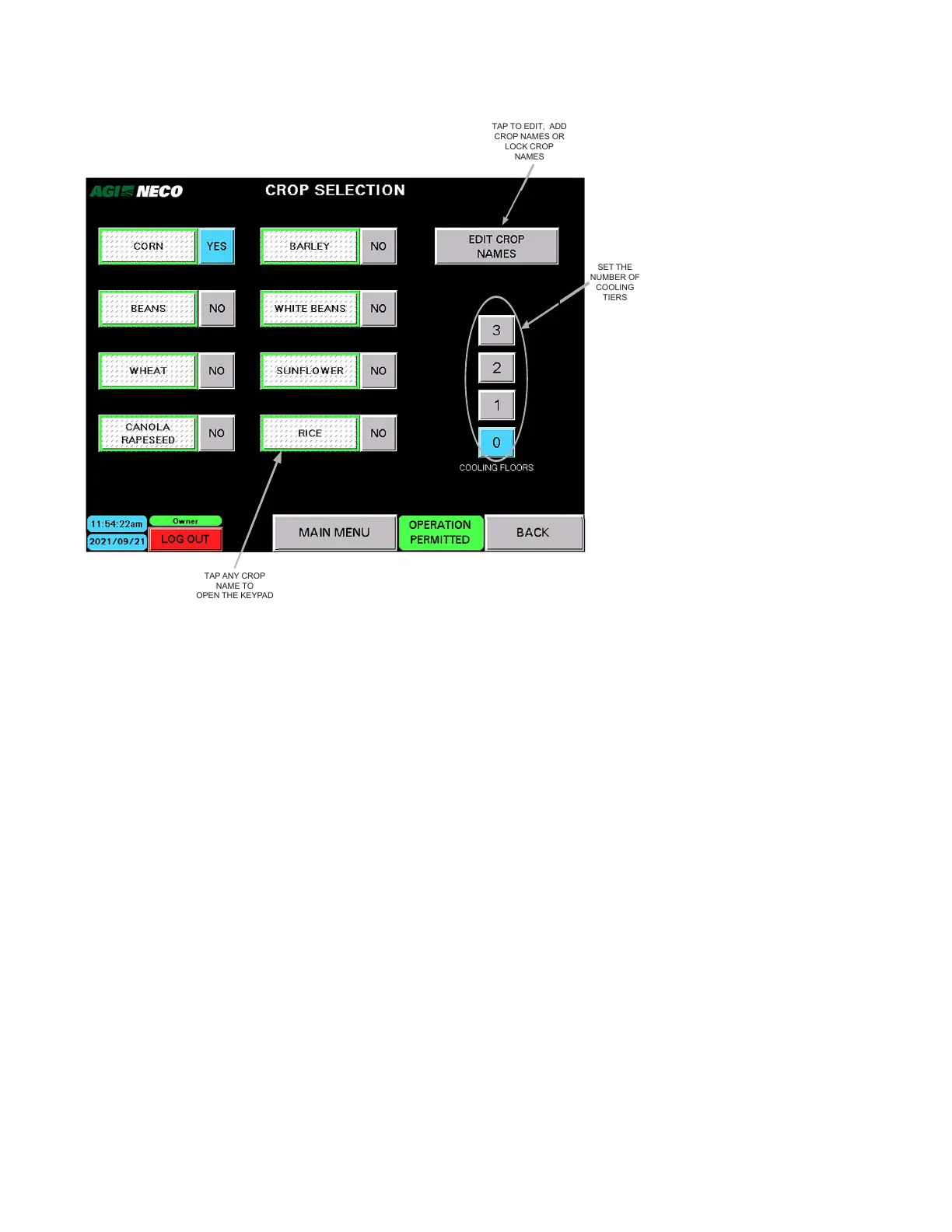
Figure 99. Selecting crops and tiers
2021/09/21
BACK
TAP ANY CROP
NAME TO
OPEN THE KEYPAD
TAP TO EDIT, ADD
CROP NAMES OR
LOCK CROP
NAMES
SET THE
NUMBER OF
COOLING
TIERS
To select a different crop:
• Tap the NO button beside indicator for the new crop desired.
• YES will appear, and the screen automatically switches to the START DRYER - MAIN screen
• Verify the current crop indication at the upper-left corner of the screen has changed to display the newly
selected crop.
To set cooling tiers (floors):
• Tap the button representing the correct number of cooling tiers.
CONTINUOUS MIXED-FLOW GRAIN DRYER WITH COMMANDER CONTROL SYSTEM 4. OPERATION



 To Next Page