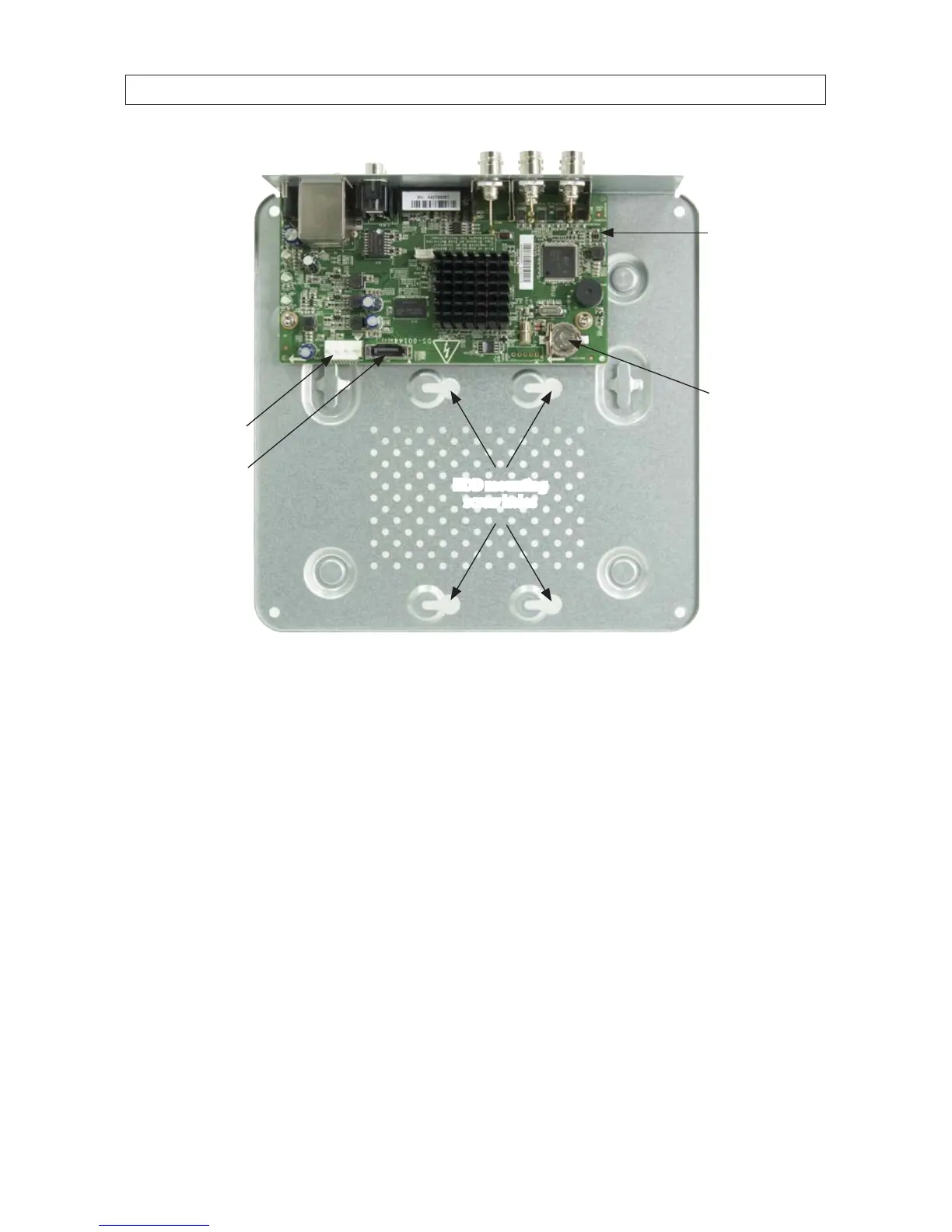
HDD power
cable connector
PC board
HDD SATA cable
connector
HDD mounting
screw holes
Battery
Front
Back
e. Become familiar with the items identied in the photo above.
3. Prepare the HDD for installation. CAUTION: Always follow ESD protection procedures when handling the HDD and DVR
chassis.
a. Remove the HDD from its protective packaging, then lay it top down on a clean, at surface.
b. Attach the SATA data and power cables provided to the mating connectors on the HDD. See below.
APPENDIX C: HDD INSTALLATION











 To Next Page