Rockwell Automation Publication 1441-UM001B-EN-P - September 2012 47
Configuring the Dynamic 2500 Data Collector Chapter 2
Change the Display Backlight
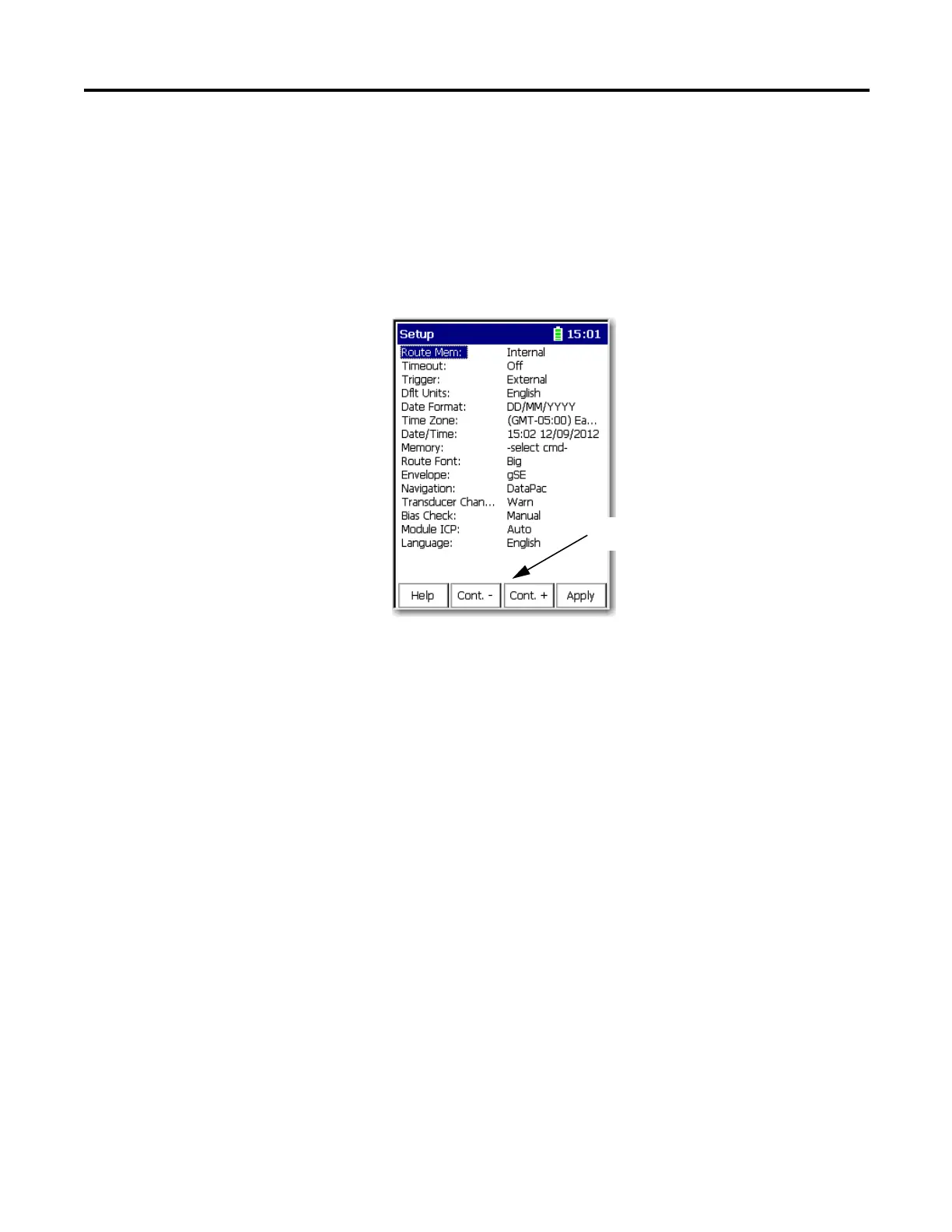
The backlight of the display can be adjusted from most screens. On the Setup
screen the Cont- and Cont+ appear automatically. On some of the screens that
don’t display the buttons, you can press 0 to change the backlight.
1. For example, on the Setup screen, the Cont. - and Cont. + functions
appear on the screen.
2. Press F2 (Cont. -) to lighten the display. Press F3 (Cont. +) to darken the
display.
3. Repeat until the display is adjusted properly.
Use these functions to change
the display backlight.



 To Next Page
 Loading...