Rockwell Automation Publication 1441-UM001B-EN-P - September 2012 135
Collecting and Reviewing Data Chapter 5
Start Data Collection
After setting the data collector options and selecting a route, you are now ready to
start data collection.
Follow these steps to start collecting data.
1. Once you have selected a list, you begin collecting data from the designated
point on the route.
2. Connect the transducer and press Enter to start a measurement.
3. If necessary, press Enter again to collect a measurement depending on the
Auto Store setting in the Instrument Configuration screen.
See Instrument Configuration Parameters on page 59
.
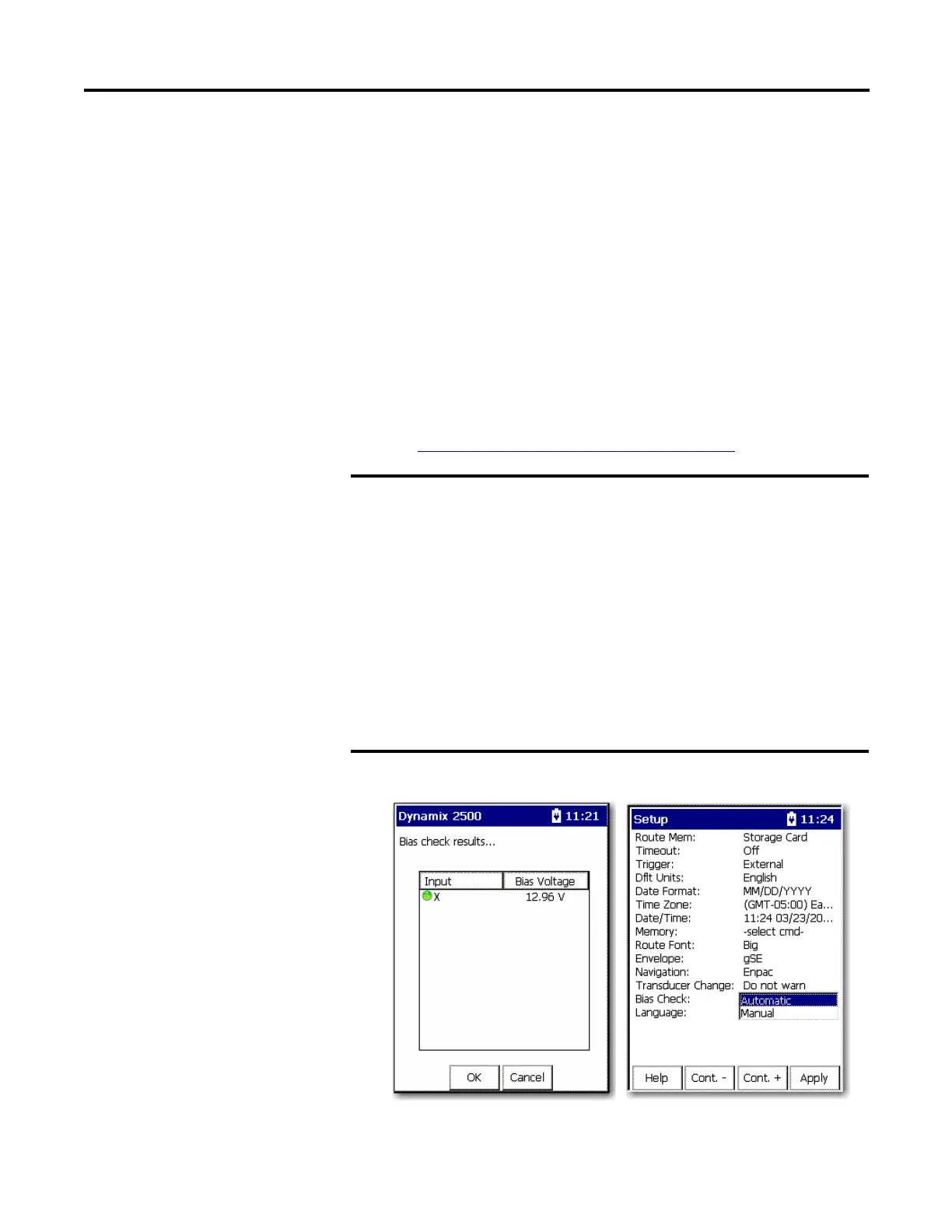
You may notice that a Bias Check is taken if the parameter is set to Auto.
The Dynamix 2500 data collector supplies power to ICP
accelerometers through the A and B connectors. The ICP power `turns
on’ prior to collecting the first measurement point and remains on
until the following occurs:
• You reach the end of the route.
• The data collector advances to a measurement point that does not
require ICP power.
• You exit the route menu.
Do not connect the channel to a BNC panel or non ICP device until the
Dynamix 2500 data collector advances to a non ICP measurement
point. Connecting the channel while collecting a measurement point
that requires ICP power may cause undesirable results, damage to the
equipment, or unexpected machinery trips.



 To Next Page
 Loading...