54 Rockwell Automation Publication 1441-UM001B-EN-P - September 2012
Chapter 2 Configuring the Dynamic 2500 Data Collector
View Settings for Current Measurement Definition
You can review the measurement definitions for the current active measurement
point from the online help.
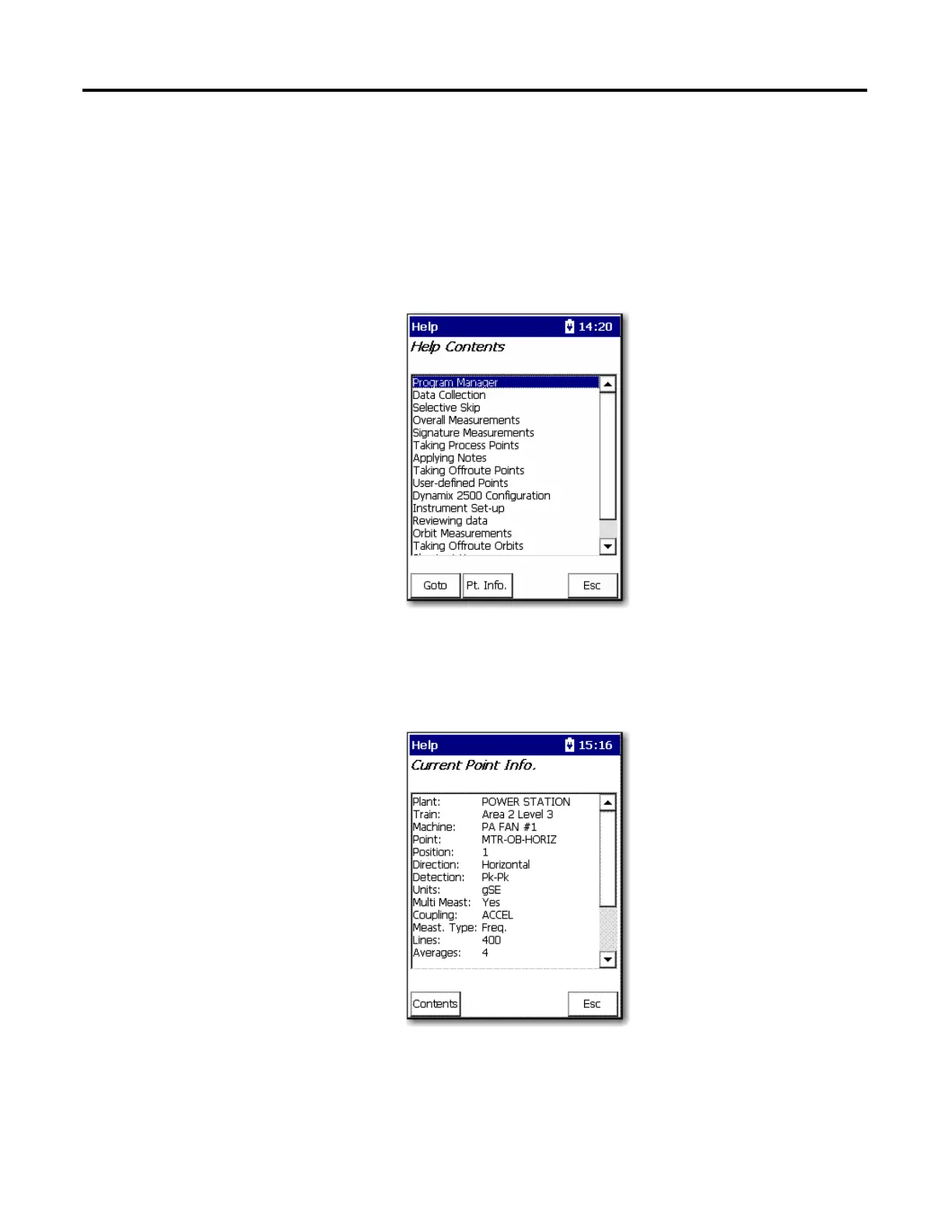
1. Press F1 (Help) to access the online help.
The Help Contents screen appears.
2. Press F2 (Pt. Info.) to view the measurement definition.
The Current Point Info screen appears.
3. When you are finished, press F4 (Esc) to exit the online help or press F1
(Contents) to return to the Help Contents screen.
On some screens, Help is located on the second set of functions,
press (shift) to display F1 (Help)



 To Next Page
 Loading...