HYC50 - Operation and Installation Guide
Version 2-2
All rights reserved. Reproduction of this document, even in part, is only permitted with the approval of alpitronic Srl.
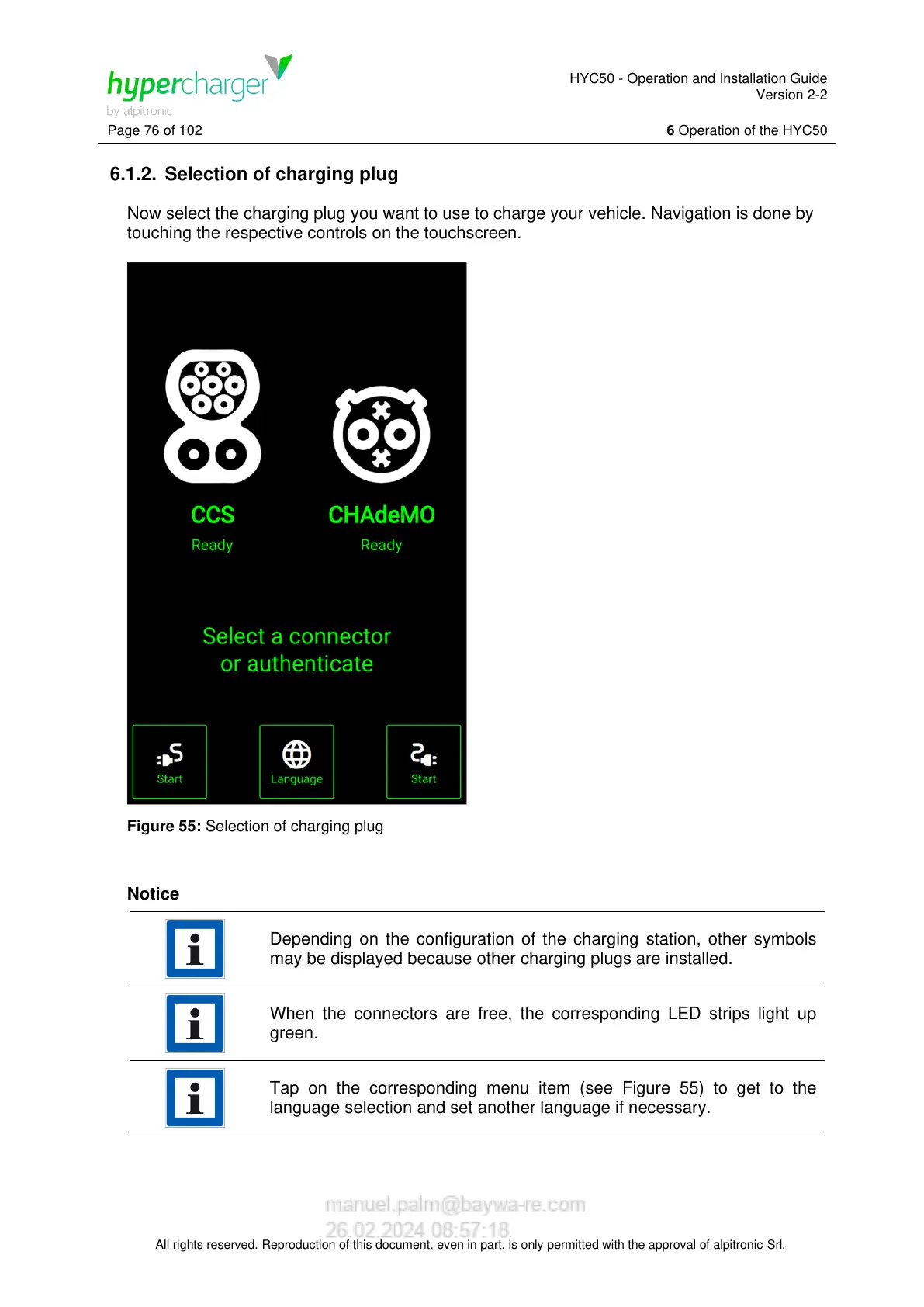
6.1.2. Selection of charging plug
Now select the charging plug you want to use to charge your vehicle. Navigation is done by
touching the respective controls on the touchscreen.
Figure 55: Selection of charging plug
Notice
Depending on the configuration of the charging station, other symbols
may be displayed because other charging plugs are installed.
When the connectors are free, the corresponding LED strips light up
green.
Tap on the corresponding menu item (see Figure 55) to get to the
language selection and set another language if necessary.


 To Next Page