EasyManua.ls Logo

Alpitronic hypercharger HYC50 - User Manual

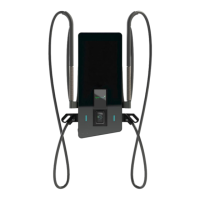
Alpitronic hypercharger HYC50
102 pages
Print Icon
To Next Page IconTo Next Page
Loading...
HYC50 - Operation and Installation Guide
Version 2-2
All rights reserved. Reproduction of this document, even in part, is only permitted with the approval of alpitronic Srl.
Operation and Installation Guide
hypercharger HYC50
(50 kW)
Rapid charging system for electric vehicles
for HW version 7

Table of Contents

Question and Answer IconNeed help?

Do you have a question about the Alpitronic hypercharger HYC50 and is the answer not in the manual?

Summary

Safety Instructions

1.1. Intended Use

Describes the HYC50 EV rapid charging system's design for indoor/outdoor fast charging.

1.2. User

Defines target users for operating and maintenance instructions for the charging station.

1.2.1. Requirements for the Charge Point Operator CPO

Specifies requirements for charge point operators to ensure proper charging station operation.

1.2.2. Requirements for Installation, Commissioning and Maintenance

Outlines qualifications and training required for installation, commissioning, and maintenance personnel.

1.3. Safety Instructions for Installation and Maintenance

Provides critical warnings and instructions for all installation, servicing, and maintenance tasks.

Product Description

2.1. Charging Interfaces

Details the available charging interfaces and their specifications for the HYC50.

2.2. Exterior View

Illustrates and labels the external elements and components of the HYC50 unit.

2.2.1. Nameplate

Provides an example of the device's nameplate, including model, serial, and technical specifications.

2.3. Opening the HYC50

Details the procedure for opening the HYC50's service hatch and front door.

2.4. Interior View

Shows detailed views of the HYC50's internal components from frontal and lateral perspectives.

2.5. Credit Card Terminal (Optional)

Describes the optional credit card terminal feature and its supported payment methods.

Packaging, Transportation, Storage and Handling

HYC50 Installation and Commissioning

4.1. Location Preparation

Details requirements for selecting and preparing the installation site for the HYC50.

4.2. Mechanical Installation of the Pedestal

Describes the steps for installing the pedestal, including foundation requirements.

4.2.1. Insertion of the Concrete Foundation

Explains the requirement for a solid surface and provides dimensions for the concrete foundation.

4.2.2. Mounting the Pedestal

Details the process of attaching the pedestal to the surface using washers and nuts.

4.3. Mechanical Installation of the Wall Mount Plate

Provides instructions for mounting the HYC50 using a wall mount plate, including height specifications.

4.4. Electrical Installation

Covers the electrical connections and protective devices required for the HYC50.

4.4.1. Circuit Diagram for the HYC50

Presents the electrical circuit diagram of the HYC50, detailing component connections.

4.4.2. Preparing the Mains Cable

Explains how to prepare the mains cable, including cross-sections and RCD requirements.

4.4.3. Installing the Mains Cable in the AC Grid Connection Box

Details the process of installing the mains cable into the AC grid connection box.

4.4.4. Mounting the HYC50 and Connecting to the Mains

Guides on lifting, positioning, and physically connecting the HYC50 to the power supply.

Diagnosis and Parameterisation

Operation of the HYC50

6.1. Start Charging

Describes the initial steps to begin a charging session, including authentication.

6.1.1. Authentication

Explains the process of authenticating the user to start a charging session.

6.1.2. Selection of Charging Plug

Guides on selecting the correct charging plug and language for the charging session.

6.1.3. Plug in the Charging Cable

Details the procedure for connecting the charging cable to the vehicle.

6.2. During the Charging Process

Provides an overview of the active charging process, displaying key metrics.

6.2.1. Charging Overview

Explains the information displayed during charging, such as current capacity and SoC.

6.3. Stop Charging

Details the steps to properly end a charging session, including re-authentication.

6.3.1. Wake Up Screen

Describes how to wake up the display from screensaver mode.

6.3.2. Charging Stop

Explains the process of initiating and confirming the stop of the charging session.

6.4. Procedure for Error Messages

Outlines common error messages and troubleshooting steps for the HYC50.

6.4.1. Authentication Failed

Describes the 'Authentication failed' error and how to restart the process.

6.4.2. Charging Plug Defective

Addresses the 'Charging plug defective' error and suggests switching connectors.

6.4.3. Error Establishing Communication

Explains the 'Error establishing communication' message and troubleshooting steps.

6.4.4. Plug Lock Failed

Details the 'Plug lock failed' error and how to ensure correct locking.

6.4.5. The Vehicle Signals an Error

Covers errors signaled by the vehicle and suggests basic troubleshooting steps.

Error Description and Correction

Preventive Maintenance

Reparation and Service

Disposal

Technical Data

Declaration of Conformity

Summary

Safety Instructions

1.1. Intended Use

Describes the HYC50 EV rapid charging system's design for indoor/outdoor fast charging.

1.2. User

Defines target users for operating and maintenance instructions for the charging station.

1.2.1. Requirements for the Charge Point Operator CPO

Specifies requirements for charge point operators to ensure proper charging station operation.

1.2.2. Requirements for Installation, Commissioning and Maintenance

Outlines qualifications and training required for installation, commissioning, and maintenance personnel.

1.3. Safety Instructions for Installation and Maintenance

Provides critical warnings and instructions for all installation, servicing, and maintenance tasks.

Product Description

2.1. Charging Interfaces

Details the available charging interfaces and their specifications for the HYC50.

2.2. Exterior View

Illustrates and labels the external elements and components of the HYC50 unit.

2.2.1. Nameplate

Provides an example of the device's nameplate, including model, serial, and technical specifications.

2.3. Opening the HYC50

Details the procedure for opening the HYC50's service hatch and front door.

2.4. Interior View

Shows detailed views of the HYC50's internal components from frontal and lateral perspectives.

2.5. Credit Card Terminal (Optional)

Describes the optional credit card terminal feature and its supported payment methods.

Packaging, Transportation, Storage and Handling

HYC50 Installation and Commissioning

4.1. Location Preparation

Details requirements for selecting and preparing the installation site for the HYC50.

4.2. Mechanical Installation of the Pedestal

Describes the steps for installing the pedestal, including foundation requirements.

4.2.1. Insertion of the Concrete Foundation

Explains the requirement for a solid surface and provides dimensions for the concrete foundation.

4.2.2. Mounting the Pedestal

Details the process of attaching the pedestal to the surface using washers and nuts.

4.3. Mechanical Installation of the Wall Mount Plate

Provides instructions for mounting the HYC50 using a wall mount plate, including height specifications.

4.4. Electrical Installation

Covers the electrical connections and protective devices required for the HYC50.

4.4.1. Circuit Diagram for the HYC50

Presents the electrical circuit diagram of the HYC50, detailing component connections.

4.4.2. Preparing the Mains Cable

Explains how to prepare the mains cable, including cross-sections and RCD requirements.

4.4.3. Installing the Mains Cable in the AC Grid Connection Box

Details the process of installing the mains cable into the AC grid connection box.

4.4.4. Mounting the HYC50 and Connecting to the Mains

Guides on lifting, positioning, and physically connecting the HYC50 to the power supply.

Diagnosis and Parameterisation

Operation of the HYC50

6.1. Start Charging

Describes the initial steps to begin a charging session, including authentication.

6.1.1. Authentication

Explains the process of authenticating the user to start a charging session.

6.1.2. Selection of Charging Plug

Guides on selecting the correct charging plug and language for the charging session.

6.1.3. Plug in the Charging Cable

Details the procedure for connecting the charging cable to the vehicle.

6.2. During the Charging Process

Provides an overview of the active charging process, displaying key metrics.

6.2.1. Charging Overview

Explains the information displayed during charging, such as current capacity and SoC.

6.3. Stop Charging

Details the steps to properly end a charging session, including re-authentication.

6.3.1. Wake Up Screen

Describes how to wake up the display from screensaver mode.

6.3.2. Charging Stop

Explains the process of initiating and confirming the stop of the charging session.

6.4. Procedure for Error Messages

Outlines common error messages and troubleshooting steps for the HYC50.

6.4.1. Authentication Failed

Describes the 'Authentication failed' error and how to restart the process.

6.4.2. Charging Plug Defective

Addresses the 'Charging plug defective' error and suggests switching connectors.

6.4.3. Error Establishing Communication

Explains the 'Error establishing communication' message and troubleshooting steps.

6.4.4. Plug Lock Failed

Details the 'Plug lock failed' error and how to ensure correct locking.

6.4.5. The Vehicle Signals an Error

Covers errors signaled by the vehicle and suggests basic troubleshooting steps.

Error Description and Correction

Preventive Maintenance

Reparation and Service

Disposal

Technical Data

Declaration of Conformity

Alpitronic hypercharger HYC50 Specifications

General IconGeneral
Product TypeDC Fast Charger
Power Output50 kW
Input Voltage400 V AC
Output Current125 A
Charging StandardCCS, CHAdeMO
Number of Charging Ports2
Cooling SystemLiquid Cooling
Efficiency>95%
Ingress ProtectionIP54
Protection FeaturesOvervoltage, Overcurrent
Operating Temperature-30°C to +50°C
Communication InterfaceOCPP 1.6