When the Follow button is green on the Stream screen, the FollowFollow button for
Gateway is available. If you select the EnableEnable check box when the FollowFollow
button is in green, FollowFollow will be canceled. To set FollowFollow again, close the
Stream Setup dialog box and turn the FollowFollow button in green.
IGMP hostIGMP host
IGMP host is displayed in the following applications.
IGMP stands for Internet Group Management Protocol.
BERT
Mon./Gen.
1. Touch SetupSetup to set the group address, and JoinJoin becomes available.
2. Touch JoinJoin to send a Join message to the IGMP host.
The button name changes to LeaveLeave.
In this state, the Network Master receives packets whose source address
matches the group address. The Src IPSrc IP address in the Stream Setup screen is
not used in receiving packets.
Also, the IP address display is followed by (multicast hostmulticast host).
3. Touch LeaveLeave to send a Leave message to the IGMP host.
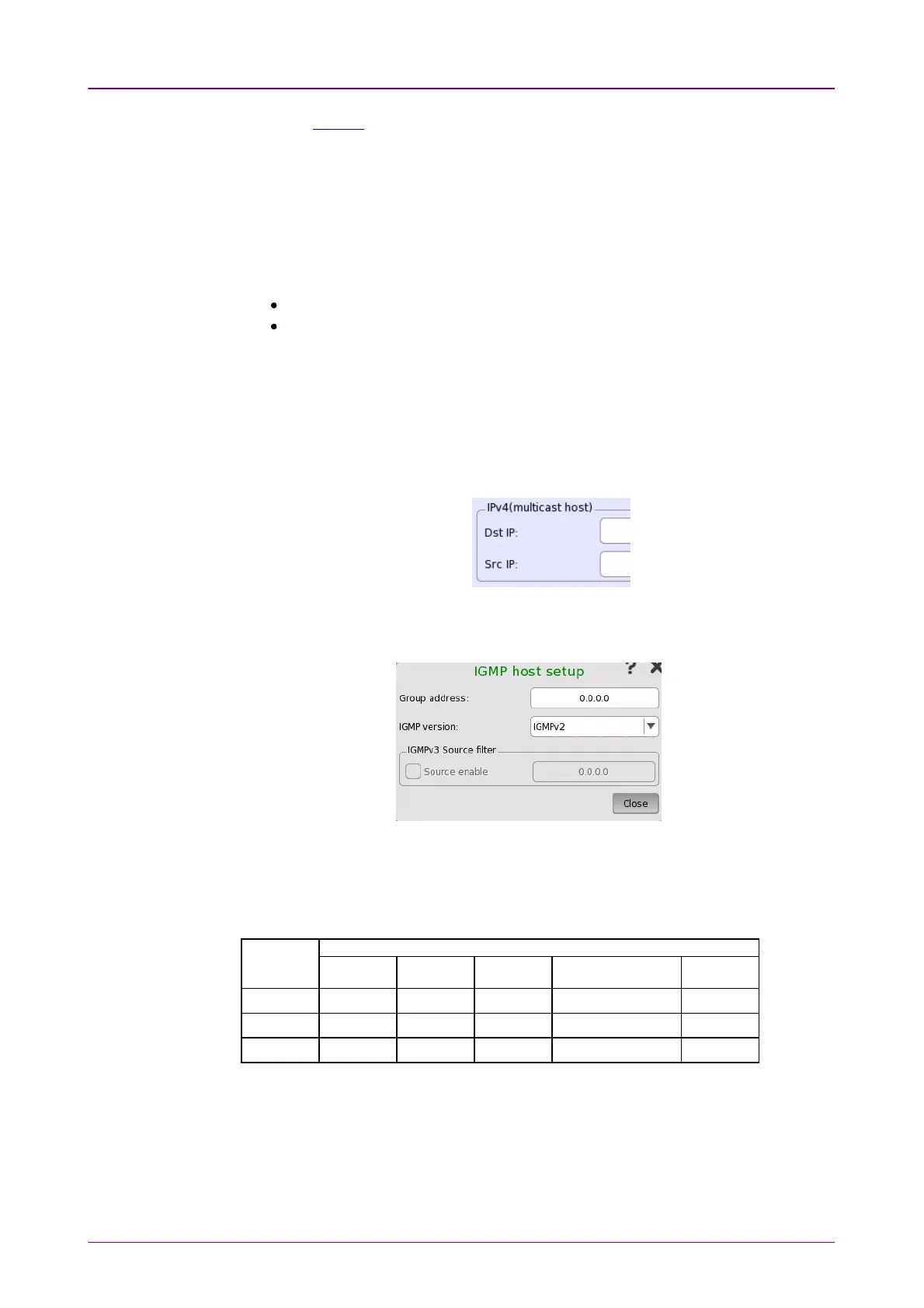
Touching SetupSetup for IGMP host will open the IGMP host setupIGMP host setup dialog box.
Touch the Group addressGroup address box to set the multicast address of the group.
(224.0.0.0 to 239.255.255.255)
Select a version from the IGMP versionIGMP version list. The supported functions vary
depending on the protocol version.
OptionOption
FunctionFunction
JoinJoin LeaveLeave
GeneralGeneral
QueryQuery
Group specificGroup specific
query responsequery response
SourceSource
filterfilter
IGMPv1IGMPv1 ✓ - ✓ - -
IGMPv2IGMPv2 ✓ ✓ ✓ ✓ -
IGMPv3IGMPv3 ✓ ✓ ✓ ✓ *
✓: Supported, -: Not supported,
*: The Network Master does not support the function.
IGMPv3 source filterIGMPv3 source filter
Selecting the Source enableSource enable check box enables the Source filter function. Set
the IP address for the IGMP frame source.



 To Next Page