Flow labelFlow label
The Flow labelFlow label indicates that the datagram belongs to a specific sequence of
traffic between a source and destination. The default value is 00.
Payload lengthPayload length
Shows Payload length in the IPv6 header. This value is calculated
automatically.
Next headerNext header
The next header indicates the upper/next layer protocol encapsulated in the IP
datagram. Typical values in hex are: 1 = ICMP, 6 = TCP etc.
Hop limitHop limit
The Hop limitHop limit defines the number of 'hops' a datagram can do before it no
longer is forwarded.
IP addressIP address
Src IPSrc IP
Select setting mode using drop-down menu.
ManualManual: touch the field to enter 32 Hex values.
StatelessStateless: configures the address automatically. The lamp lit in green if the
automatic configuration has succeeded.
This option is available when PBB nor MPLS-TP is not set to Layer 2.
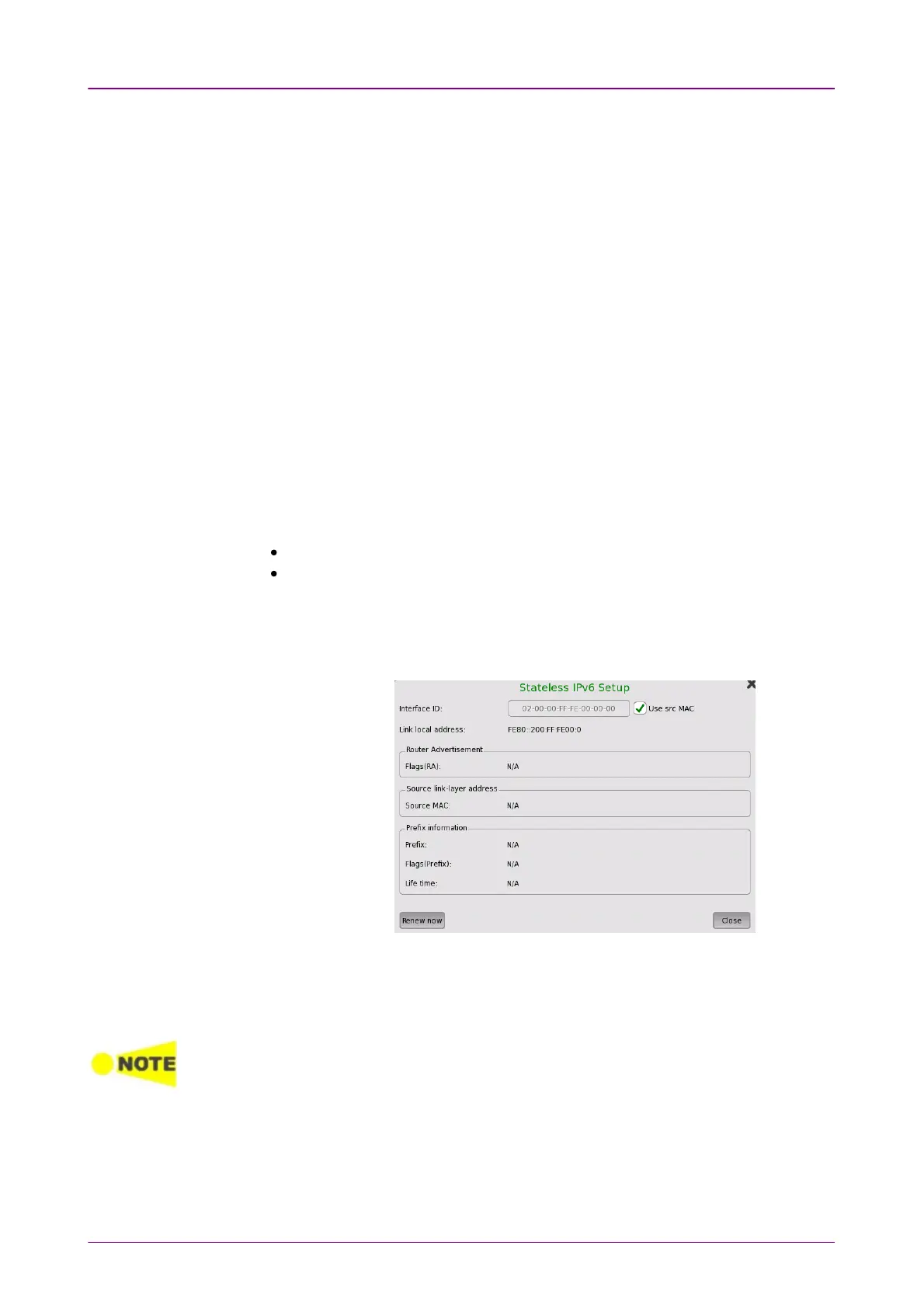
Touching the SetupSetup button next to the virtual Lamp in the Src IPSrc IP line
will open the Stateless IPv6 SetupStateless IPv6 Setup dialog box.
Selecting the Use src MACUse src MAC check box configures the interface ID from
the MAC address.
When the check box is clear, touch the field to set the interface ID.
Touching Renew nowRenew now starts the source IP address configuration.
The measurement via routers by using a router advertising message is available for RFC
6349 application test. In that case, select StatelessStateless.
Dst IPDst IP
Touch the field to enter 32 Hex values.



 To Next Page