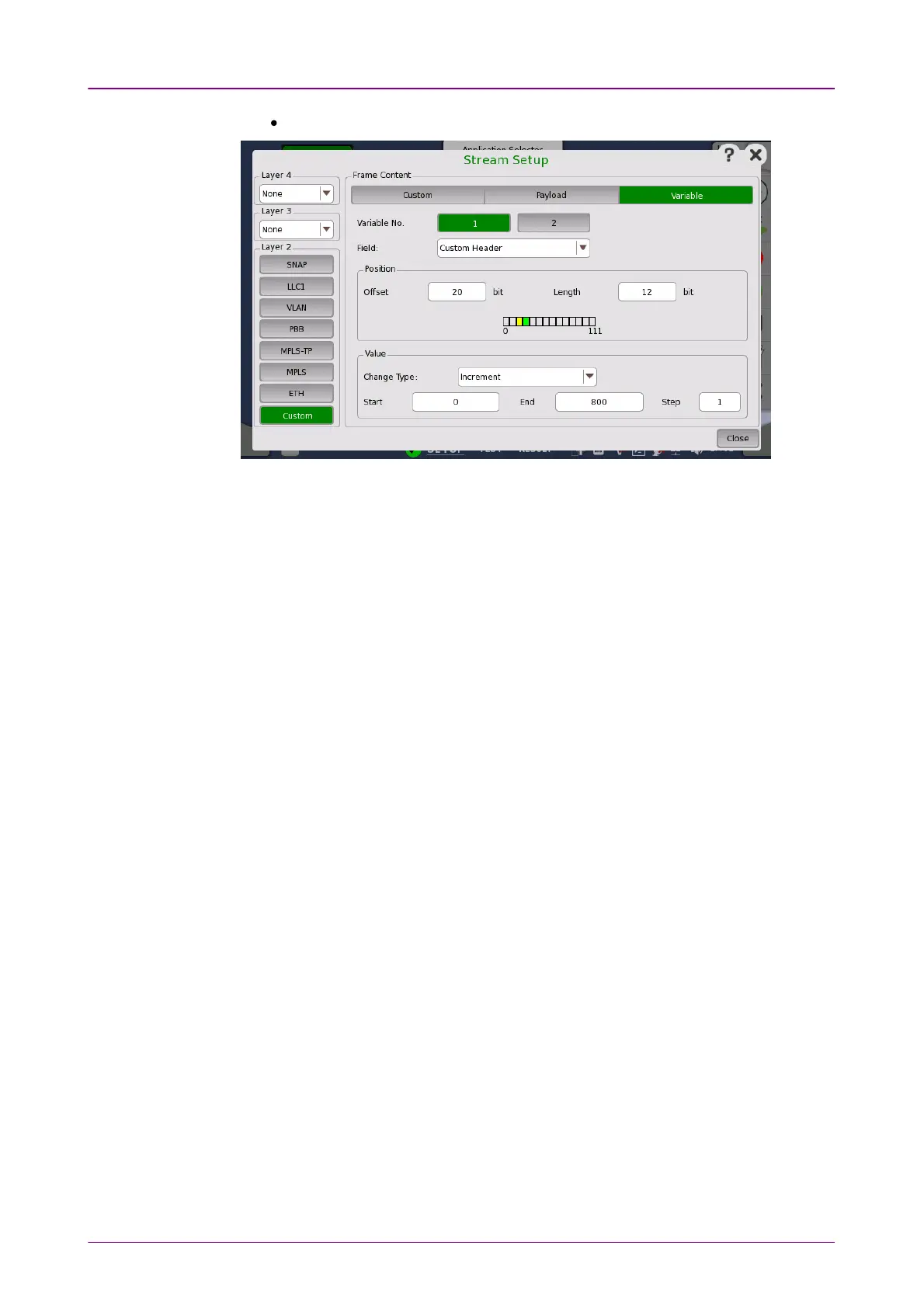
When CustomCustom button in layer 2 is green.
Variable No.Variable No.
Select which of the two variables you want to define.
FieldField
Use the drop-down menu to select the type of field. Note that the contents of
the drop-down list depends on which protocol layers are currently chosen for
the Ethernet frame.
PositionPosition
Allows you to specify a bit position and bit length for the variable by OffsetOffset and
LengthLength field. The position of a variable is shown in green. 'X' means four bits.
When Custom button in Layer 2 is green, row of boxes appears. A box indicates
eight bits.
The part in green shows that all bits are variable. The part in yellow shows that
partial bits are variable.
ValueValue
When the interface bit rate is 100 Gbps or less, use the Change TypeChange Type drop-
down menu to specify how the variable will change: IncrementIncrement, DecrementDecrement or
RandomRandom.
Specify StartStart and EndEnd values for the variable, as well as the number of StepsSteps.



 To Next Page