Columns areColumns are
"AND'ed", rows are"AND'ed", rows are
"OR'ed"."OR'ed".
Allow the followingAllow the following
encapsulation typesencapsulation types
Select FilterSelect Filter
FollowsFollows
It is possible to let the Port 2 copy the setup from Port 1 by touching the
FollowFollow button. When this button is displayed in green, Port 2 continues to
follow Port 1 change. This button appears when the Port 1 settings can be copy
to Port 2.
The filter and mask table shows the currently existing filters. There are 8 rows,
each representing a filter which (when enabled) is applied to each received
frame. Each filter is composed as a set of values and/or masks (e.g. MAC
destination address, IP addresses etc.). If all values in at least one enabled
row/filter matches, the frame will pass.
If the mask for a specific value is enabled, only bits that are "1"/on are
compared to the frame. For instance, if MAC Destination value is '00-12-34-56-
78-9A' and the mask is set to '00-FF-00-FF-FF-FF', only frames with MAC
addresses 'XX-12-XX-56-78-9A' will pass.
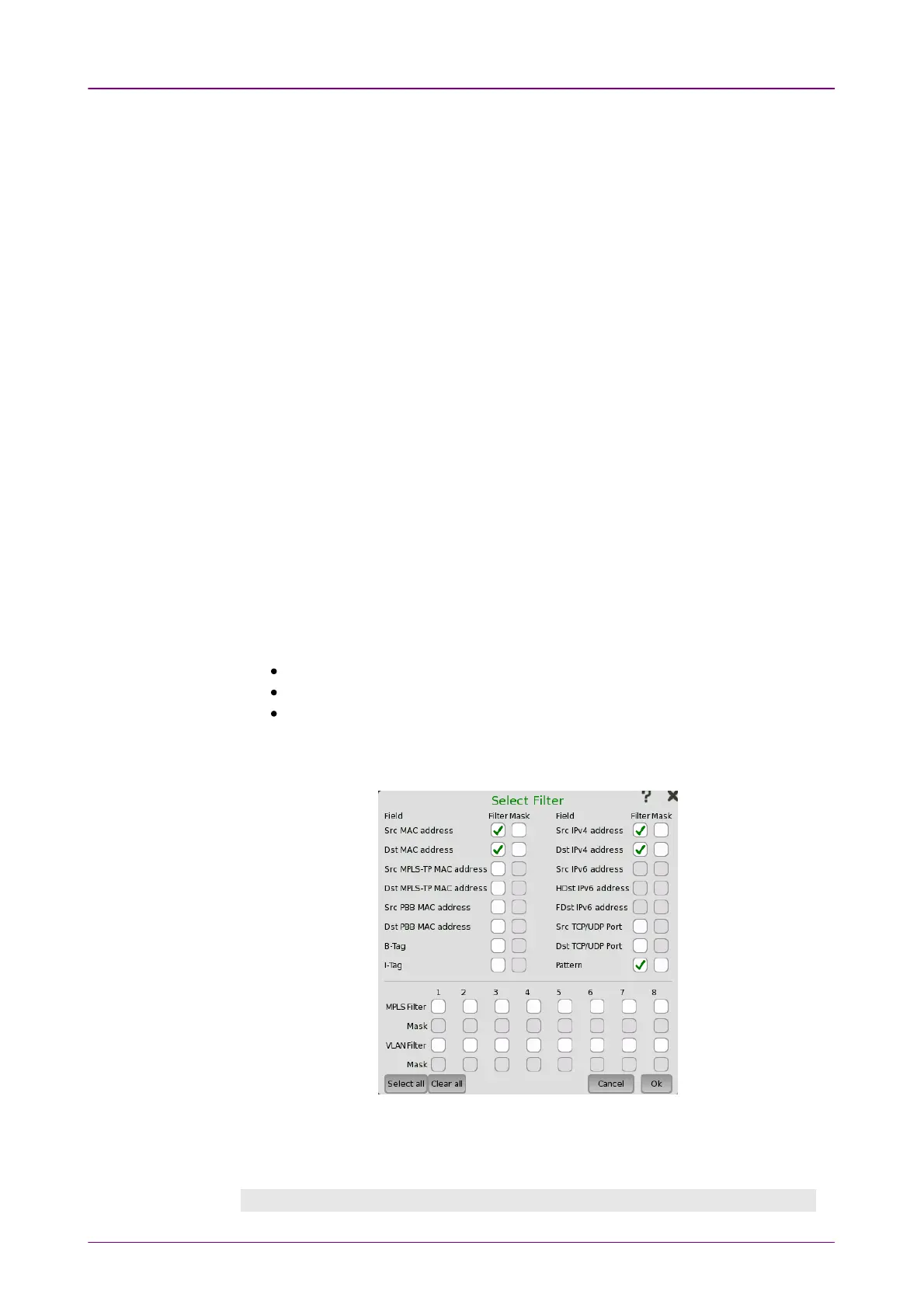
To specify the set of values and/or masks available for each filter (i.e. the
columns of the table), touch the Select FilterSelect Filter button. This will launch the filter
editor dialog box, which contains a number of check boxes for enabling filters
and masks on different addresses.
To set up / edit a filter, touch the relevant table cell. This will launch the
filter/mask NumPad dialog box.
At the bottom of the screen, it is possible to only allow certain encapsulation
types.
Ether typeEther type: allows passing of Ethernet frames.
SNAPSNAP: allows passing frames which has SNAP header.
LLCLLC: allows passing of frames which has LLC header.
If none are selected, all frames including other than Ethernet frame will pass
the filter.
The Select FilterSelect Filter dialog box contains a number of check boxes for enabling
filters and masks on different addresses. Selectable check boxes depend on
frame structure. The selected filters appear in row of the table.
MPLS Filter, VLAN Filter settingMPLS Filter, VLAN Filter setting



 To Next Page