SSM/QLSSM/QL
*1: Appears when the interface is 25 Gbps or 100 Gbps.
*2: Appears when the interface is 25 Gbps.
FEC Symbol ErrorsFEC Symbol Errors
Symbol error status in each lane is displayed.
66..11..33..44 OH CaptureOH Capture
This function is enabled when interface is set to 10G WAN10G WAN. Touching the OHOH
CaptureCapture button in the status area of the Ports SetupPorts Setup screen launches the dialog
box similar to the SDH/SONET OH Capture screen.
Refer to OH Capture in the "SDH Setup and Status" section.
66..11..33..55 SyncESyncE
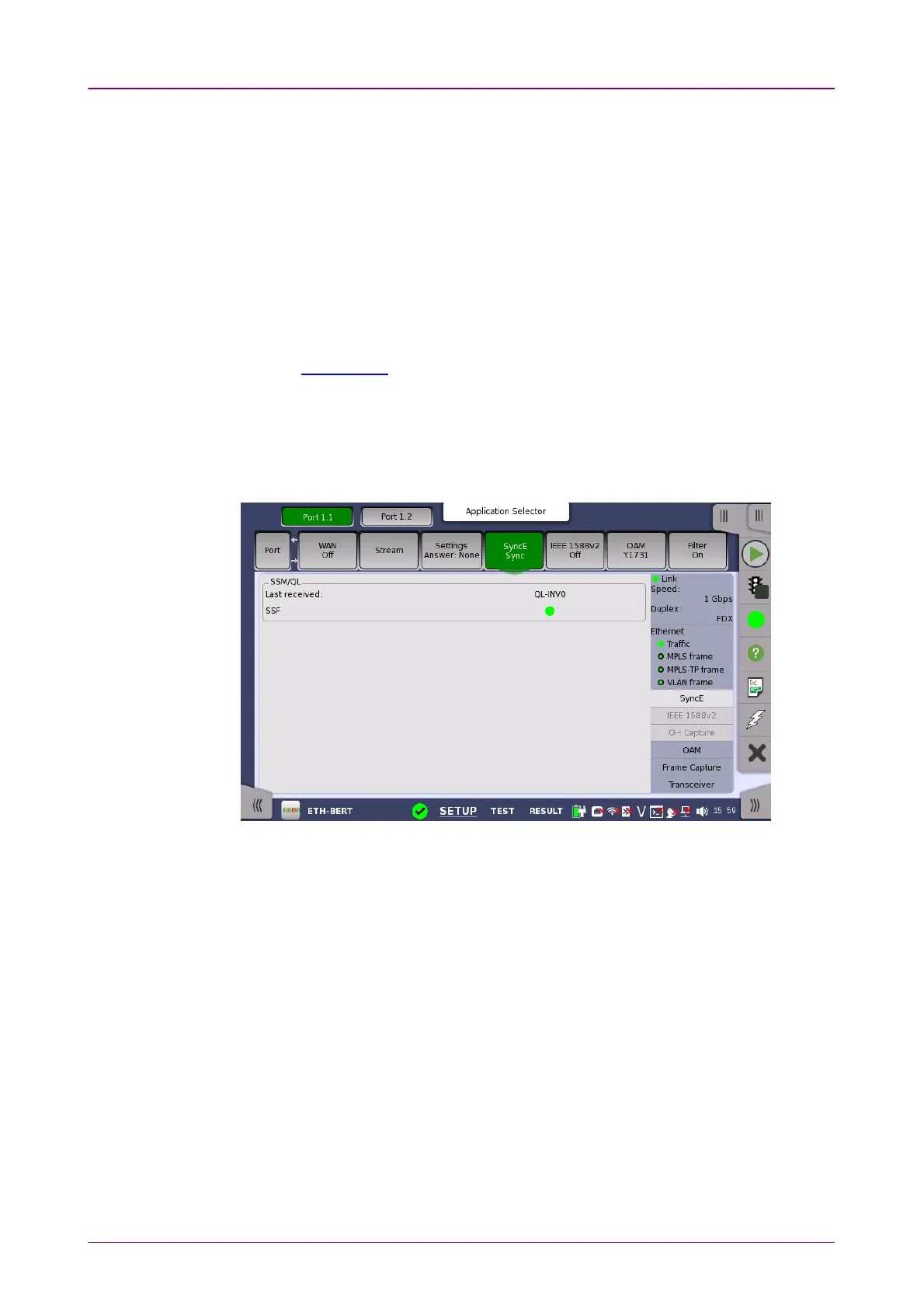
Touching the SyncESyncE button in the status area of the Ports SetupPorts Setup screen displays
the status shown below.
This screen presents information related to the status of synchronous Ethernet.
Synchronization Status Message
and
Quality Level
status
Last receivedLast received
Shows the latest QL value.
SSFSSF
Server signal fail
. The Lamp icon becomes red when no ESMC message has
been received within the last five seconds.



 To Next Page