Ethernet WANEthernet WAN: Inserts errors or alarms to the WAN header.
Ethernet frequencyEthernet frequency: Adds the frequency offset to the Ethernet bit rate.
66..11..44..11 Ethernet LANEthernet LAN
1. Select AlarmsAlarms or Errors/ViolationsErrors/Violations using the radio button.
2. Select DestinationDestination using the drop down menu.
3. Select the InsertionInsertion in case of Errors/Violations.
Alarms will be inserted continuously.
OffOff: Turns off inserting errors.
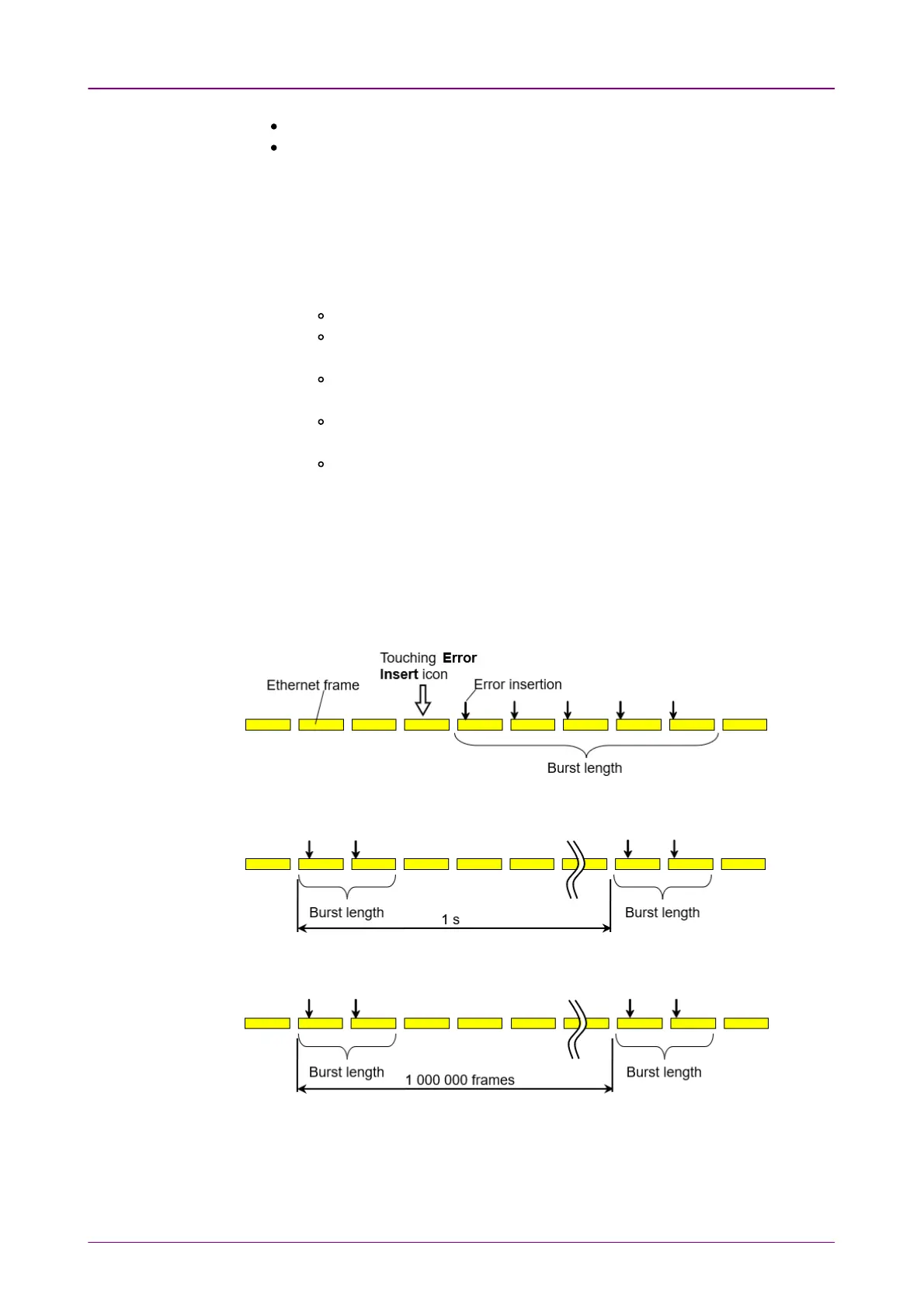
ManualManual: Inserts errors in the specified counts if you touch the Error
Insert icon.
Burst / secBurst / sec: Inserts errors in the specified counts in one second
periodic.
Burst / 10 secBurst / 10 sec: Inserts errors in the specified counts in ten second
periodic.
Burst*1E−02Burst*1E−02 to Burst*1E−07Burst*1E−07: Inserts errors of burst length in the
specified rate continuously.
For example, Burst lengthBurst length is set to 3 and Burst*1E−06Burst*1E−06 is selected, the
three errors will be inserted per one million blocks. The Error InsertError Insert
icon shows only status.
4. Touch the Burst lengthBurst length field to set the errors insertion counts.
5. When Insertion is set to ManualManual, Touch the Error InsertError Insert icon.
Manual Manual
Burst / Sec Burst / Sec
Burst *1E-6 Burst *1E-6



 To Next Page