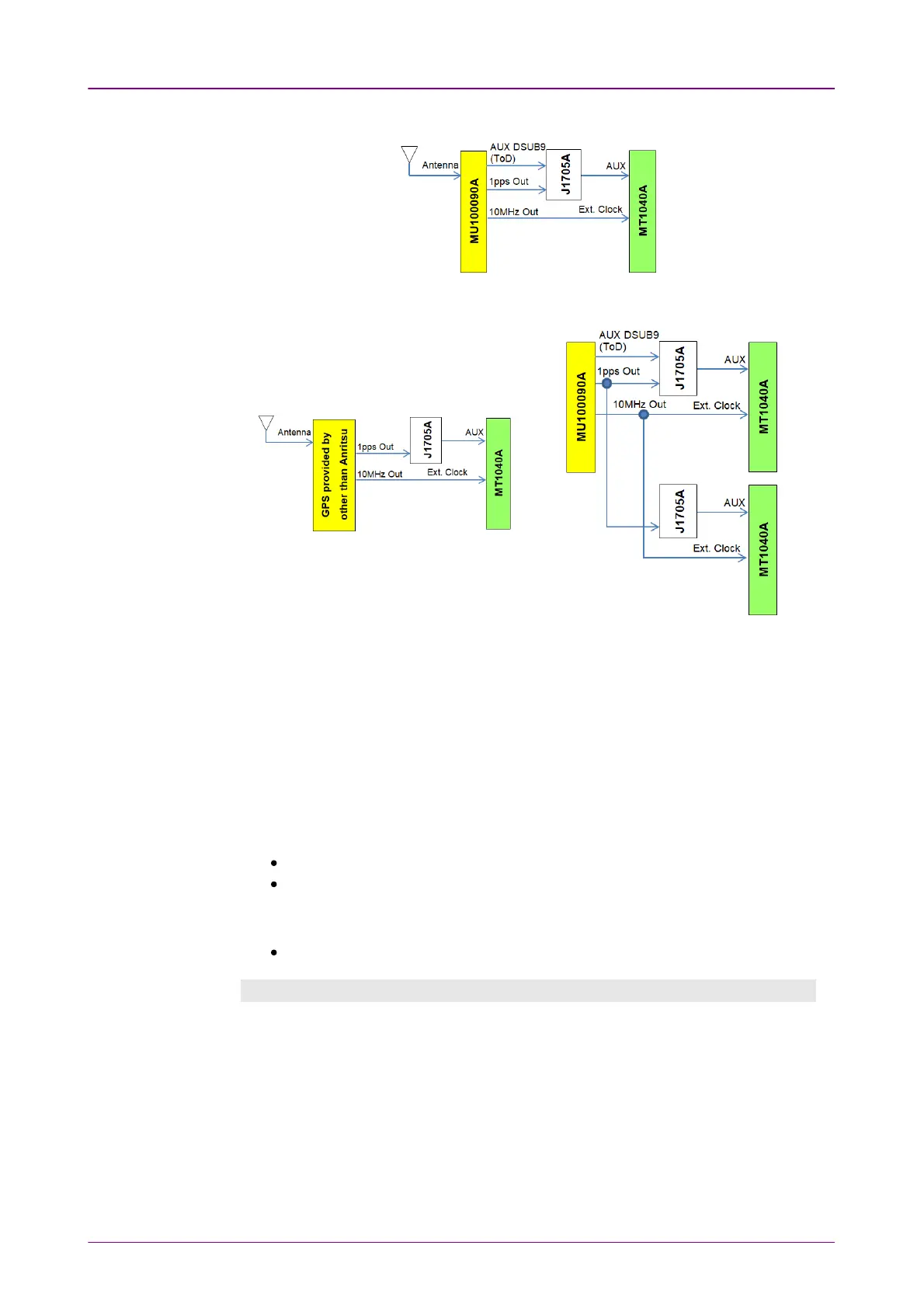
G0325A Connection for GPSGPS MU100090A Connection for GPSGPS
MU100090A Connection
for GPS (Ext ref. 10MHz)GPS (Ext ref. 10MHz)
Connection of GPS provided by other than
Anritsu for 1PPS(Ext ref. 10MHz)1PPS(Ext ref. 10MHz)
Connection of MU100090A and Two
MT1040As for 1PPS(Ext ref. 10MHz)1PPS(Ext ref. 10MHz)
GPS antenna cableGPS antenna cable
To measure the phase error precisely, set the correction value to GPS cable
correction.
When calculating the delay time from the cable length, it is recommendable to
use 5 ns/m as the conversion factor.
When using the following GPS antenna provided by Anritsu, set 25 ns.
G0325A
MU100090A (When using J1706A GPS antenna of the standard accessory)
When using the following GNSS antenna provided by Anritsu, set 40 ns.
MU100090B (When using J1886A GNSS antenna of the standard accessory)
Timestamp Synchronization ProcedureTimestamp Synchronization Procedure
The following shows an example of the procedure to perform the jitter and
latency measurement under the condition that the timestamps have been
synchronized with GPS.
1. Connect the G0325A GPS Receiver to the Network Master.
2. Turn on the Network Master.
3. While checking the GPS reception icon at the right-bottom of the screen, move
the network master to the environment where it can receive GPS signals.
4. Confirm that no other applications are running.
5. Start MonGen or BERT application with selecting one port.



 To Next Page