FEC ThresholdsFEC Thresholds
TransportTransport
EthernetEthernet
This setting appears in case of following applications on OTN.
BERT
Mon./Gen.
Reflector
When you select the check box, you can enable alarm or error thresholds.
InterfaceInterface
Fixed to OTNOTN.
Evaluation itemEvaluation item
Select the item to evaluate. If selecting other than Any Alarm or ErrorAny Alarm or Error, another
menu appears.
Evaluation typeEvaluation type
Select the relevant type.
Pass & fail thresholdPass & fail threshold
Touch the left-hand number to set the lower limit for "Warning". Touch the
right-hand number to set the lower limit for "Fail". The lower limit of "Fail"
must be equal to or greater than the lower limit of "Warning" (defining a
"Within limits" range in between them).
The settings in this area are effective when the interface is 200GbE or 400GbE.
Symbol error rateSymbol error rate
Allows you to specify a threshold value for the symbol error rate to the total
PAM4 symbols of all lanes.
CW DistributionCW Distribution
Allows you to specify a threshold value for the symbol error count occurring in
a codeword, used for the error indication of FEC DistributionFEC Distribution bar chart in the
result screen.
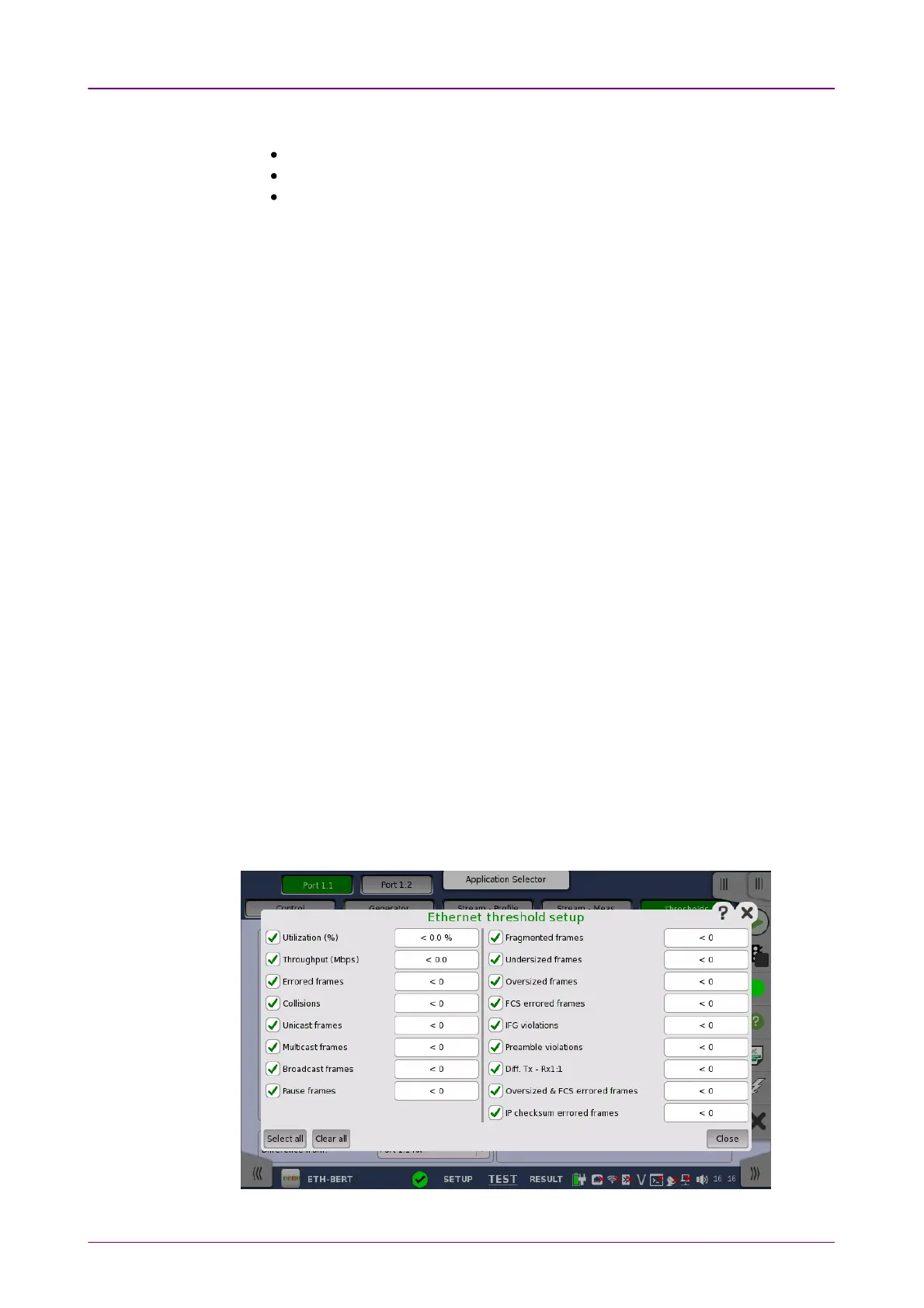
When you select the check box, you can enable various thresholds. Touch the
SetupSetup button to display the Ethernet threshold setupEthernet threshold setup dialog box.



 To Next Page