If both ports are active, the test will require both ports to be linked and do a dual 'Single
ended network test'. Turn off one of the ports to only test on one of the ports.
Testing in this modeTesting in this mode
Throughput test
Frame Loss test
Throughput and Frame Loss test
Latency/Jitter test
Burst test
Note that you cannot select 'Throughput and Frame Loss' and 'Throughput' /
'Frame Loss' at the same time.
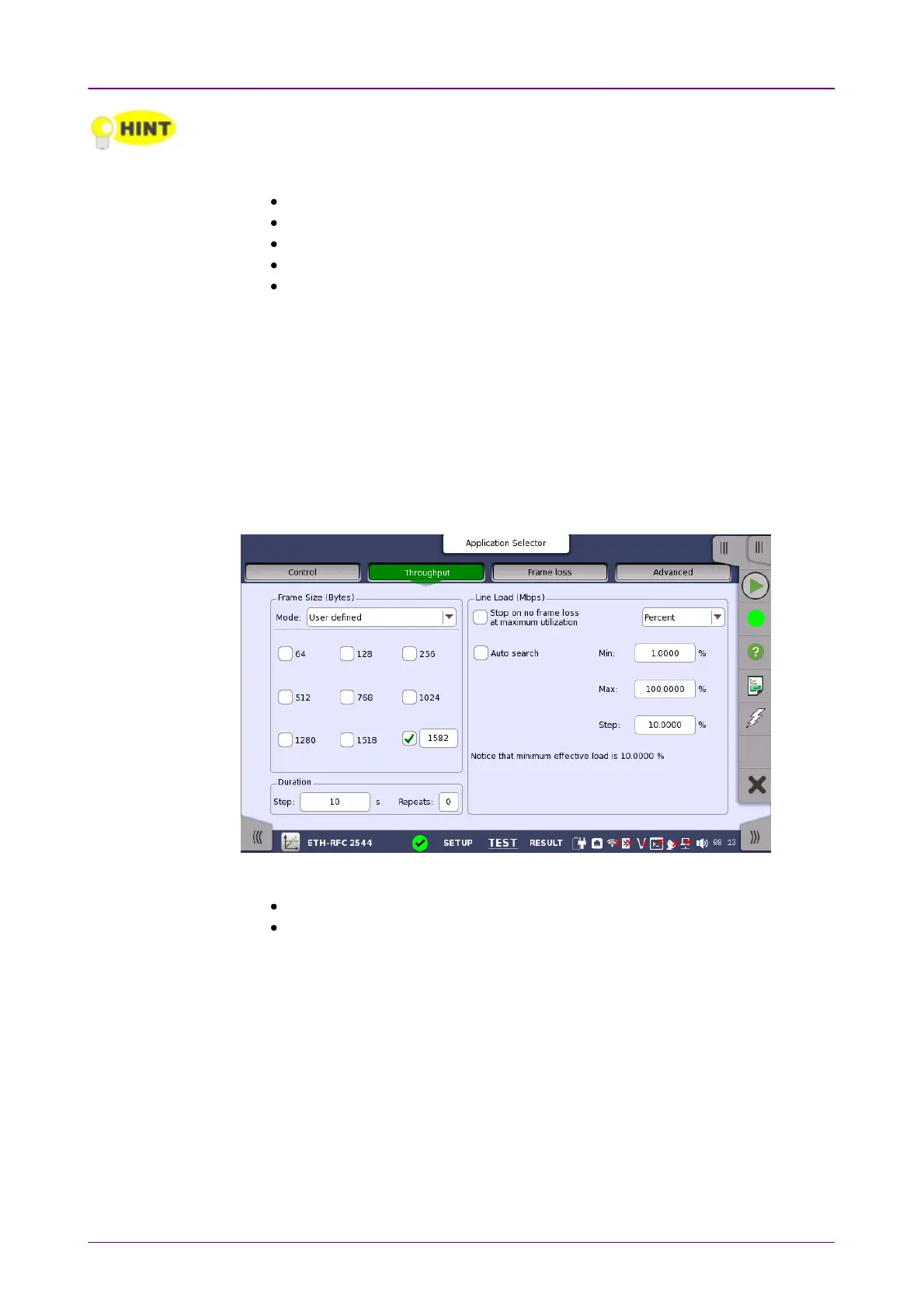
66..99..22..22 ThroughputThroughput
Only available if you have specified a ThroughputThroughput test on the ControlControl of the
Test Setup screen.
Touching the ThroughputThroughput button in the navigation area will display the screen
shown below.
Selecting the either of following check box displays the screen shown below.
Stop at maximum utilization when frame loss is below thresholdStop at maximum utilization when frame loss is below threshold
Auto searchAuto search



 To Next Page