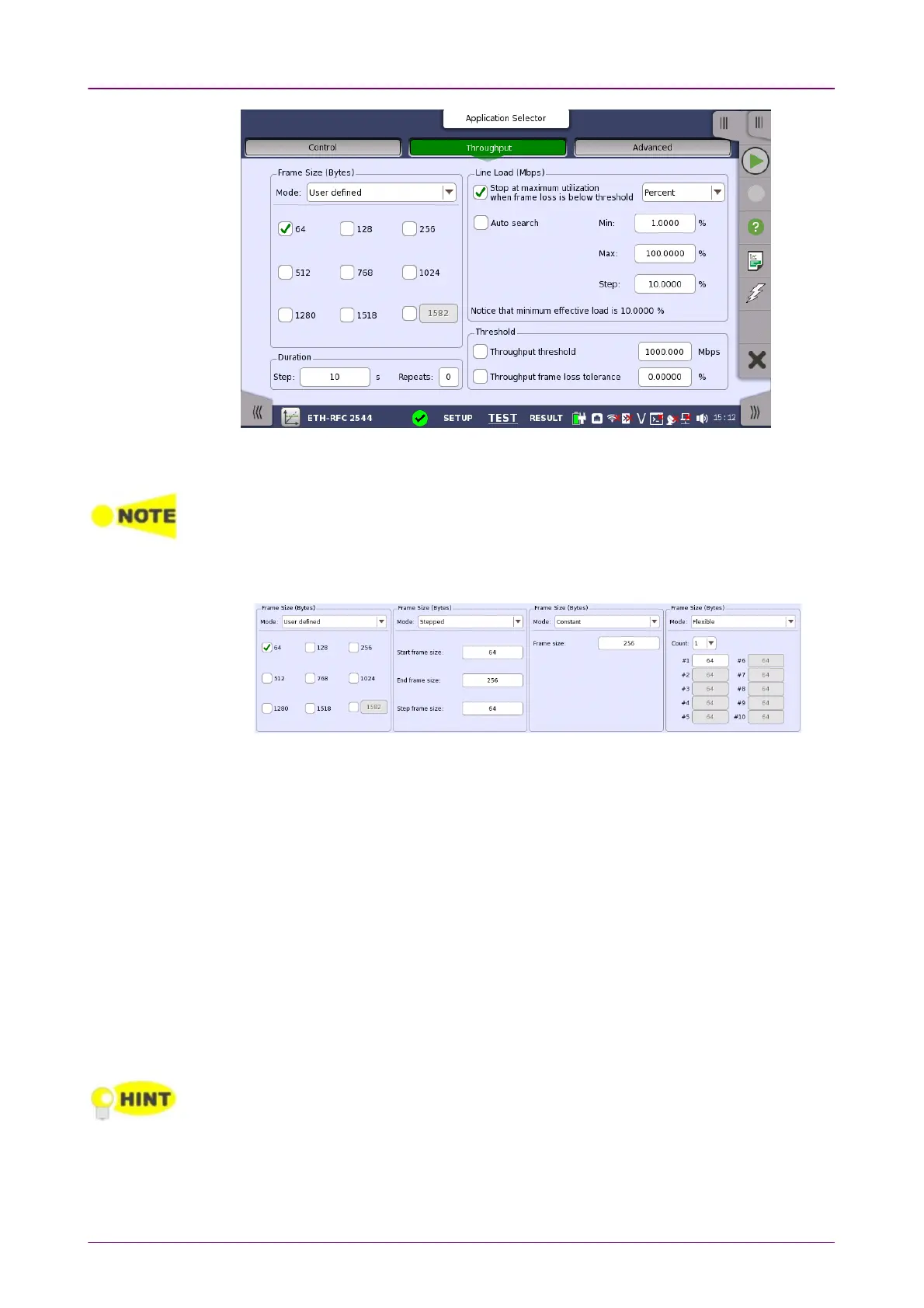
Frame Size (Bytes)Frame Size (Bytes)
This screen allows you to configure the following parameters related to an RFC
2544 Throughput test:
The changes affect both Port 1 and Port 2 when the Switch/Router Test mode is
selected.
Frame size can be specified in four ways. Observe that the screen layout
changes depending on the type of Frame Size selected.
User defined
Check boxes for the following predefined sizes are available: 6464, 128128, 256256, 512512,
768768, 10241024, 12801280, 15181518 and 15191519 to 1600016000(Using the field at right bottom).
Stepped
Setup of Start frame sizeStart frame size, End frame sizeEnd frame size and Step frame sizeStep frame size is available. The
frame size starts at
Start frame size
and increases/decreases in intervals of
Step frame size
until the frame size is above/below
End frame size
(the
increase or decrease depending on the specified start and end values).
Constant
A Frame sizeFrame size field for specifying the constant size is available.
Flexible
This option allows users to select multiple frame sizes from arbitrary frame
length.
Set number of frame sizes to apply in CountCount, and input a frame length in each
frame size text box.
The steppedstepped mode is convenient for testing different frame sizes consistently and
equally distributed. As a consequence it produces more smooth and detailed graphs
when the step frame size is arbitrarily low. The test extends in time for smaller step frame
sizes.



 To Next Page