GeneralGeneral
The following addresses cannot be used for RFC 6349 application tests.
All numbers are zero. (i.e, 0.0.0.0 for IPv4, :: for IPv6)
Multicast address
When Layer 3 is IPv6, tests can be performed if link local addresses (First 16 bits of
prefix is FE80) meet the following requirements:
Requirement 1: Both Src IP address and Src IP address are link local addresses.
Requirement 2: Src IP address satisfies the followings.
Prefix: FE80:0000:0000:0000
Interface ID: Modified EUI-64 format generated from Src. MAC
Please refer to the sections relevant for your current port setup requirements.
66..1010..22 Test SetupTest Setup
66..1010..22..11 ControlControl
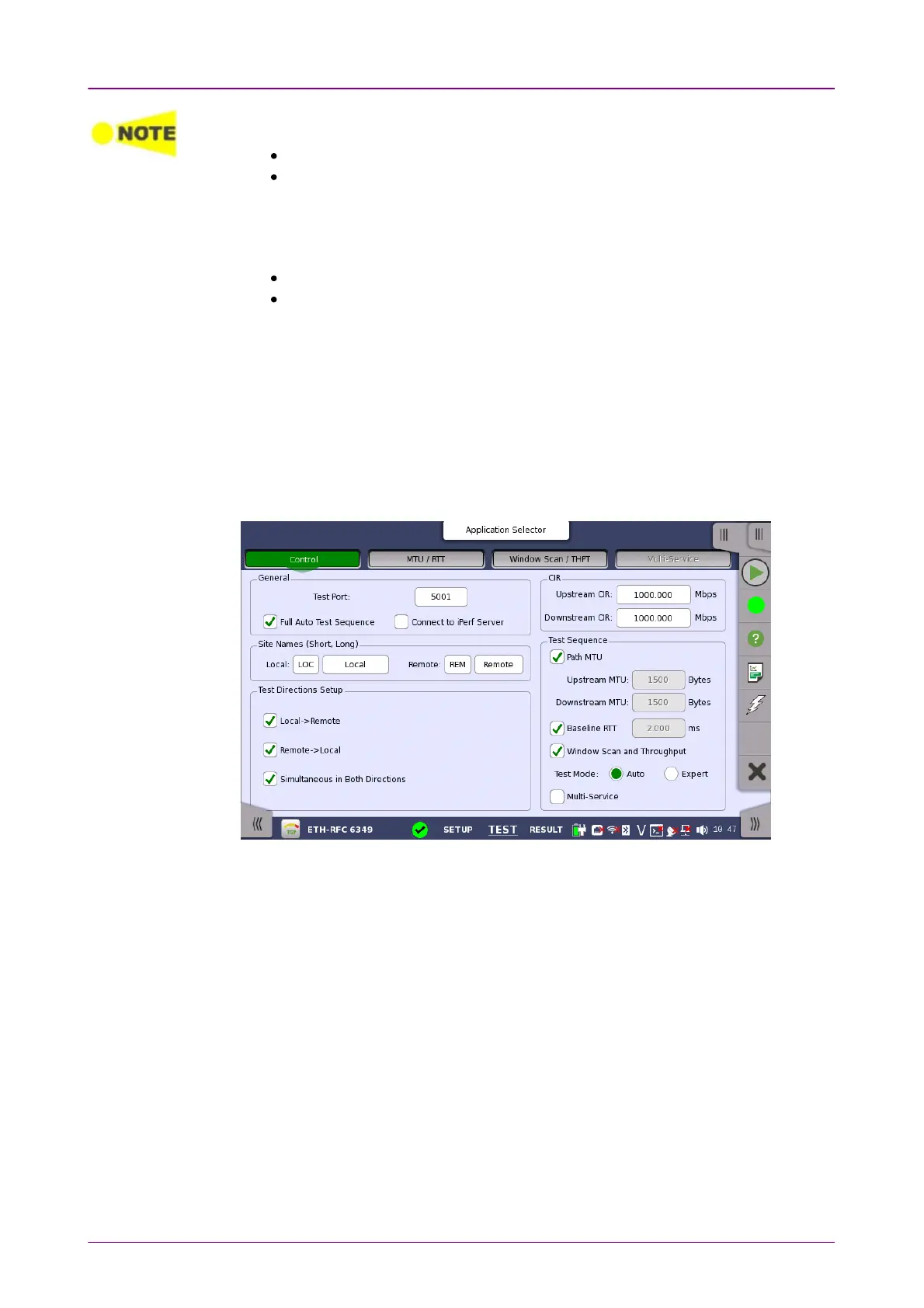
When you go to the test setup of the RFC 6349 application, the following
screen is displayed.
This screen allows you to specify your test mode and select which RFC 6349
tests to carry out.
Test PortTest Port
Touch the fields to set the port number.
When the Network Master is on Local side, this value is used as the TCP
destination port number.
When the Network Master is on Remote side, this value is used as the TCP
source port number.
Full Auto Test SequenceFull Auto Test Sequence
If selecting check box, followings are selected:
Local -> RemoteLocal -> Remote, Remote -> LocalRemote -> Local, Simultaneous in Both DirectionsSimultaneous in Both Directions, Path MTUPath MTU,
Baseline RTTBaseline RTT, Window Scan and ThroughputWindow Scan and Throughput The Test Mode will be set to AutoAuto.
Connect to iPerf ServerConnect to iPerf Server is cleared.
Connect to iPerf ServerConnect to iPerf Server



 To Next Page