Site Names (Short,Site Names (Short,
Long)Long)
Test Directions SetupTest Directions Setup
CIRCIR
Test SequenceTest Sequence
If selecting check box, Network Master will connect to the iperf server. "iperf" is
the tool to measure the network throughput.
Followings are cleared:
Remote -> LocalRemote -> Local, Simultaneous in Both DirectionsSimultaneous in Both Directions, Full Auto Test SequenceFull Auto Test Sequence.
Network Master supports iPerf2 only.
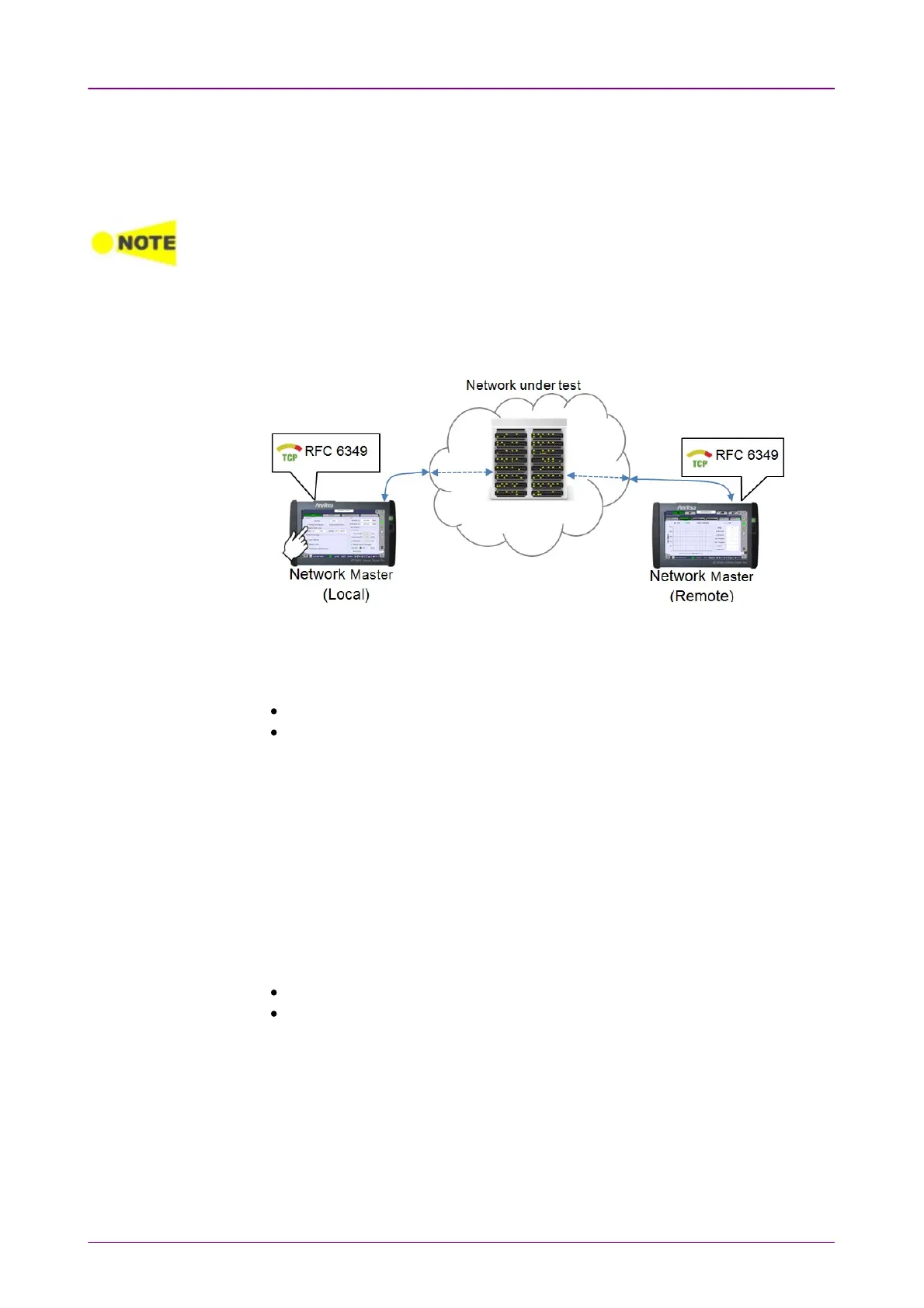
In RFC 6349 mode, two Network Masters will work together performing a test.
The Network Master which users actually operate to perform RFC 6349 test is
the
Local
and the other Network Master which sends and receives Ethernet
frames via the network under test is the
Remote
.
The required setup to perform RFC 6349 test is transferred from the 'local'
Network Master to 'remote' Network Master when the test is started.
Touch the fields to set the Site Names :
LocalLocal: The site name for 'local' Network Master side.
RemoteRemote: The site name for 'remote' Network Master side.
Select the one or more check boxes. Ethernet frames are sent from left side site
name to right side site name. Ethernet frames received at the site displayed
right side will be measured.
Selecting Simultaneous in Both DirectionsSimultaneous in Both Directions tests the both throughput of
outgoing and incoming streams.
Communication PortCommunication Port
Touch the fields to set the port number.
Touch the fields to set the committed information rate (CIR).
Upstream CIRUpstream CIR: CIR of outgoing stream.
Downstream CIRDownstream CIR: CIR of incoming stream.
Select the check boxes of the test defined in RFC 6349, which you wish to run.
Path MTUPath MTU
Runs a test to determine the Path MTU (Maximum Transmission Unit). If
cleared, set the Upstream MTUUpstream MTU and Downstream MTUDownstream MTU.
Baseline RTTBaseline RTT



 To Next Page