MTU DiscoveryMTU Discovery
Baseline RTTBaseline RTT
Runs a test to determine the Baseline RTT. If cleared, set the Baseline RTT
value in the field.
Window Scan and ThroughputWindow Scan and Throughput
Runs a test to determine Throughput test while scanning the TCP window size.
Test ModeTest Mode
AutoAuto: Scans at the window size of 25%, 50%, 75%, and 100% of BDP.
ExpertExpert: Scans the window size defined by user.
Multi-ServiceMulti-Service
Runs a test to measure the throughput with multiple TCP connections.
66..1010..22..22 MTU / RTTMTU / RTT
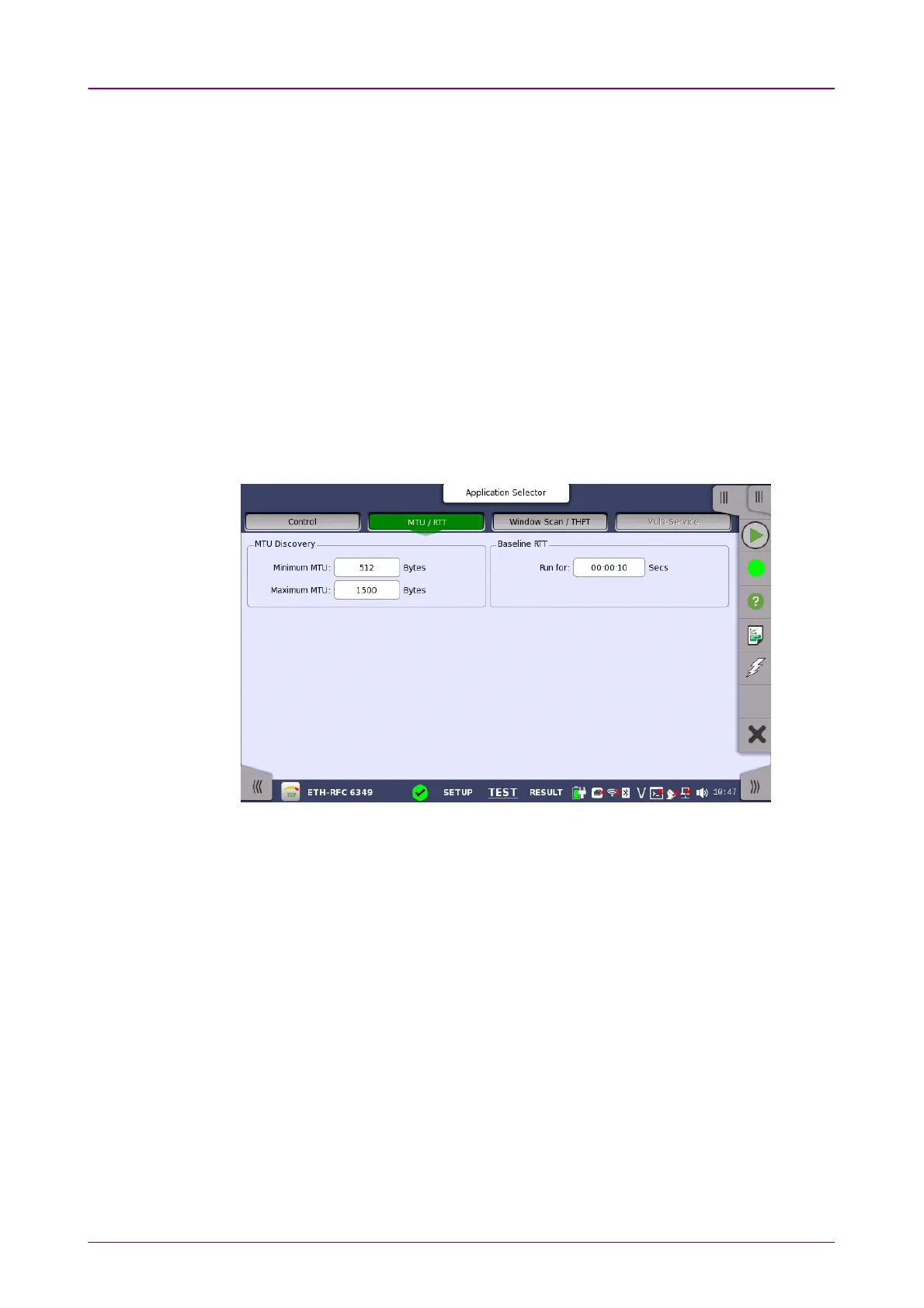
MTU / RTTMTU / RTT button in the navigation area is enabled if Path MTU check box or
Baseline RTT check box is selected on Control screen.
This screen allows you to specify test parameters.
The field will be enabled if Path MTU check box is selected on Control screen.
Touch the Minimum MTUMinimum MTU or Maximum MTUMaximum MTU fields set the bytes range used
when discovering MTU.
The field will be enabled if Baseline RTT check box is selected on Control
screen. Touch the fields to set the running time of the Baseline RTT test.
66..1010..22..33 Windows Scan / ThroughputWindows Scan / Throughput
Windows Scan / ThroughputWindows Scan / Throughput button in the navigation area is enabled if
Windows Scan and Throughput check box of Test Sequence is selected on
Control screen.
The contents of the screen depend on the test mode selected on Control
screen.



 To Next Page