Auto
Test parameters are set automatically.
Expert
Window SizeWindow Size: Touch the field to set TCP window size.
ConnectionsConnections: Touch the field to set TCP connection number.
TotalTotal: Calculated bytes are displayed.
ThroughputThroughput
Select the Enable ThresholdEnable Threshold check box if enabling the PASS/FAIL test.
Touch the % of Ideal% of Ideal field to set the threshold of throughput.
Touch the Step DurationStep Duration field to set the duration of a step.
Auto
Test parameters are set automatically.
Expert
Select the check box if executing the Throughput test.
Set the parameters as same as Window Scan.
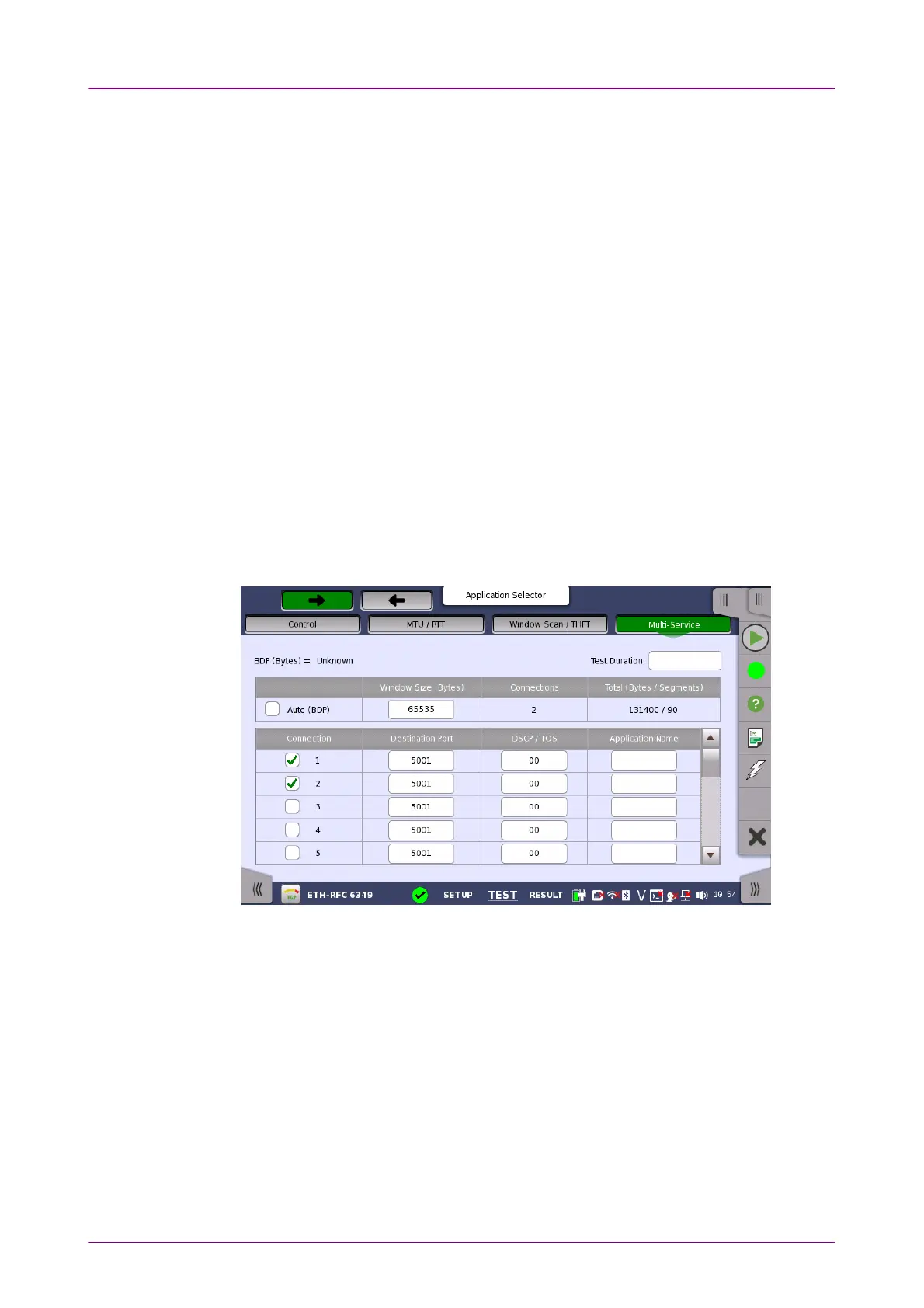
66..1010..22..44 Multi-ServiceMulti-Service
Multi-ServiceMulti-Service button in the navigation area is enabled if Multi-Service check
box of Test Sequence is selected on Control screen.
This screen allows you to set of connections by specifying TOS (Type of
Service) or DSCP (differentiated Service Codepoint) used for Diffserv.
Touch the Test DurationTest Duration field to set the duration of Multi-service test.
Auto (BDP)Auto (BDP)
Select the check box if setting Window Size automatically. The window size is
calculated from bandwidth delay product (BDP).
ConnectionConnection
Select the check box of the stream number to enable a connection.
Destination PortDestination Port
Touch the fields to set the destination port number.



 To Next Page