88..33 CPRI P. ThroughCPRI P. Through
CPRI P. Through
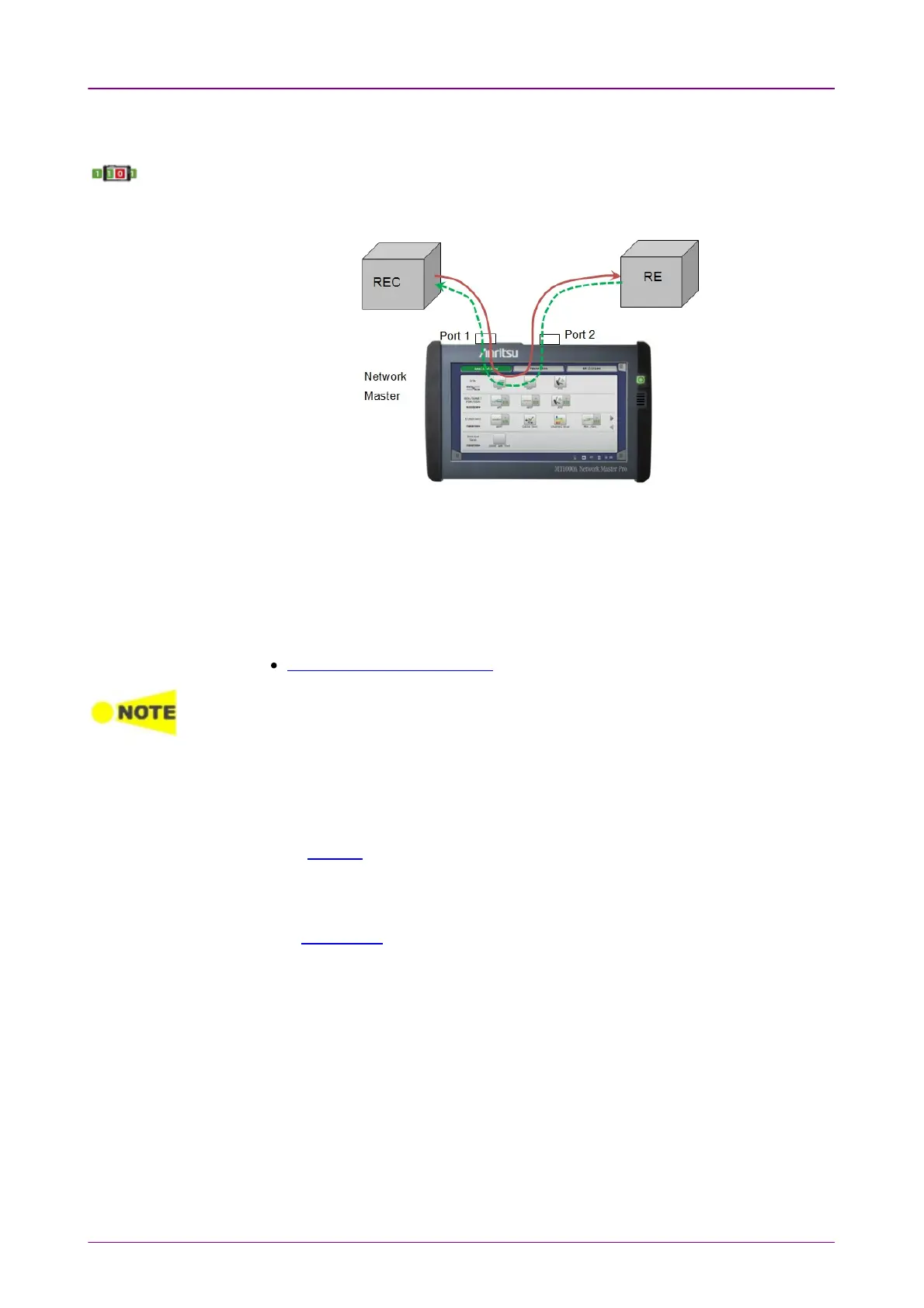
enables non-intrusive in-service monitoring. All traffic received on
a port is forwarded on the other port and vice versa. Traffic between the two network
DUT elements is monitored as illustrated below.
88..33..11 Ports Setup and StatusPorts Setup and Status
The first step in running an application is to set up the port interfaces. This is
done on the Ports SetupPorts Setup screen, which also provides port status information.
The setup options and status information related to the CPRI interface are
described in a separate section:
CPRI/OBSAI Setup and Status
For the CPRI P. Through application, CPRI option9 (12165.12 Mbps) and CPRI option10
(24330.24 Mbps) are not available for Line rateLine rate.
88..33..22 Test SetupTest Setup
88..33..22..11 ControlControl
Refer to "Control" in the BERT section.
88..33..22..22 ThresholdsThresholds
Refer to Thresholds of BERT section in "CPRI/OBSAI Applications".



 To Next Page