Web Remote Control 10-3 Web Remote Control Interface
S412E UG PN: 10580-00318 Rev. P 10-9
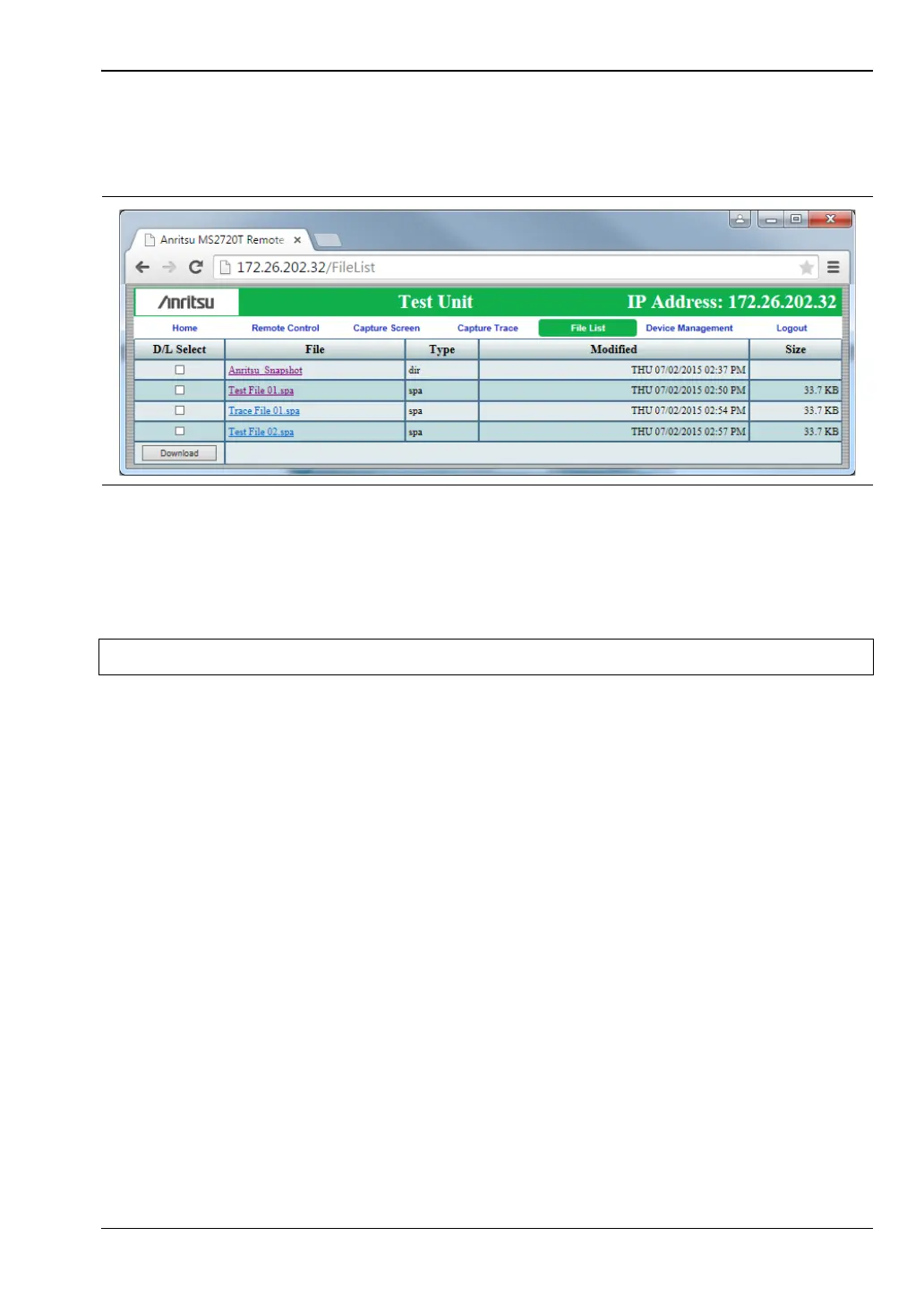
File List
Displays the list of folders (type “dir”) and files contained in the instrument's internal
memory. See Figure 10-7. To view the contents of a folder, click on the folder name.
To download a file, click the file name. Alternatively, you can select the checkbox on the left of
the file name, then click Download. You may also select the checkboxes of multiple files and/or
folders and download them together, as a zipped folder. In this case, a pop-up dialog box
shows the estimated download time. Press OK to continue.
Depending on the browser and operating system, the download function may allow you to
open the file or save it, or both. In Google Chrome, for example, the downloaded file or files
are automatically saved to the designated folder on your computer, such as the Downloads
folder. In the banner at the bottom of the browser window, click a downloaded item to open it.
If the selected item is a single file, the file will open in the default application for the file type.
For example, a JPEG file will open in the computer's default image viewer, while a
measurement file will open in Master Software Tools (MST), provided the application is
installed.
Device Management
Click the Device Management tab on the menu bar to set or clear the instrument password, or
to assign a device or unit name to the instrument. See Figure 10-8 on page 10-10.
Password
If no password is set, access to the instrument is unrestricted and any user who knows the
instrument IP address can connect to it, provided the instrument is not being used. When a
password is set, the user is prompted for the password upon login.
The login page is skipped and the user is directed straight to the Web Remote Control Home
page if he or she was previously connected to the instrument, then closed the browser without
logging out, and no other user has logged in to the same instrument since that time.
Figure 10-7. File List Page
Note Some operating systems may not support file downloads. iOS is an example.



 To Next Page