Instrument Overview 2-4 Display Overview
S412E UG PN: 10580-00318 Rev. P 2-7
2-4 Display Overview
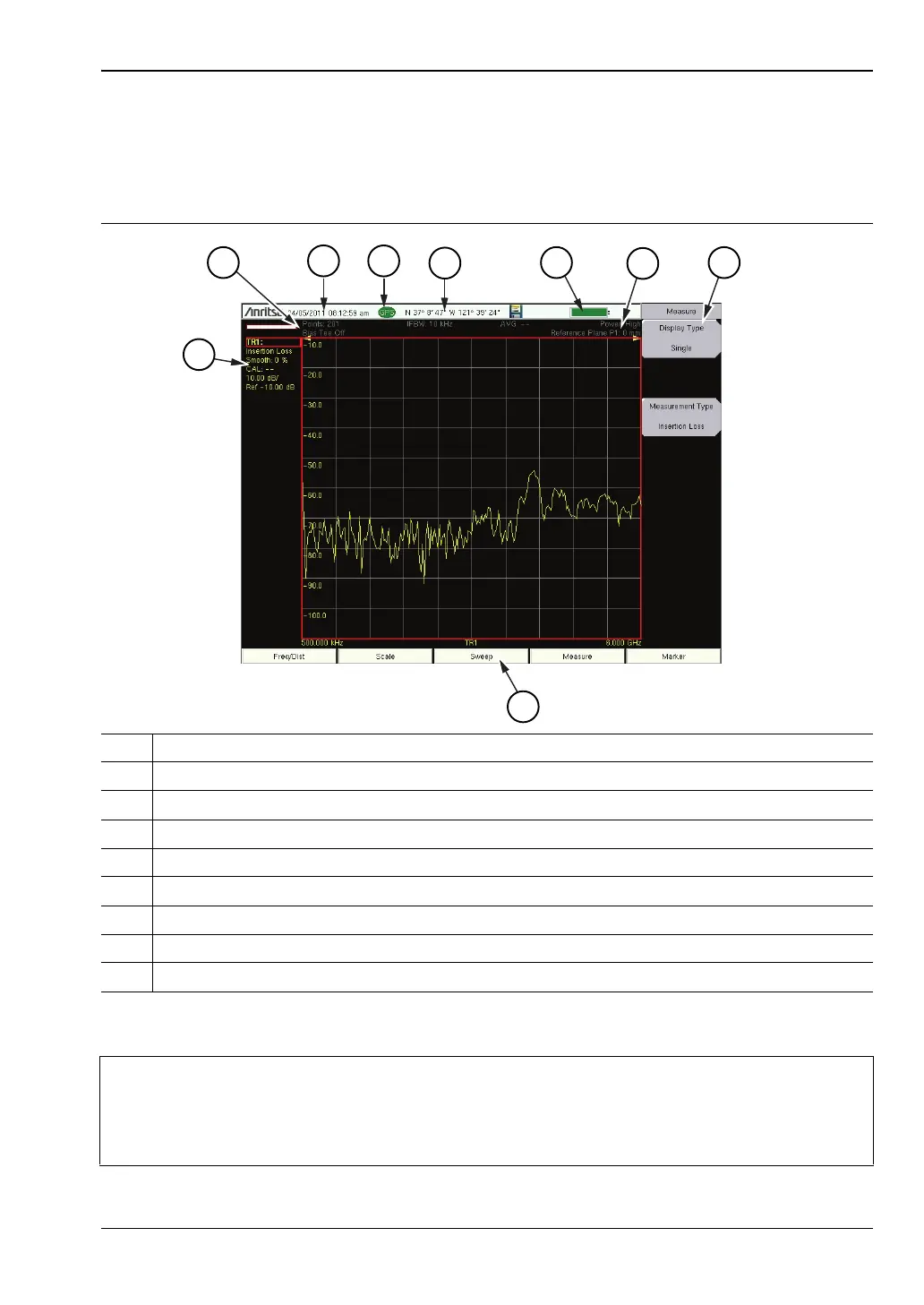
Figure 2-6 illustrates some of the key information areas of the LMR Master sweep window in
Vector Network Analyzer mode using “Field” menu structure. For detailed information, refer
to the Measurement Guides that are listed in Appendix A, “Measurement Guides”.
1 Trace 1 (TR1) data (within Instrument Settings Summary)
2 Instrument Settings Summary (applies to all traces)
3 Real Time Clock
4 GPS Icon
5 GPS location
6 Battery Charge indicator
7 Measurement description
8 Submenu Touch Screen Keys
9 Main Menu Touch Screen Keys
Figure 2-6. Field Mode View VNA Display with GPS On
Note
Refer to “Field Mode Display vs. Standard VNA Display” on page 3-3 for
information on the two LMR Master menu structures in VNA mode.
Press Shift-8 (System) > Application Options > Meas Menu to toggle between the
two structures.



 To Next Page