File Management 4-5 File Menu
S412E UG PN: 10580-00318 Rev. P 4-9
Save Menu
The top keys in the Save menu display the available file-type save options based on the
current measurement mode.
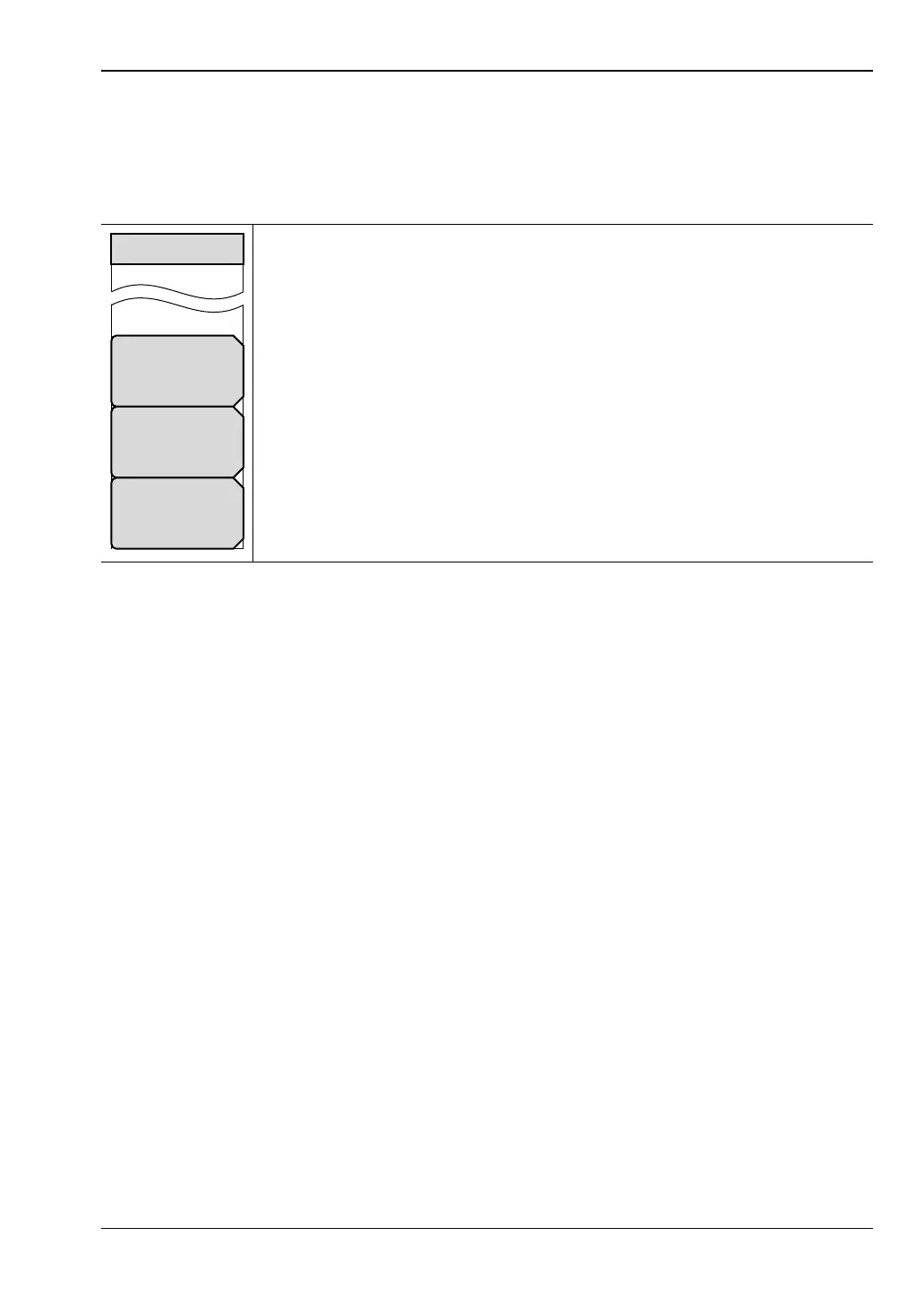
Key Sequence: File > Save
Change Quick Name: Press this submenu key to change the Quick Names
that are displayed at the bottom of the touch screen keyboard (Figure 4-1).
Select the Quick Name to edit and press Enter. Type the new Quick Name
and press Enter again. The new Quick Name is displayed on the
corresponding Quick Name button below the keyboard.
Change Save Location: Press this submenu key to open the
“Save Location Menu”.
Change Type Setup/JPG/... Press this submenu key in VNA and VVM
modes to select among the various file types available for setup and
measurement data. This submenu key also opens the File Type menu with a
submenu key to select Full screen or Graph Only images for JPEG file types.
This submenu key is not displayed in Spectrum Analyzer or Interference
Analyzer modes
Figure 4-7. Save Menu
Save
Change
Quick Name
Change
Save Location
Change Type
Setup/JPEG/...



 To Next Page