Quick Start Guide 3-4 Vector Network Analyzer
S412E UG PN: 10580-00318 Rev. P 3-7
When performing a calibration, the correction coefficients are calculated for specific
measurements (depending on the type of calibration chosen) and for instrument settings
(frequency range, number of points, and power level). The term “calibration correction” refers
to the correction coefficients that are applied to measurements as a result of your calibration.
When calibration correction is On, the correction is applied to all applicable measurements.
For example, if a 1-port calibration is performed, then only traces that measure reflection
have a valid calibration. For those traces, the calibration information data in the Instrument
Settings Summary (item 1 in Figure 2-6 on page 2-7) shows “CAL: ON (OK)”. Other traces
that do not measure reflection display “CAL: --” to indicate that no valid calibration is
available for those traces. The calibration correction can also be turned off manually under
the Calibration menu by toggling the Cal Correction submenu key from On to Off. In that case,
the display shows “CAL: OFF” for all traces that have valid correction data available.
Note that “CAL: OFF” means that a calibration correction has been created, but it is not
currently being used. This is different from “CAL: --”, which means that no valid calibration
correction is available for the current setting.
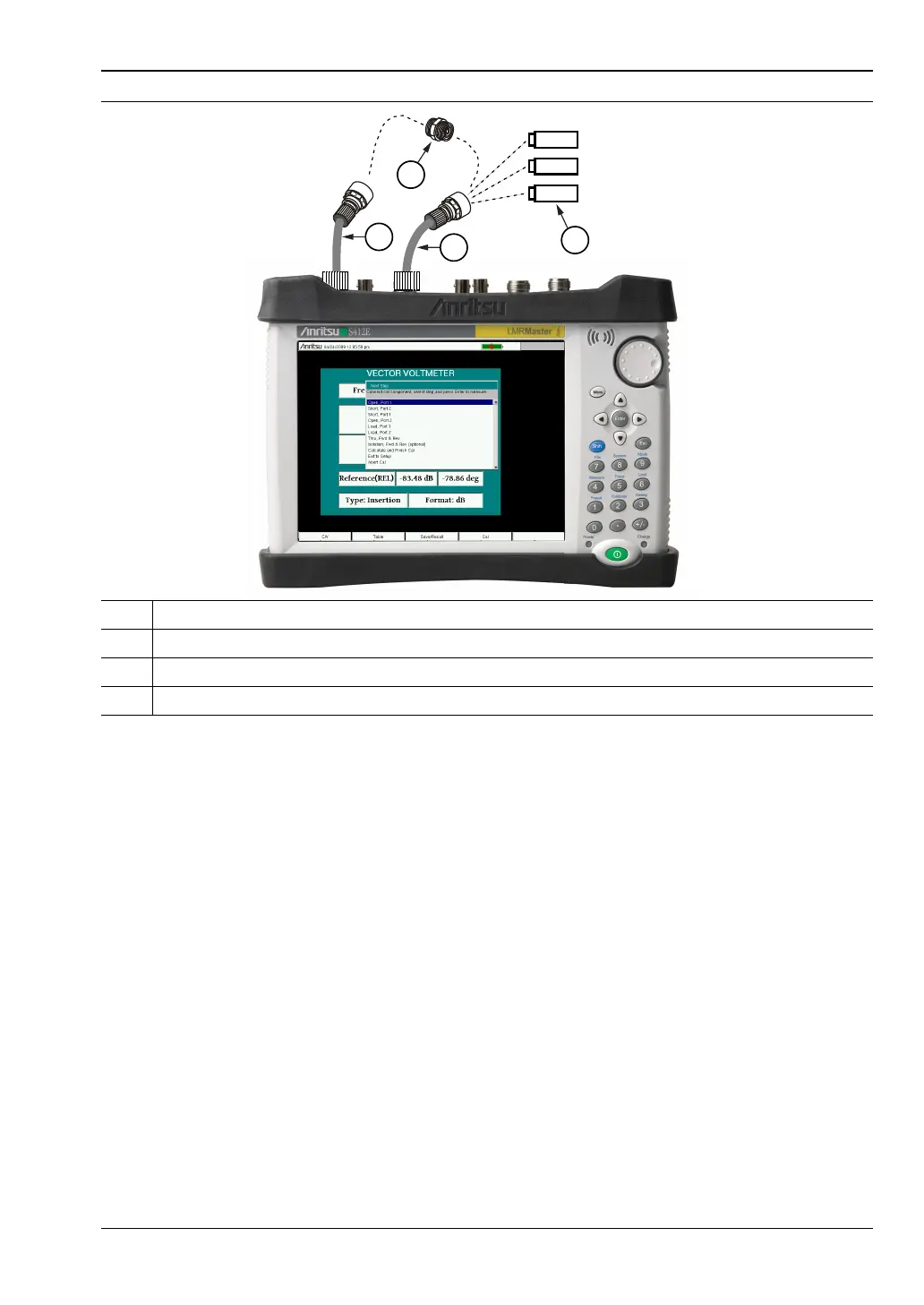
1 Optional Test Port Cable at VNA Port 2
2 Optional Test Port Cable at VNA Port 1
3 OSL (Open, Short, Load) Precision Calibration Components
4 Through Connection for 2 Port Calibration (Port 1 Connects to Port 2)
Figure 3-5. Calibration



 To Next Page