Dental chair movement lock.
With the instruments in rest position, dental chair movements can be
disabled (see paragraph 5.1.1.2.5).
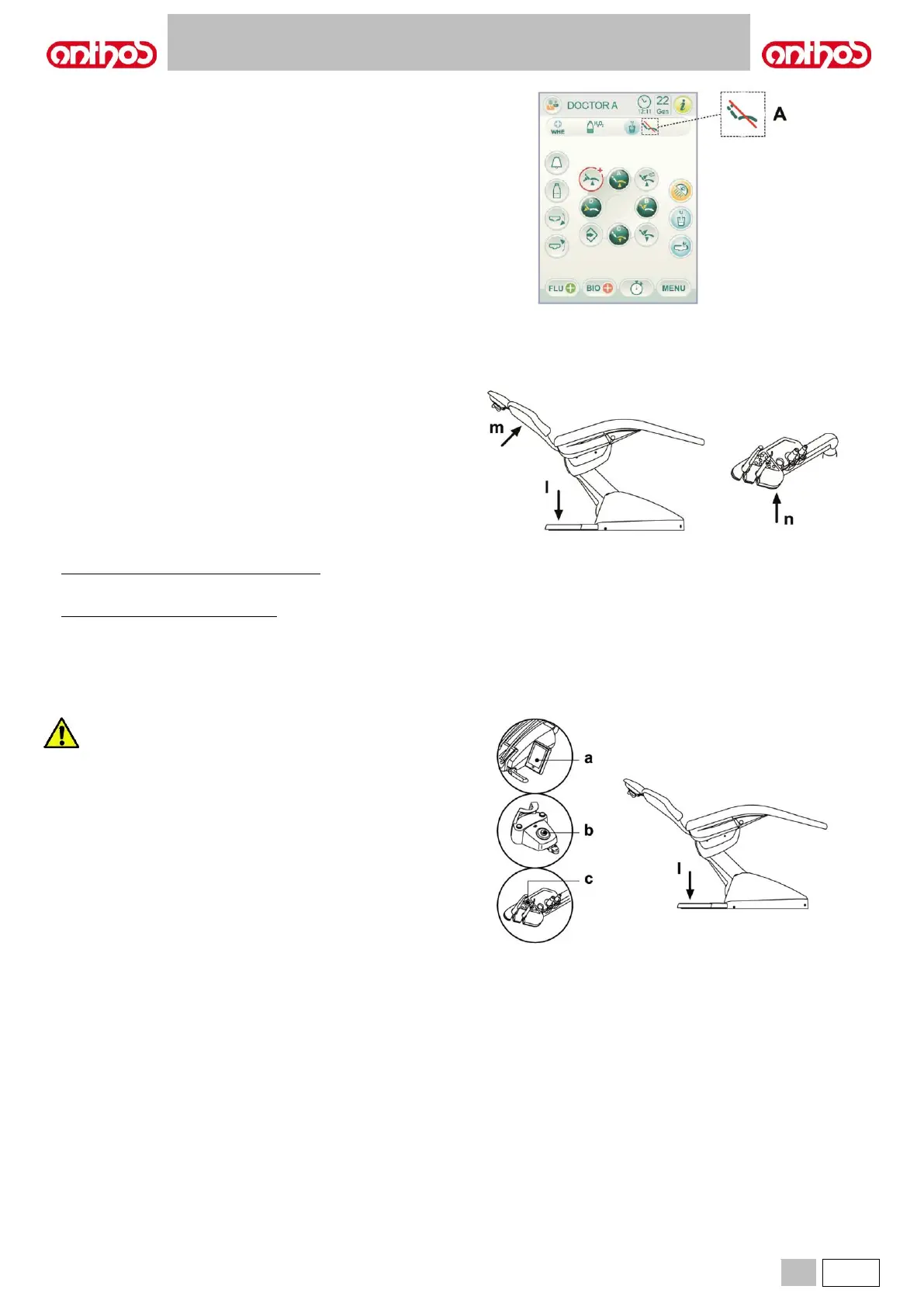
Movement disabling is highlighted on the console display by the special
icon (A).
• The floor board is equipped with a device ( l ) that immediately stops
the dental chair from moving down in the presence of an obstacle and
automatically lifts it up to free the obstacle.
• The backrest is equipped with a device ( m ) that immediately stops the
backrest from moving down in the presence of an obstacle and
automatically lifts it up to free the obstacle.
• The arms of the assistant’s board are equipped with a safety device ( n
) that immediately stops the dental chair from moving down in the
presence of an obstacle and automatically moves it up to free the
obstacle.
• Dental chair movements:
- with the instrument extracted NOT working: manual movements
allowed, automatic movements inhibited, but if they are already in
progress at the moment of extraction they are not interrupted;
- with instrument extracted and working: all the chair movements are
inhibited.
Use the devices below when movement of the equipment needs to
be stopped:
• Dental chair control buttons ( a ) or ( c ).
By pressing any of the dental chair control buttons all movements will
be stopped.
• Foot control ( b ).
When the foot control is activated, all movements of the equipment are
stopped.
• Foot board ( i ).
When the chair foot board is actuated, all movements of the equipment
are blocked.



 To Next Page