A7 Plus – OPERATOR'S MANUAL
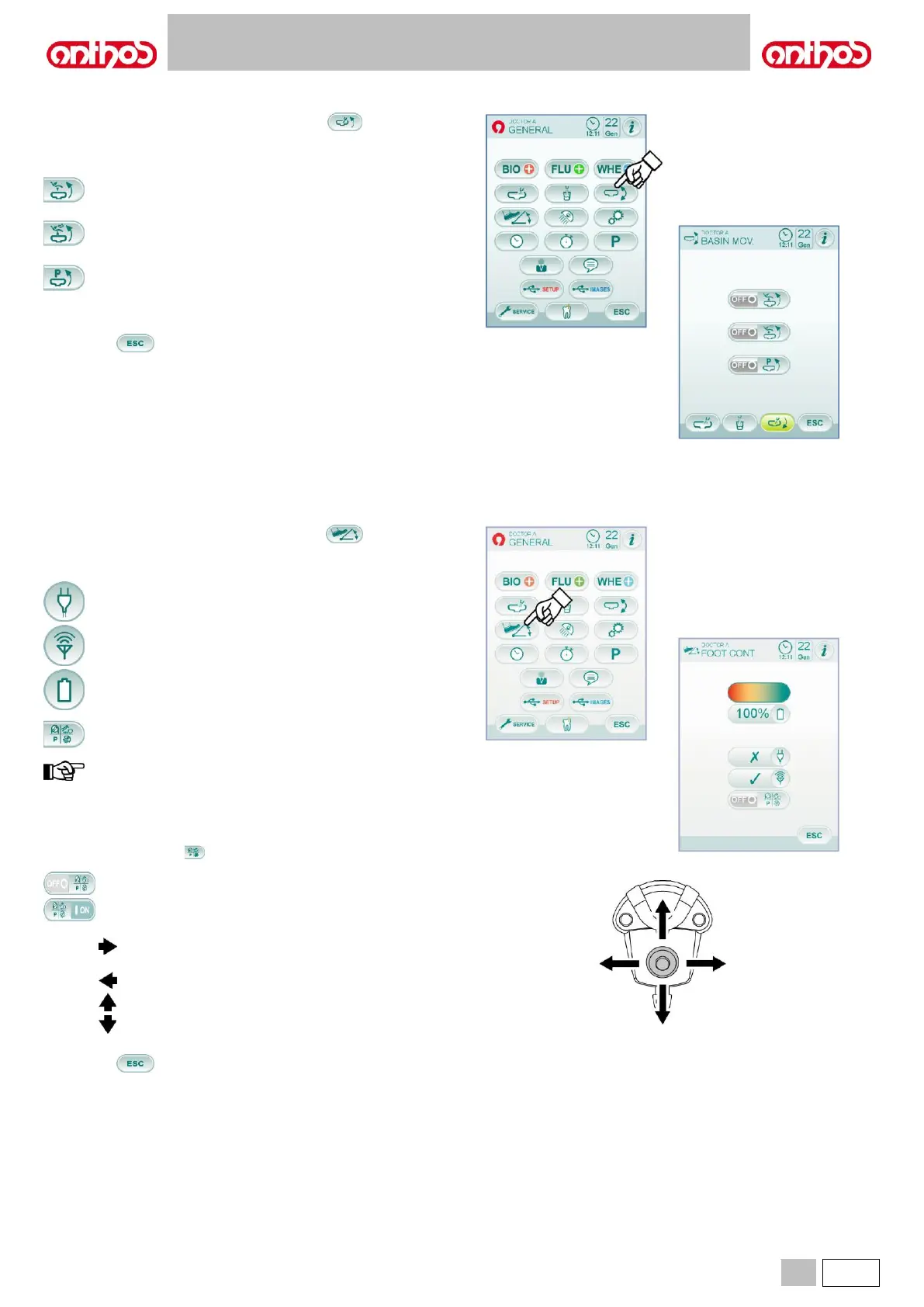
5.1.1.2.6. BOWL AUTOMATIC MOVEMENT SETTING
From MAIN SETTINGS menu, touch icon button to access the
"Bowl automatic movement setting" sub-menu including the following
icon buttons:
Bowl rotation controller with dental chair reset position call.
Bowl rotation controller with dental chair rinsing position call.
Bowl rotation controller with dental chair automatic programme
call.
• To select/deselect a function, touch the corresponding icon button.
• To confirm selected settings, simply quit this sub-menu by touching
icon button .
5.1.1.2.7. FOOT CONTROL SETTING
From MAIN SETTINGS menu, touch icon button to access the
FOOT CONTROL SETTING sub-menu including the following icon
buttons:
Cable connection warning icon
(with wireless foot control, only).
Wireless connection status warning icon
(with wireless foot control, only).
Battery charge percentage
(with wireless foot control, only).
Foot control joystick with extracted instrument operation setting.
the first 3 icons just warn the operator, while the fourth one
allows selecting/deselecting foot control upper joystick
operating mode. This setting is the same for all operators.
• To select/deselect foot control joystick operating mode, simply press
the relevant icon button :
Joystick enables dental chair manual movements (default).
Joystick controls the following functions.
micromotor rotation direction reversal ON/OFF control,
scaler ENDO function activation, camera MIRROR
function enabling.
Peristaltic pump activation ON/OFF control.
Operating light ON/OFF control.
Instrument memory change.
• To confirm selected settings, simply quit this sub-menu by touching
icon button .



 To Next Page