A7 Plus – OPERATOR'S MANUAL
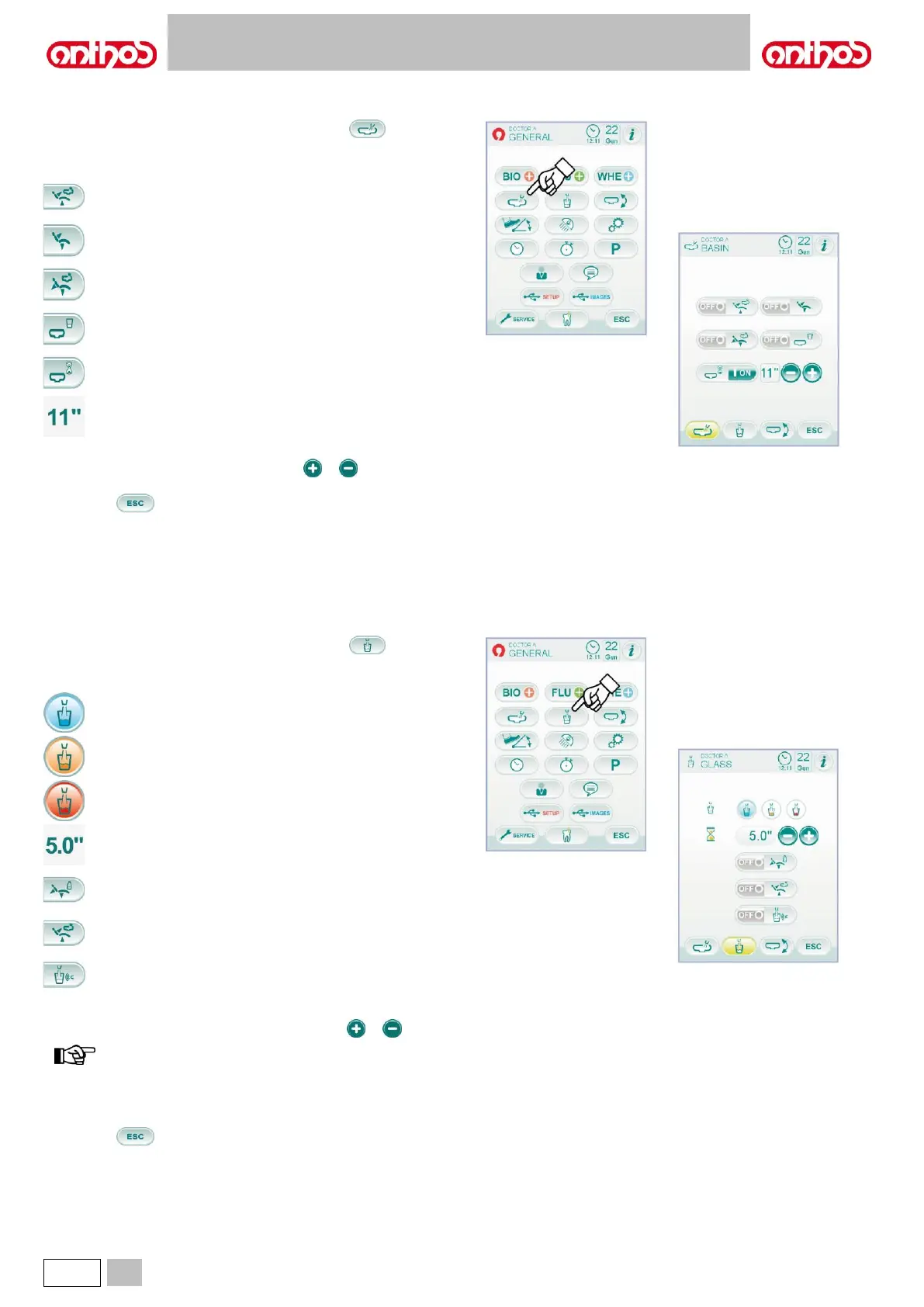
5.1.1.2.4. WATER-TO-BOWL SETTING
From MAIN SETTINGS menu, touch the icon button to access
the "Water to bowl setting" sub-menu including the following icon
buttons:
Bowl flushing controller with dental chair rinsing position recall
with dental chair reset position recall.
Bowl flushing controller.
Bowl flushing controller with dental chair return from rinsing
position.
Bowl flushing controller with cup call.
Timed or ON/OFF bowl flushing setting.
Bowl flushing time (in seconds).
• To select/deselect a function, touch the corresponding icon button.
• To edit bowl flushing time, touch icon buttons or .
• To confirm selected settings, simply quit this sub-menu by touching
icon button .
5.1.1.2.5. WATER-TO-CUP SETTING
From MAIN SETTINGS menu, touch the icon button to access
the "Water to bowl setting" sub-menu including the following icon
buttons:
Select COLD water to cup.
Select LUKEWARM water to cup.
Water-to-cup delivery time
(in seconds).
Distilled water tank depressurization controller with dental chair
reset position call.
Water-to-cup delivery controller with rinsing position call.
Cup presence sensor activation/deactivation
(if installed, only).
• To select/deselect a function, touch the corresponding icon button.
• To edit water-to-cup delivery time, touch icon buttons or .
water to cup filling time setting ranges from a min. of 1
second to a max. of 10 seconds, with intervals of 0.1
seconds.
• To confirm selected settings, simply quit this sub-menu by touching
icon button .



 To Next Page