A7 Plus – OPERATOR'S MANUAL
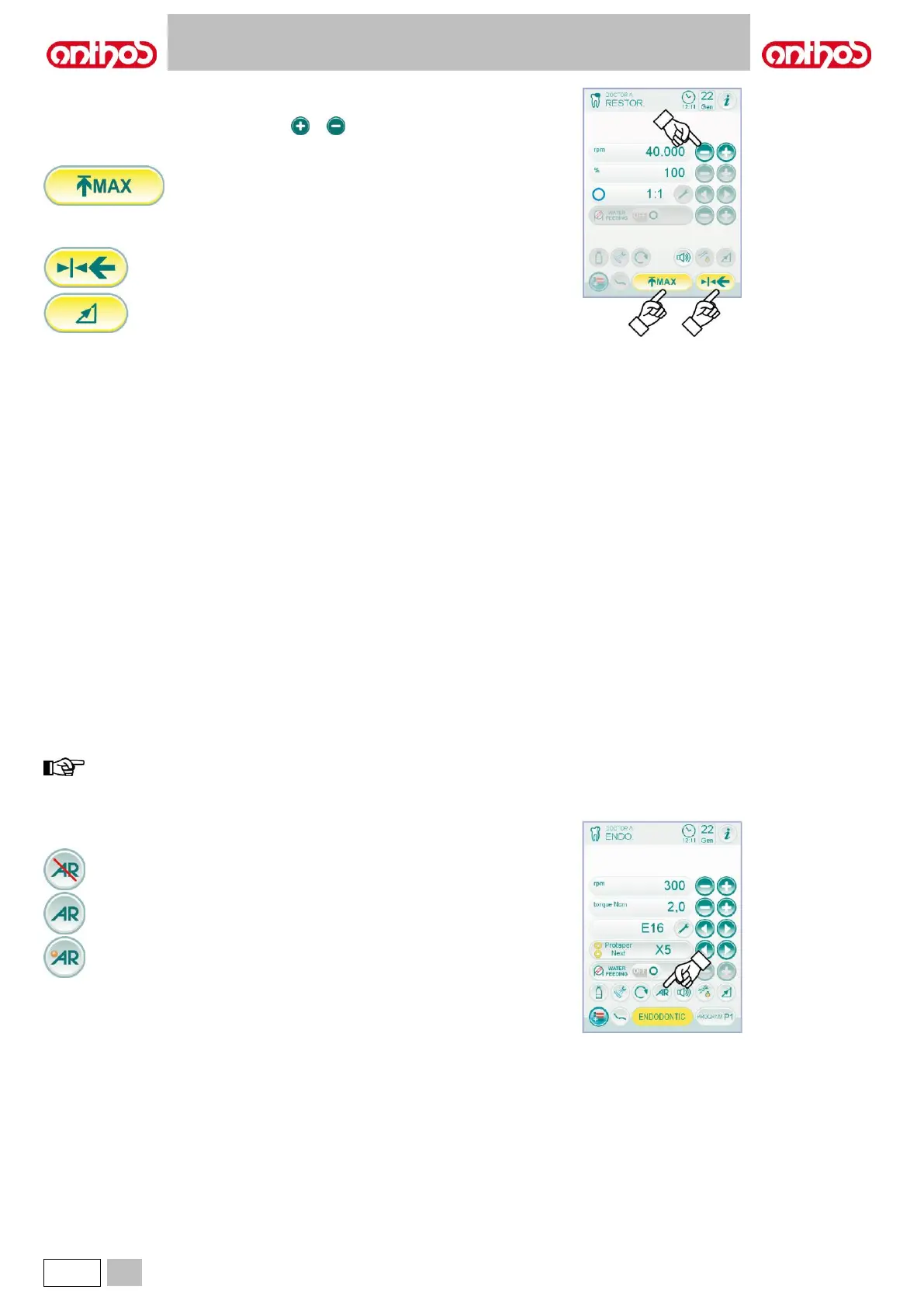
Menu with micromotor extracted and active.
The following functions can be changed:
• drill max. rotation speed using icon buttons or ,
• current speed can be frozen with the following icon button:
It sets current rotating speed as max. speed.
• foot control lever editing mode with the following icon buttons:
It sets current rotating speed as max. speed by
enabling, at the same time, an ON/OFF editing
mode of the foot control lever.
It brings foot control lever editing mode from
ON/OFF to linear.
5.5.2. ENDODONTIC OPERATING MODE
Characteristics.
- speed value adjustable from 100 to 1200 Rpm with value always
referring to the drill, regardless the reduction ratio,
- torque value adjustable from 0.1 to 5.0 Ncm, 1:1 reducer excluded (4.5
Ncm),
- reduction ratio customizable list,
- customizable list for root canal drills,
- motor rotation speed editing mode, from fixed to variable and vice
versa,
- progressive alarm signal starting from 60% of maximum set torque,
- setting button during motor rotation.
Menu with micromotor extracted but not active.
All icon buttons are active and all available functions can be edited
(see paragraph 5.5).
Besides the standard settings, in the ENDODONTIC mode it is also
possible to
adjust the following functions:
any edited setting or value will be automatically saved inside
the selected working programme (ex. P1).
• Operation at maximum set torque.
Rotation lock followed by rotation direction reversal.
Rotation lock, reversal of standard direction of rotation followed
by the recovery of the standard direction of rotation.



 To Next Page