A7 Plus – OPERATOR'S MANUAL
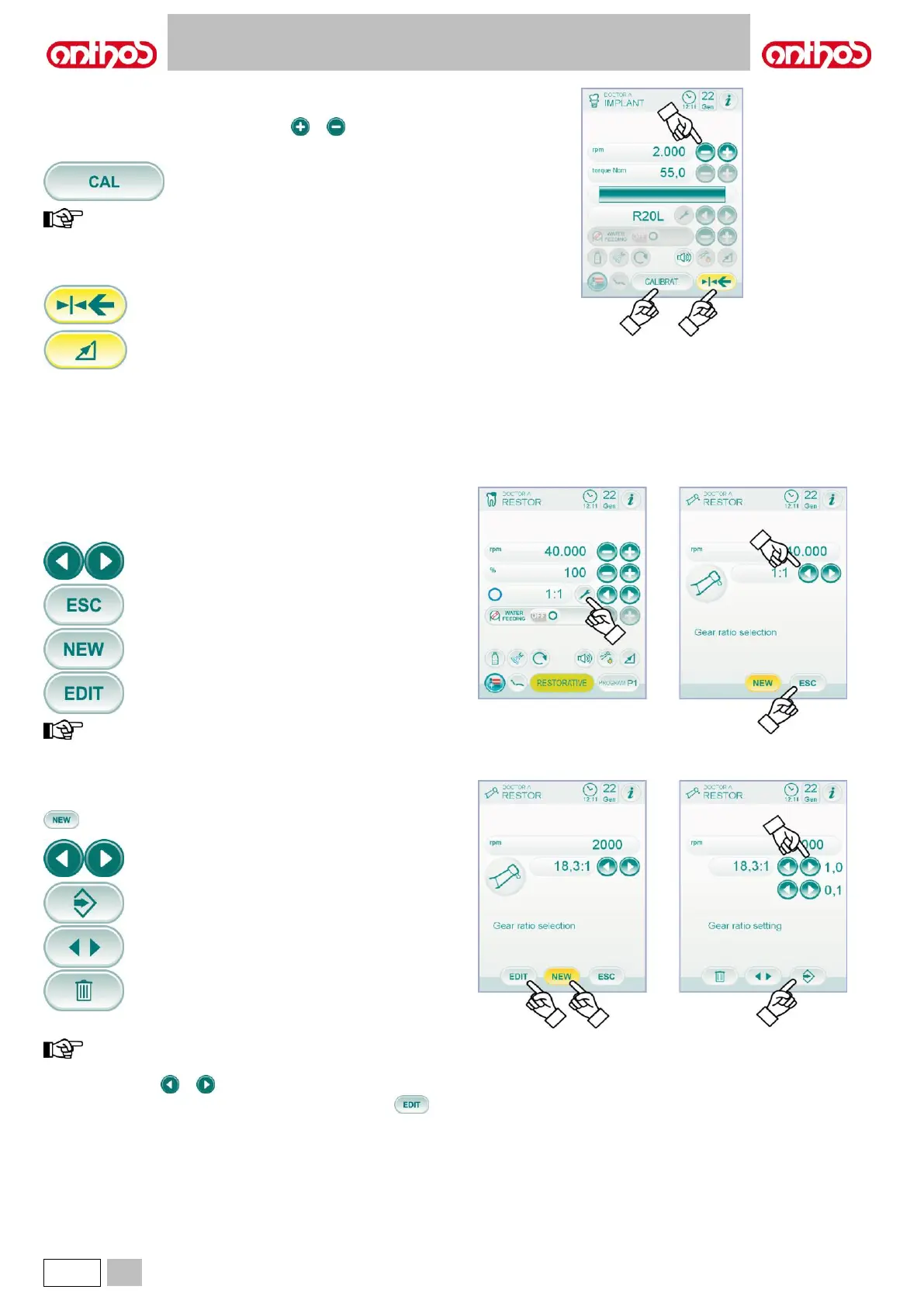
Menu with micromotor extracted and active.
The following functions can be changed:
• drill max. rotation speed using icon buttons or ,
• handpiece calibration using the following icon button:
It sets current set torque to 0.
we recommend carrying out this operation while the handpiece
is working at max. speed and with no load.
• foot control lever editing mode with the following icon buttons:
It sets current rotating speed as max. speed by
enabling, at the same time, an ON/OFF editing
mode of the foot control lever.
It brings foot control lever editing mode from
ON/OFF to linear.
5.5.4. REDUCTION RATIO SETTING MENU
From the menu of the extracted but not active micromotor, touch the icon
button or access the REDUCTION RATIO SETTING sub-menu including
the following icon buttons:
Reduction ratio selection saved.
Quit the menu and save selected ratio.
Create a customized reduction ratio.
Editi a customized reduction ratio.
the Rpm icon field cannot be edited as it only displays the max.
speed that can be reached with the selected reduction ratio.
How to create customized reduction ratios.
To create and save customized reduction ratios, simply touch icon button
to access the relevant sub-menu with the following icon buttons:
Tenths or units increase/reduction.
Save created/edited ratio.
Recall default reduction ratio.
Delete customized reduction ratio.
How to edit and/or delete customized reduction ratios.
only customized reduction ratios can be edited and/or deleted.
• Touch icon buttons or to scroll the saved reduction ratios.
• After having selected the reduction ratio,touch icon button to
access the editing sub-menu.
• The editing sub-menu works exactly like the creation sub-menu.



 To Next Page