A7 Plus – OPERATOR'S MANUAL
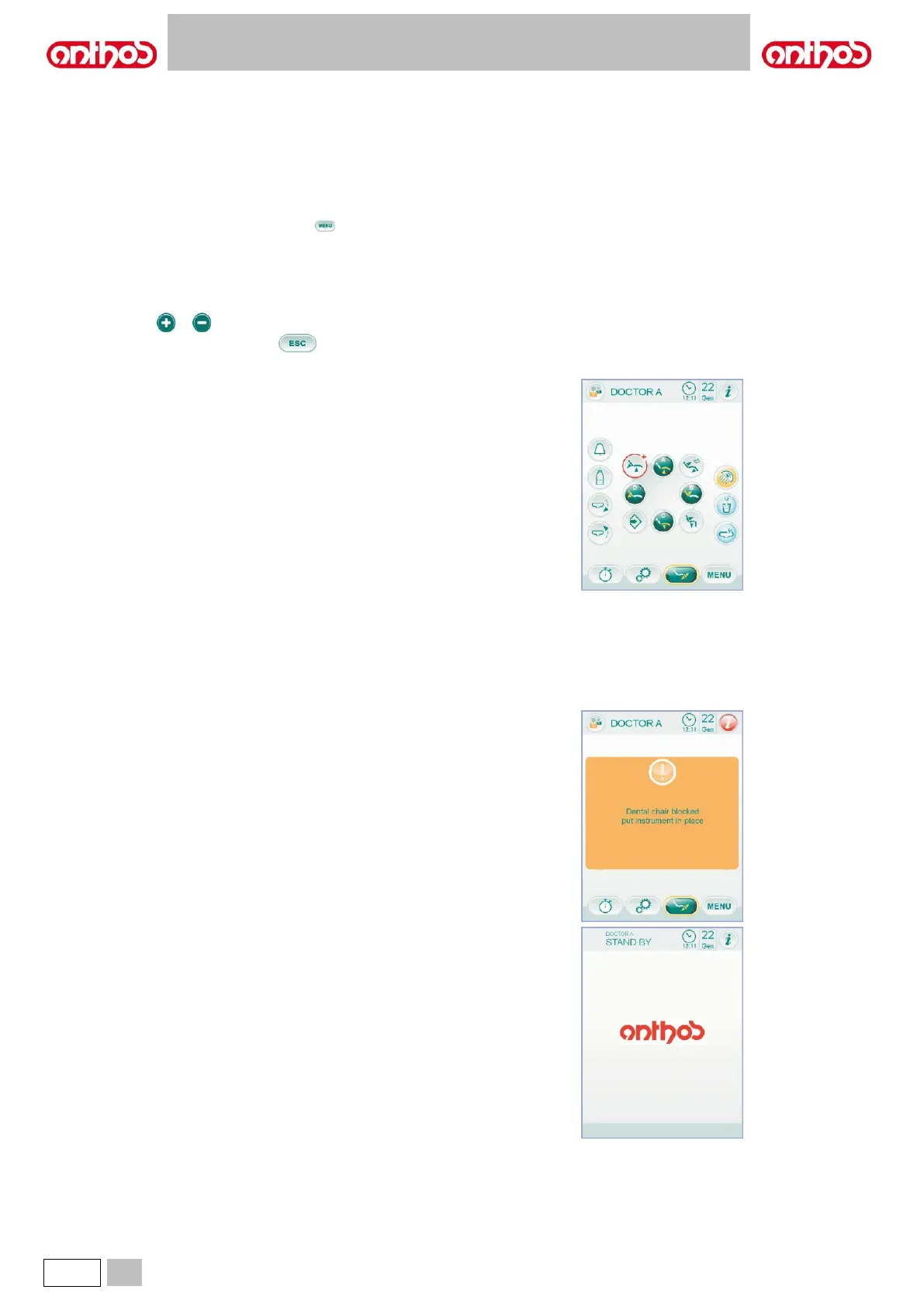
Upon turning on, the dental unit runs a short self-diagnosis cycle ending
when the main screen with the name of the last set operator appears on
the display.
From now onwards some settings of the operating unit can be edited
through a simple menu system (see next paragraphs).
Navigation controls.
• To access the setting menus, touch icon button .
• To access the different sub-menus, simply touch the relevant icon
button.
• Once menu is accessed, to edit a setting, simply touch the relevant
icon button.
• Once menu is accessed, to edit a settable numerical value, simply
touch icon buttons or .
• To quit a menu, simply touch icon button .
User interface menu.
Settable functions:
• Operator selection (see paragraph 5.1.1.1.).
• General settings (see paragraph 5.1.1.2.).
• BIOSTER disinfection cycle setting (see paragraph 5.1.1.2.1.).
• FLUSHING cycle setting (see paragraph 5.1.1.2.2.).
• W.H.E. tank emptying system (see paragraph 5.1.1.2.3.).
• Water-to-bowl setting (see paragraph 5.1.1.2.4.).
• Water-to-cup setting (see paragraph 5.1.1.2.5.).
• Bowl movement management (see paragraph 5.1.1.2.6.).
• Foot control setting (see paragraph 5.1.1.2.7.).
• Operating light setting (see paragraph 5.1.1.2.8.).
• Other settings (see paragraph 5.1.1.2.9.).
• Time and date setting (see paragraph 5.1.1.2.10.).
• Stopwatch (see paragraph 5.1.1.2.11.).
• Favourite buttons customisation (see paragraph 5.1.1.2.12.).
• Operator database entry (see paragraph 5.1.1.2.13.).
• Language selection (see paragraph 5.1.1.2.14.).
• USB setup (see paragraph 5.1.1.2.15.).
• Image management (see paragraph 5.1.1.2.16.).
• APEX LOCATOR setting (see paragraph 5.1.1.2.17.).
Error messages.
During the starting cycle of self-diagnosis, the dental unit could detect
some malfunctions of internal systems.
Should this be the case, an error message (see paragraph 10) will be
displayed and will disappear only after the operator touches the TOUCH
DISPLAY.
If fault does not represent a hazard, dental unit continues working.
Standby condition.
After approximately 10 minutes of inactivity, the dental unit switches to
the energy-saving status (standby); this status is signalled by the
ANTHOS logo appearing on the console display.
Standard operating conditions will be resumed as soon as any operation
is carried out.



 To Next Page