A7 Plus – OPERATOR'S MANUAL
5.9. ZEN-Xi INTEGRATED SENSOR
The ZEN-Xi integrated sensor is a medical device used for the
acquisition of intraoral X-rays in electronic format through the interface
with the FULL TOUCH console or a Personal Computer.
Do not use the system for tasks other than the acquisition
of intraoral X-rays, and do not use it if you are not an
expert in dentistry and radiology.
ZEN-Xi integrated sensor instructions for use are included
with the equipment, please read carefully the warnings for
use before turning sensor on.
Hereinafter is a list of the possible interactions with the FULL TOUCH
console only:
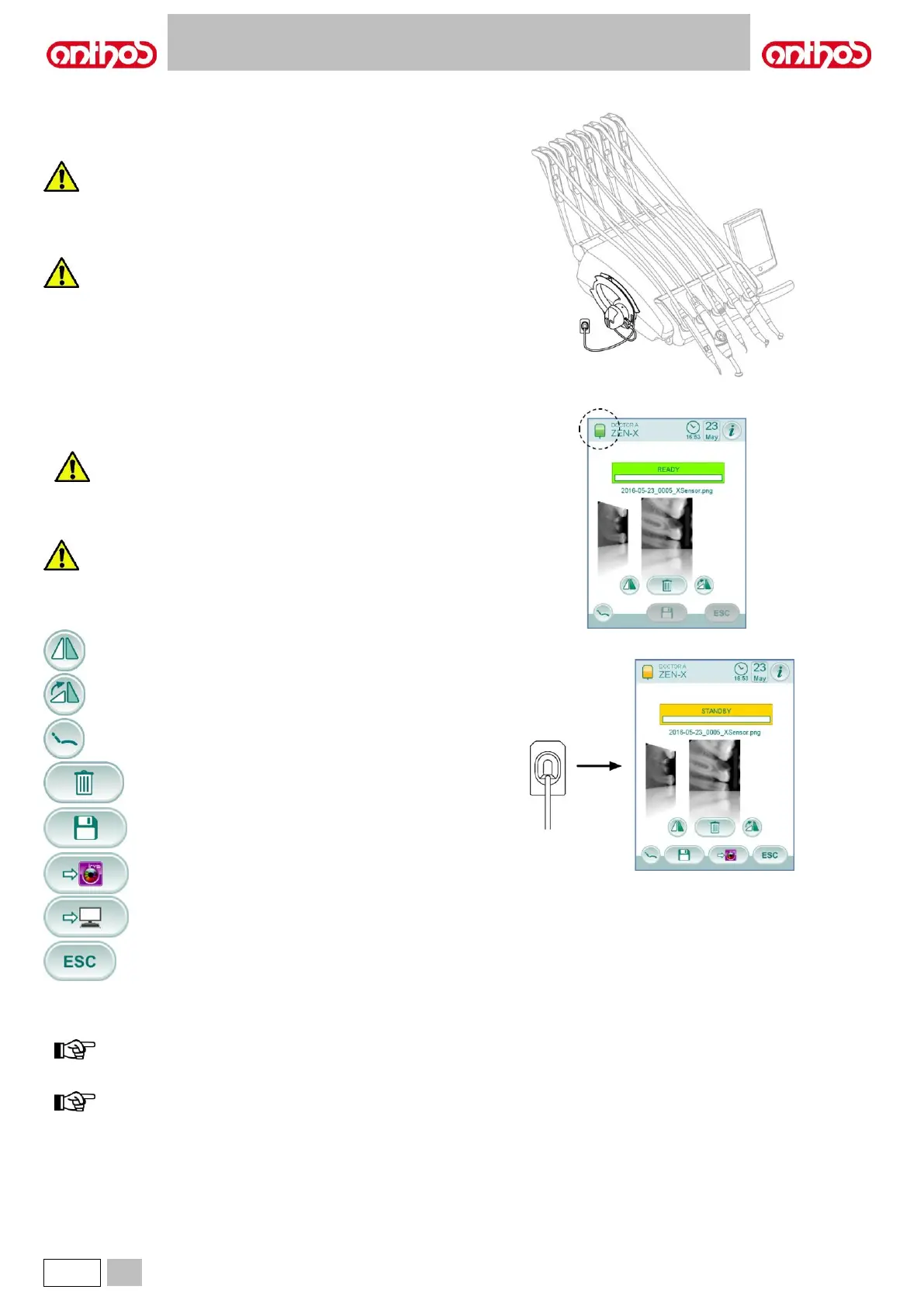
• Turn ZEN-Xi sensor on (see instructions for use).
If sensor is connected, after a few seconds the icon on the top left side
of TOUCH DISPLAY will turn green and the ZEN-Xi sensor will be
ready to receive an X-ray.
• Position the X-ray sensor inside patient oral cavity, then start the X-ray
exposure (see instructions for use).
Before carrying out the X-ray exposure, make sure that
the ZEN-Xi warning light is green.
After a few moments, the image will appear on the DISPLAY and on the
screen of the connected monitor.
Do not take x-ray pictures on a patient when testing the
system for the first time or verifying correct operation. Use
phantoms to conduct tests.
• The main icon buttons available on the TOUCH DISPLAY are:
Overturn the captured image.
Turn captured image clockwise.
Recall main controls of main screen.
Delete captured image
(a confirmation will be requested).
Move the captured images to a folder of the internal
memory or USB
(with sensor off or in standby mode, only).
Move the captured images to an iRYS folder
(with sensor off or in standby mode, only).
Move the captured images to the PC
(with sensor off or in standby mode, only).
Go back to the main screen without moving the captured
images.
• After the first X-ray, other images can be acquired without having to
carry out any other operation.
Each X-ray is automatically saved inside console inner memory.
at the end of each treatment, we recommend transferring all
X-ray images inside a special folder associated to the patient.
console internal memory can store up to approx. 1,000 X-ray
images. Once the available space is running out, a warning
message will appear on the TOUCH DISPLAY.



 To Next Page