A7 Plus – OPERATOR'S MANUAL
5.1.1.2.12. FAVOURITE BUTTON CUSTOMIZATION
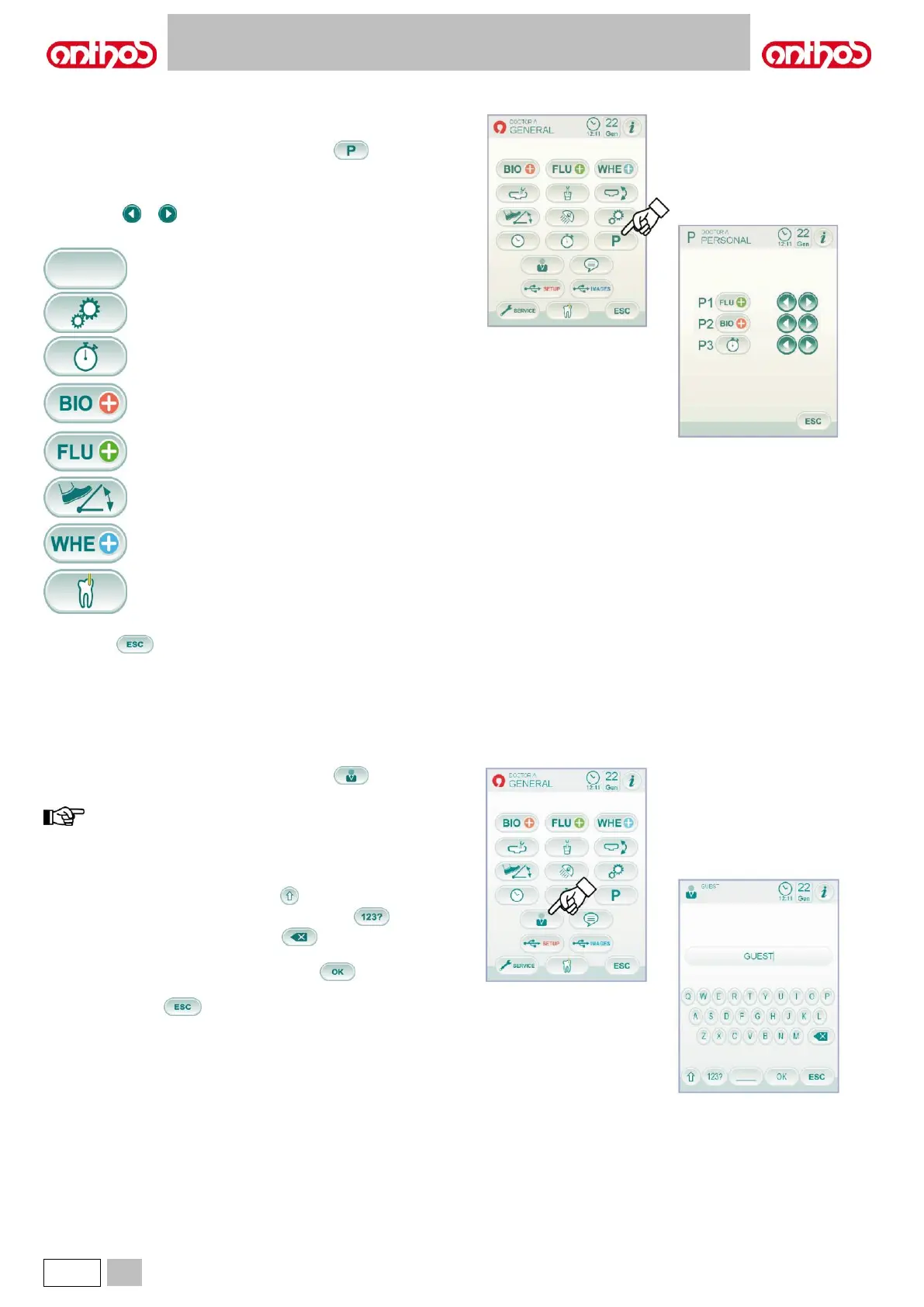
This sub-menu allows selecting the function to be associated to the icons
appearing at the bottom of main screen.
From the MAIN SETTINGS menu, touch icon button to access the
FAVOURITE BUTTON CUSTOMIZATION sub-menu showing the
positions that can be edited with the icons of the currently-set functions.
• To edit the function for a specific position, simply touch the relevant
icon buttons or .
• The following functions can be set:
BIOSTER disinfection cycle setting
(if BIOSTER system is installed, only).
FLUSHING cycle setting
(if I.W.F.C. system is installed, only ).
W.H.E. tank emptying system
(if W.H.E. system is installed, only).
APEX LOCATOR settings
(if APEX LOCATOR is installed, only).
• To confirm selected settings, simply quit this sub-menu by touching
icon button .
5.1.1.2.13. OPERATOR DATABASE ENTRY
From the MAIN SETTINGS menu, touch icon button to access the
OPERATOR DATABASE ENTRY sub-menu.
edited database always refers to the operator set in main
screen.
• To enter the desired text, touch the icon buttons of the different letters
(max. 20 characters).
• To enter capital letters, touch icon button .
• To enter digits or special characters, touch icon button .
• To delete any errors, touch icon button and delete characters
from left to right.
• Once text has been entered, touch icon button to quit the sub-
menu and automatically save entered data.
• Touch icon button to quit the sub-menu without storing the
changes.



 To Next Page