A7 Plus – OPERATOR'S MANUAL
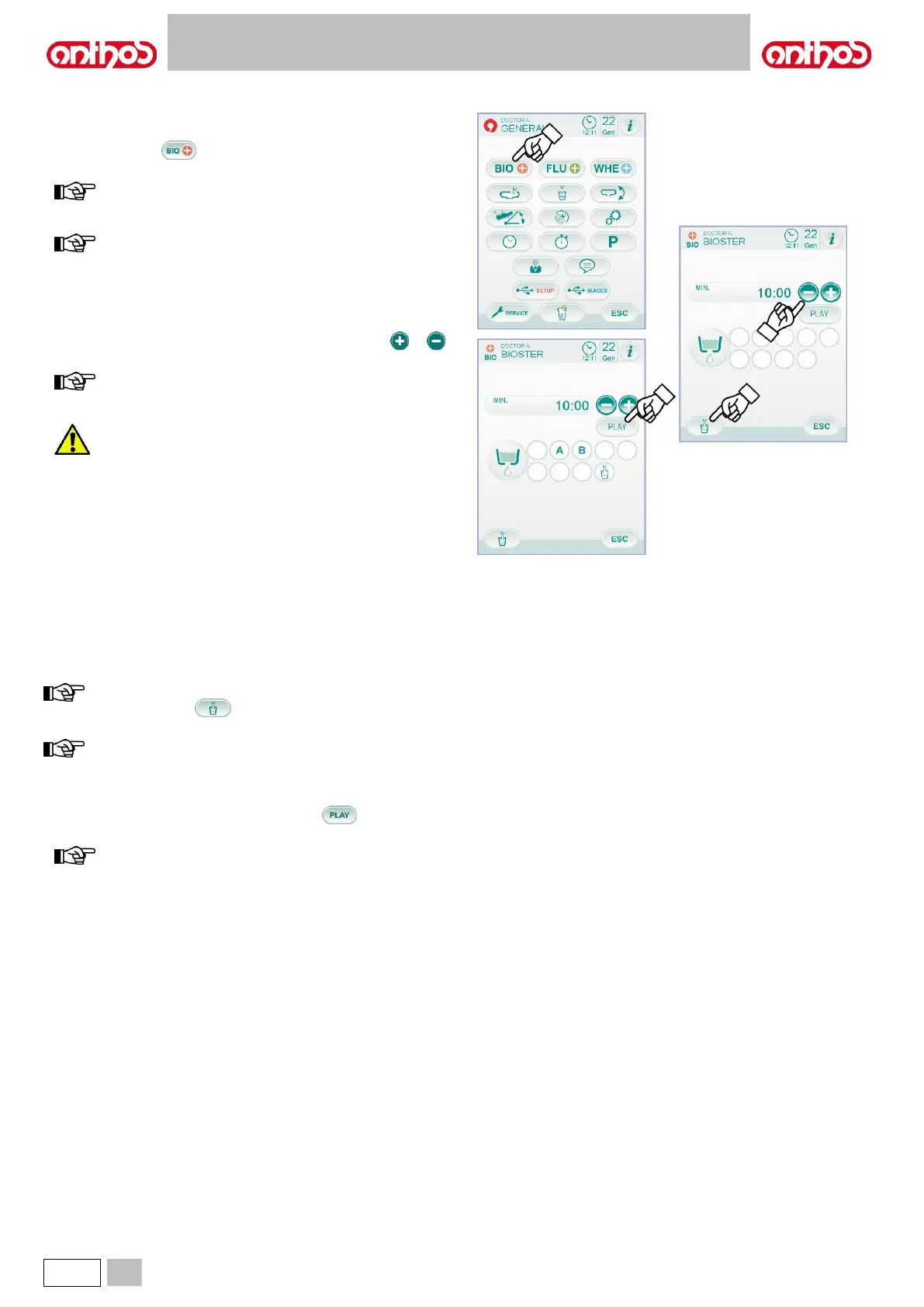
5.1.1.2.1. BIOSTER DISINFECTION CYCLE SETTING
This setting is the same for all operators.
From MAIN SETTINGS menu, carry out the following operations:
• Touch icon button to access the "BIOSTER disinfection cycle
setting" sub-menu.
this sub-menu can be accessed also by keeping BIO button,
located on assistant's board, pressed for at least 2 seconds.
This sub-menu cannot be accessed if the disinfectant fluid
tank is in reserve (see paragraph 7.4.), if an instrument is
extracted or if the W.H.E. system is in error conditions. An
acoustic signal (BEEP) will warn about the impossibility to
access the sub-menu.
• Set disinfectant fluid residence time by touching icon buttons or
.
time setting ranges from a min. of 5 minutes to a max. of 10
minutes, with intervals of 30 seconds.
Recommended residence time with PEROXY Ag+: 10
minutes.
Recommended residence time with 3% oxygenated water
(10 volumes): 10 minutes.
• Extract the instruments to be treated (the relevant icon will be
displayed):
S1: syringe on dentist's board.
A: instrument in position A
B: instrument in position B
C: instrument in position C
D: instrument in position D
S1: syringe on assistant's board.
F: instrument on assistant's board.
CA: suction tubes.
BC: water-to-cup duct.
touch icon button to select / deselect water-to-cup duct
disinfection.
if unit features the suction tube flashing system, flashing cycle
can be activated by simply inserting suction tubes inside the
relevant couplings (see paragraph 7.5).
• To start the disinfection cycle, touch icon button (see paragraph
7.4.).
disinfection cycle can be started also by shortly pressing the
BIO button located on assistant's board.



 To Next Page