A7 Plus – OPERATOR'S MANUAL
6. ASSISTANT’S BOARD OPERATION
Main features.
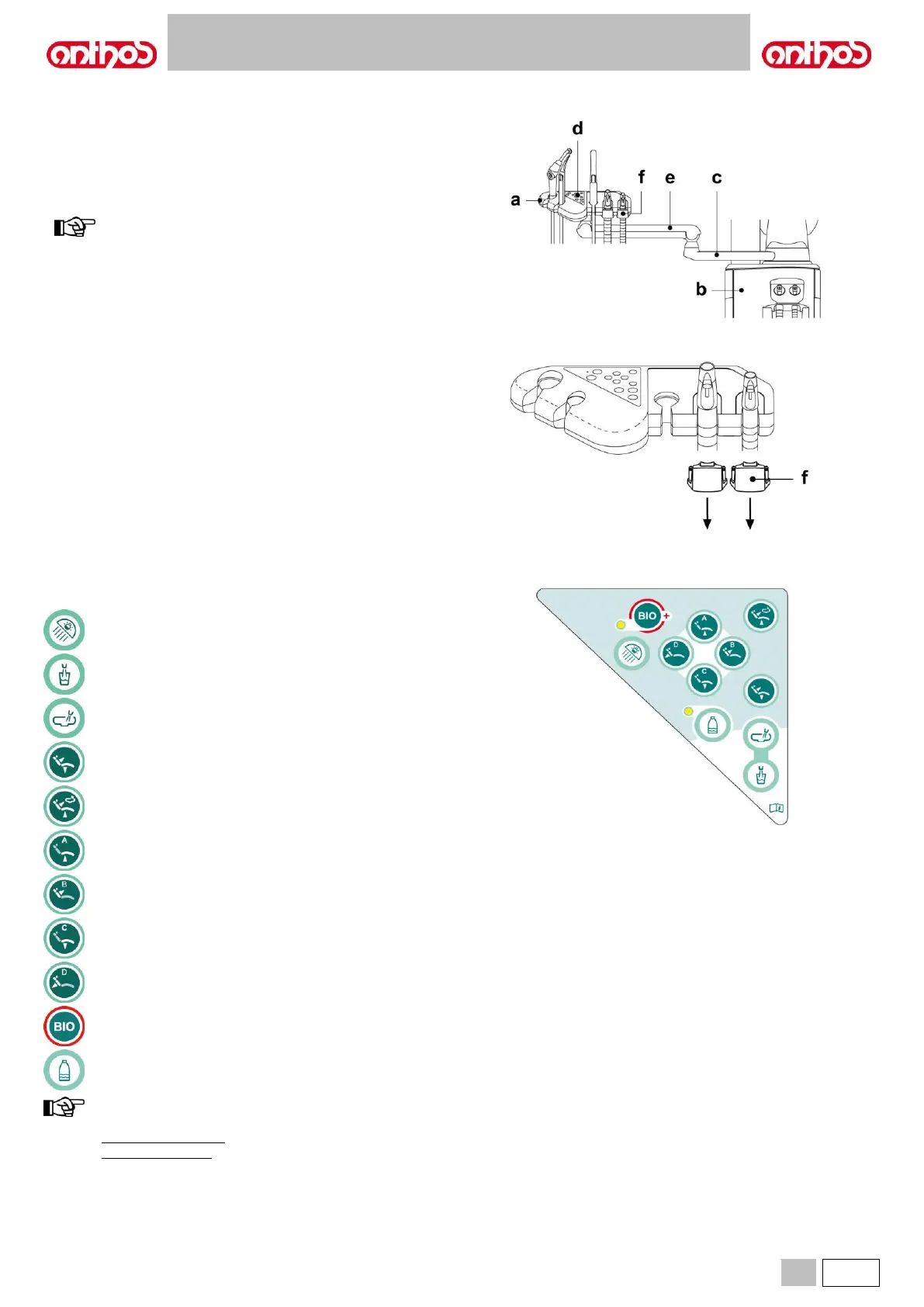
• Two articulated arms secure board ( a ) to water unit ( b ) allowing it to
be placed in the most convenient work position.
Fixed arm (c) can turn by 120°.
The pantograph arm (e) allows a vertical stroke of the assistant's board
of 335 mm, in 6 working positions.
to move assistant's board to bottom position, simply lift it to
the top position, then lower it.
• The assistant’s board (a) comes with a control console (d) with buttons
used to operate the dental chair and water unit.
• The assistant’s board can hold 2 suction tubes and 3 instruments.
• The assistant’s board comes with sliding rollers (f) that guide and hold
up the suction tubes.
Cleaning the sliding rollers.
Push down and take off the sliding rollers (f).
Clean the sliding rollers with a suitable product: refer to paragraph 1.4.
6.1. ASSISTANT’S BOARD CONSOLE
Description of the buttons:
Operating light on/off button.
Reset position recall button.
Rinsing position recall button.
Seat up and programmed position A recall button.
Backrest up and programmed position B recall button.
Seat down and programmed position C recall button.
Backrest down and emergency position D recall button.
BIOSTER cycle quick activation button (with relevant warning
LED).
S.H.S. system enabling/disabling button (with relevant warning
LED).
operation of dental chair buttons:
• Button pressed shortly: automatic recall of set position.
• Button held pressed: manual positioning.



 To Next Page