A7 Plus – OPERATOR'S MANUAL
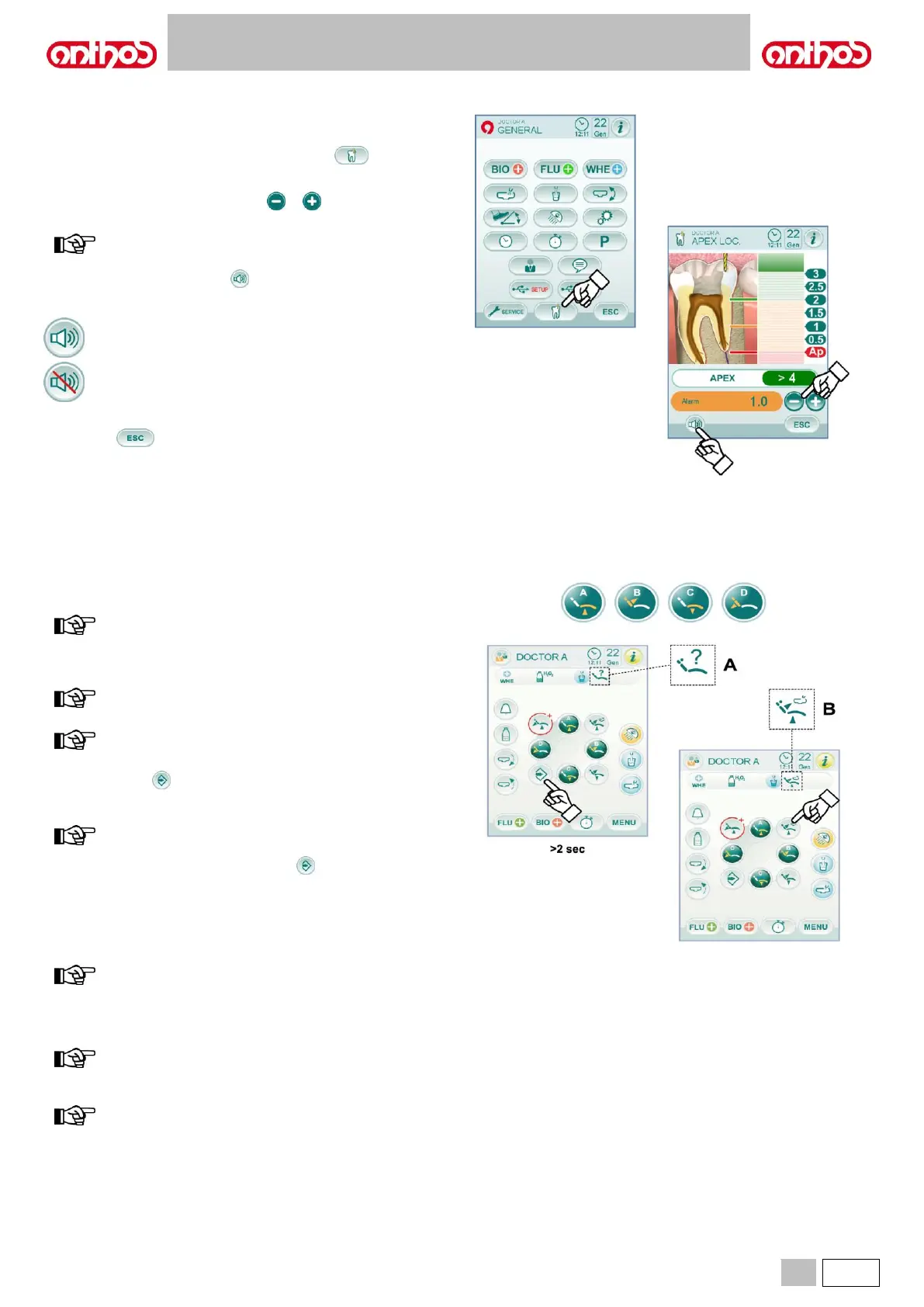
5.1.1.2.17. APEX LOCATOR SETTING
The alarm threshold of the electronic APEX LOCATOR (see paragraph
5.11.) can be set using this sub-menu.
From the MAIN SETTINGS menu, touch icon button to access the
APEX LOCATOR SETTING sub-menu.
• Set alarm threshold using icon buttons or .
An orange dash on left-hand bargraph will display the selected value.
value setting range: 0 to +2.
• Touch the relevant icon button to enable/disable the alarm signal
once set threshold is reached:
• To confirm the selected value, simply quit this sub-menu by touching
icon button .
5.1.2. SETTING THE DENTAL CHAIR "AUTOMATIC RETURN” AND "RINSE POSITION”
This setting is specific for each single operator.
From main screen, carry out the following operations:
• Bring the dental chair into the desired position using manual movement
icon buttons.
in the Rinsing Position, the maximum seat height that can be
stored is the safety height (no interference between the seat
and the bowl).
the position of the bowl is stored if the bowl is motor-driven.
NOTE for L9 SIDE DELIVERY models:
the position of the dentist’s board cannot be stored.
• Press icon button for at least 2 seconds to activate saving mode.
Save mode activation is signalled by a short acoustic signal (BEEP)
and by the corresponding icon ( A ) on the TOUCH DISPLAY.
to quit storage mode without performing
any change, press icon button again for at least 2
seconds.
• Press "Reset position" or "Rinsing position" icon buttons to associate
the position to the button.
The appearance of icon ( B ) relating to the selected programme on the
TOUCH DISPLAY will confirm that it has been saved.
the "Rinsing Position" button moves backrest and seat to
rinsing position.
When icon button "Rinsing Position" is pressed again,
backrest and seat will go back to the previous position.
to go back to work position from the "Reset position", simply
press any programmed work position.
NOTE for L9 SIDE DELIVERY models:
if set (see paragraph 5.1.1.2.9.), by pressing the “Reset
position” icon button, the dentist’s board automatically moves
to the top position.



 To Next Page