A7 Plus – OPERATOR'S MANUAL
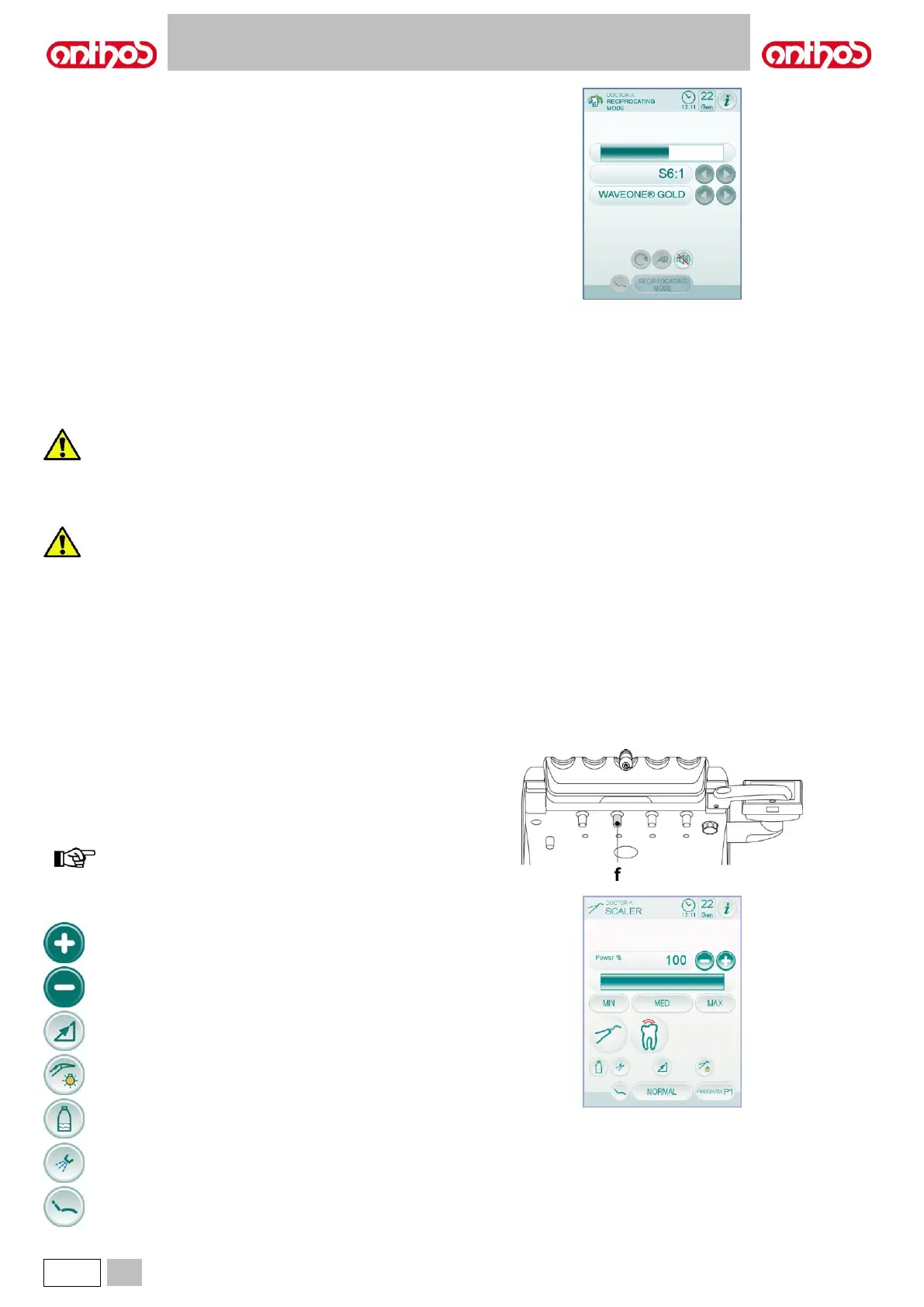
Menu with micromotor extracted and active.
The only active icon button is the activation/deactivation of the alarm
signal upon reaching the maximum set torque.
Connecting the handpiece and insert.
Refer to the specific instructions provided with the handpiece.
Before attempting to connect the handpiece, make sure the
contacts are perfectly dry. Blow air from the syringe, if
necessary, to dry.
• Make sure the threaded sections of the inserts and
handpiece are perfectly clean.
• Do not change the shape of the insert.
• Check wear and tear of the insert on a regular basis,
replacing it in the following cases:
- obvious wear,
- drop in performance,
- deformation or impact.
• Notes for U-PZ7 scalers:
- Class 1 LED device;
- do not direct the light beam to anyone's eyes when
cleaning or servicing the device (it is recommended to
keep the fibre optics switched off).
Use.
• Operating times: see operating instructions supplied with the
handpiece.
• The cock [ f ], found near the instrument, is used to adjust the cooling
water flow.
• Place the instrument in its working position.
instrument activation is highlighted by the relevant managing
screen appearing on the TOUCH DISPLAY.
• The icon buttons available on the TOUCH DISPLAY are:
Increase of settable values.
Decrease of settable values.
Selection of scaler power variation mode.
Activation/deactivation of independent water supply
(with S.H.S. system only).
Enabling of cooling water.
Main screen controls recall.



 To Next Page