A7 Plus – OPERATOR'S MANUAL
7. WATER UNIT OPERATION
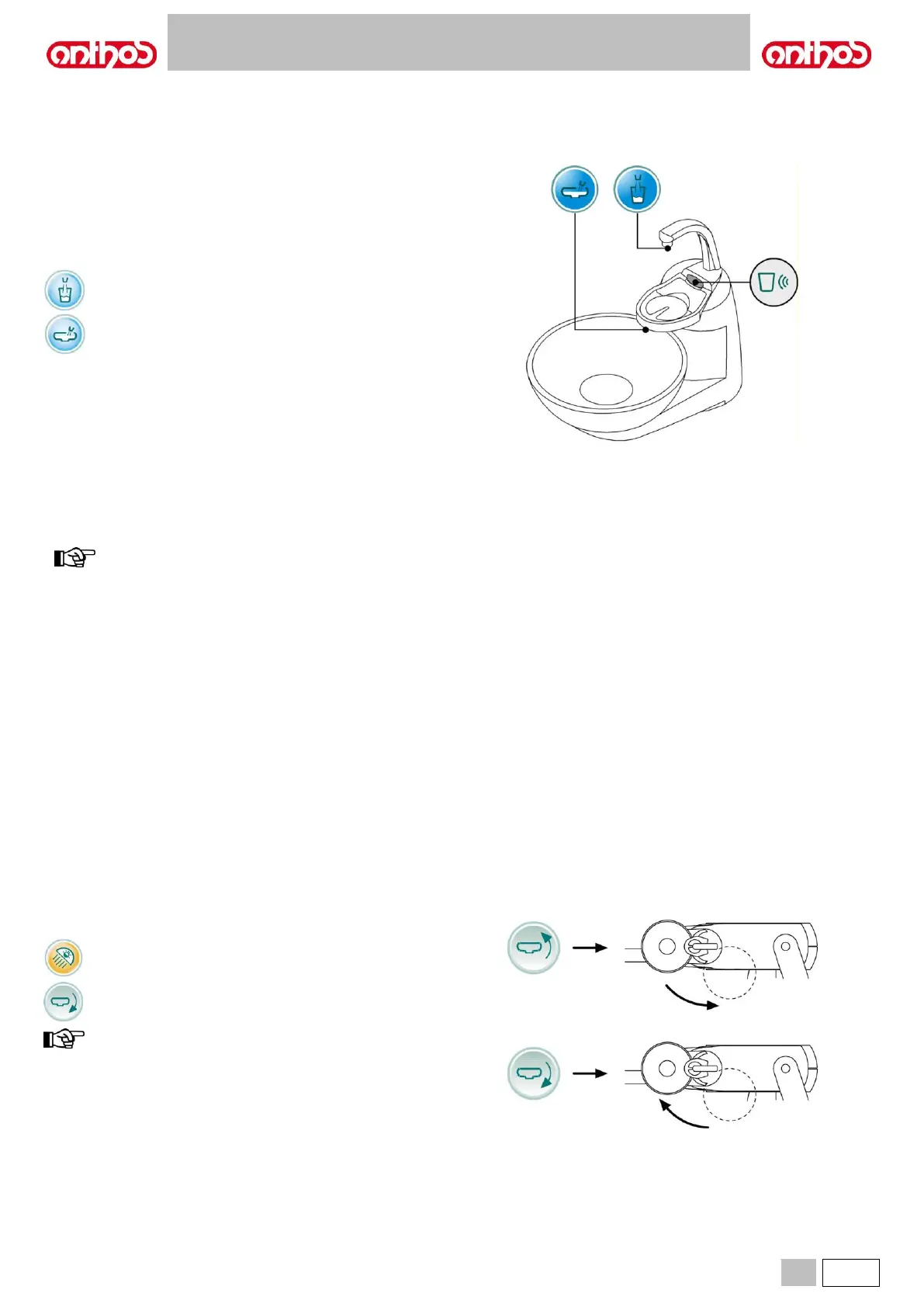
7.1. FILL CUP AND BOWL
The bowl can be turned by 305° on the water unit by hand or using a
motor drive (optional).
The bowl and the water-to-cup spout can be removed to make cleaning
operations easier.
Control icon buttons.
Water-to-cup delivery control icon button.
Water-to-bowl delivery control icon button.
Cup sensor.
An optical sensor detecting cup presence and automatically enabling cup
filling is installed under cup spout.
Sensor operates as follows:
• once cup has been positioned under spout, water starts being
delivered after 2 seconds and for 2 seconds (this time cannot be
edited),
• after cup is removed, the filling cycle can be repeated after 3 seconds,
• during the filling cycle, by removing cup and/or pressing the "Water to
cup delivery" button, water delivery is immediately interrupted.
to disable cup sensor, see paragraph 5.1.1.2.5.
Water-to-cup level adjustment.
See paragraph 5.1.1.2.5.
Water-to-cup temperature adjustment.
See paragraph 5.1.1.2.5.
Bowl flushing setting.
Water-to-bowl delivery can take place in a timed or manual manner
(ON/OFF by shortly pressing the relevant control button).
To set the desired operating mode and water delivery time. See
paragraph 5.1.1.2.4.
Bowl flushing automatic operation setting.
Bowl flushing automatically starts in the following cases:
• by pressing the "Water-to-cup” button,
• by pressing the "Dental chair reset position" button,
• by pressing the "Dental chair rinse position" button.
To change this operating mode, see paragraph 5.1.1.2.4.
Bowl counter clockwise movement button.
Bowl clockwise movement button.
bowl can also be manually moved by turning it with your hands.



 To Next Page