A7 Plus – OPERATOR'S MANUAL
5. DENTIST'S BOARD OPERATION
Layout of instruments.
The positions of the instruments on the board are determined by the
customer at the time of order.
Activation of instruments.
• The syringe is always on (see paragraph 5.3.).
• The curing light is turned on by the relevant button, when the
instrument is extracted (see paragraph 5.7.).
• Intraoral camera turns on when the instrument is extracted (see
paragraph 5.8.).
• ZEN-Xi integrated sensor, if connected to an external PC, is always
active (see paragraph 5.9.).
• Once extracted, all other instruments are operated with the foot control
(see paragraph 5.2.).
Simultaneous use of the instruments.
An interlocking device ensures that the instruments are not used
simultaneously.
The first extracted instrument is ready to be used while those extracted
later are disabled by the interlocking device.
This interlocking device allows the drill to be changed in one instrument
while another is used on the patient.
Positioning the dentist's board.
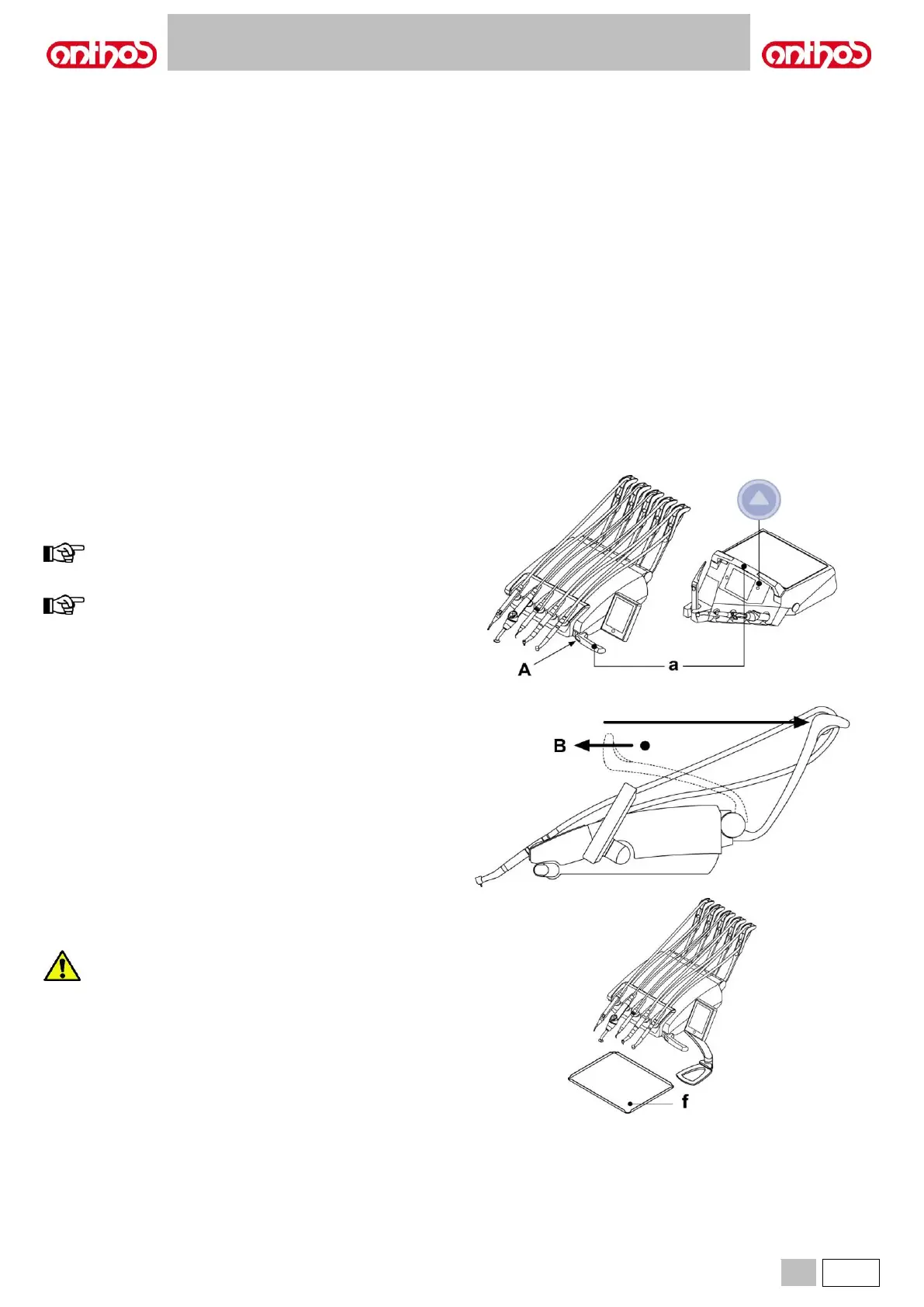
The dentist's board can move in all directions.
To adjust the height of the board and/or direct it horizontally, simply
grasp the handle ( a ).
NOTE CONTINENTAL version:
to release pantograph arm pneumatic brake, grasp the handle
with your thumb on point (A).
NOTE for INTERNATIONAL version:
to adjust height, first press the special release button (see
paragraph 5.1.).
Instrument recall arm locking device (for CONTINENTAL boards,
only).
If this device is provided, the instrument recall arm can be locked in the
instrument extracted position.
Lock engages with a click at about 2/3 of the total arm travel.
To go back to the original condition, simply move the arm to the end of
its travel ( B ).
Tray holder for CONTINENTAL board.
The tray holder ( f ) is made of stainless steel and can easily be removed
from its support.
Maximum permitted load on the tray holder ( f ): 2 kg evenly
distributed.



 To Next Page