A7 Plus – OPERATOR'S MANUAL
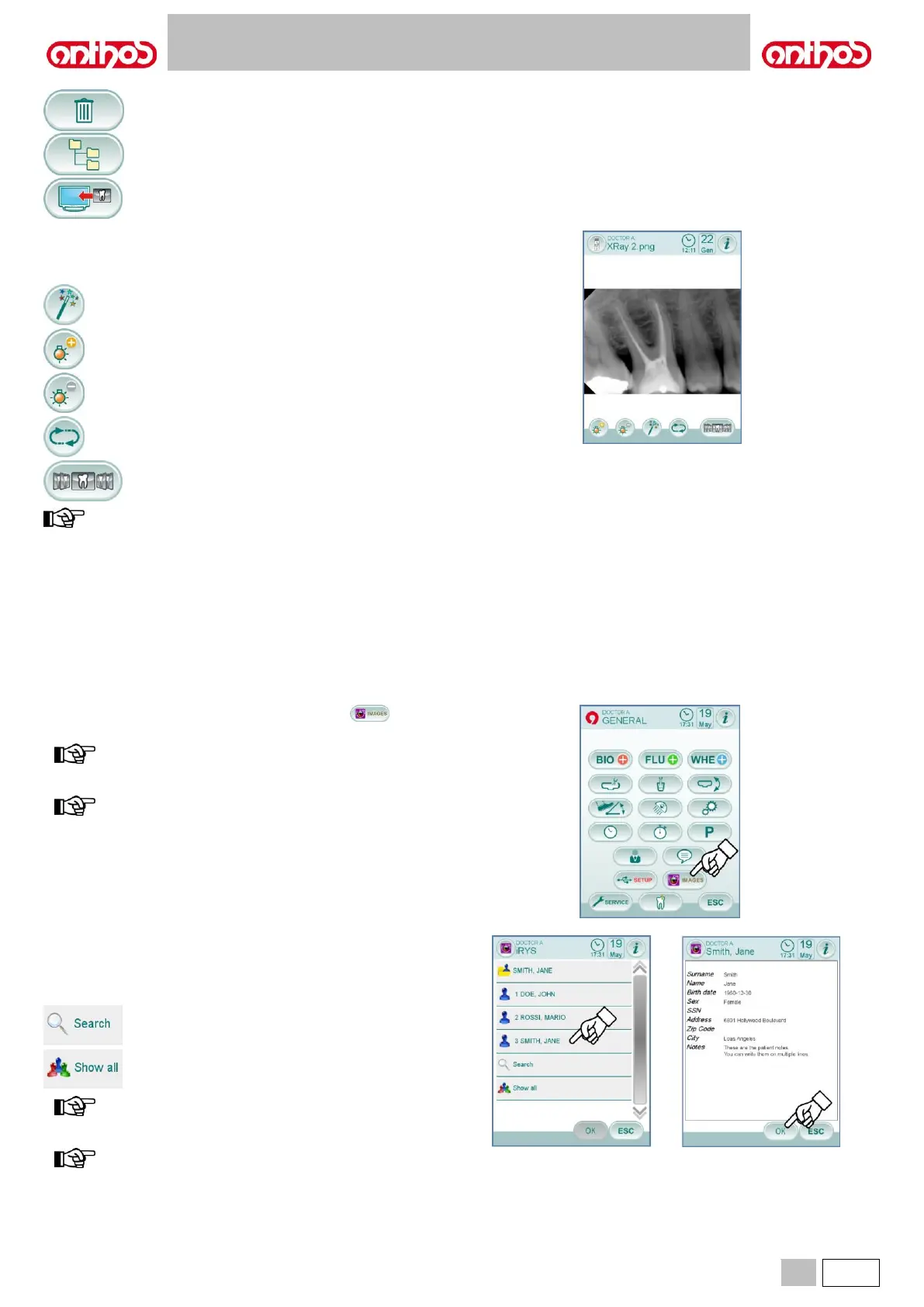
Delete image (a confirmation prompt will appear).
Go back to "list" screen.
Display images on monitor (only with monitor connected
to camera module).
"Image" screen.
• Touch the image to zoom it and move it sideways.
• Available controls:
Image automatic improvement.
Increase image brightness.
Restore image original appearance.
Go back to "thumbnail" screen.
changes made to the image are automatically saved.
USB flash drive removal.
Before removing the USB flash drive, go back to main parameter menu
or to other operative screens.
Operation with local memory.
The operation with local memory is the same as the operation with USB
key.
5.1.1.2.16.1. IMAGE MANAGEMENT THROUGH iRYS
• From the MAIN SETTINGS menu, touch icon button to access
the iRYS patient archive.
for correct PC connection, refer to the user’s manual supplied
with iRYS.
the iRYS button is not shown when a USB key is connected.
"List" screen.
• The “list” screen displays any patient folder open in iRYS and the last 3
patients consulted.
Moreover, the following controls are available:
Browse for a patient folder by entering the name.
Show all the available patient folders in alphabetical
order.
the "Show All" button appears only if the total number of
patients is lower than 100.
the console does not allow to create a new patient folder in
iRYS.



 To Next Page