A7 Plus – OPERATOR'S MANUAL
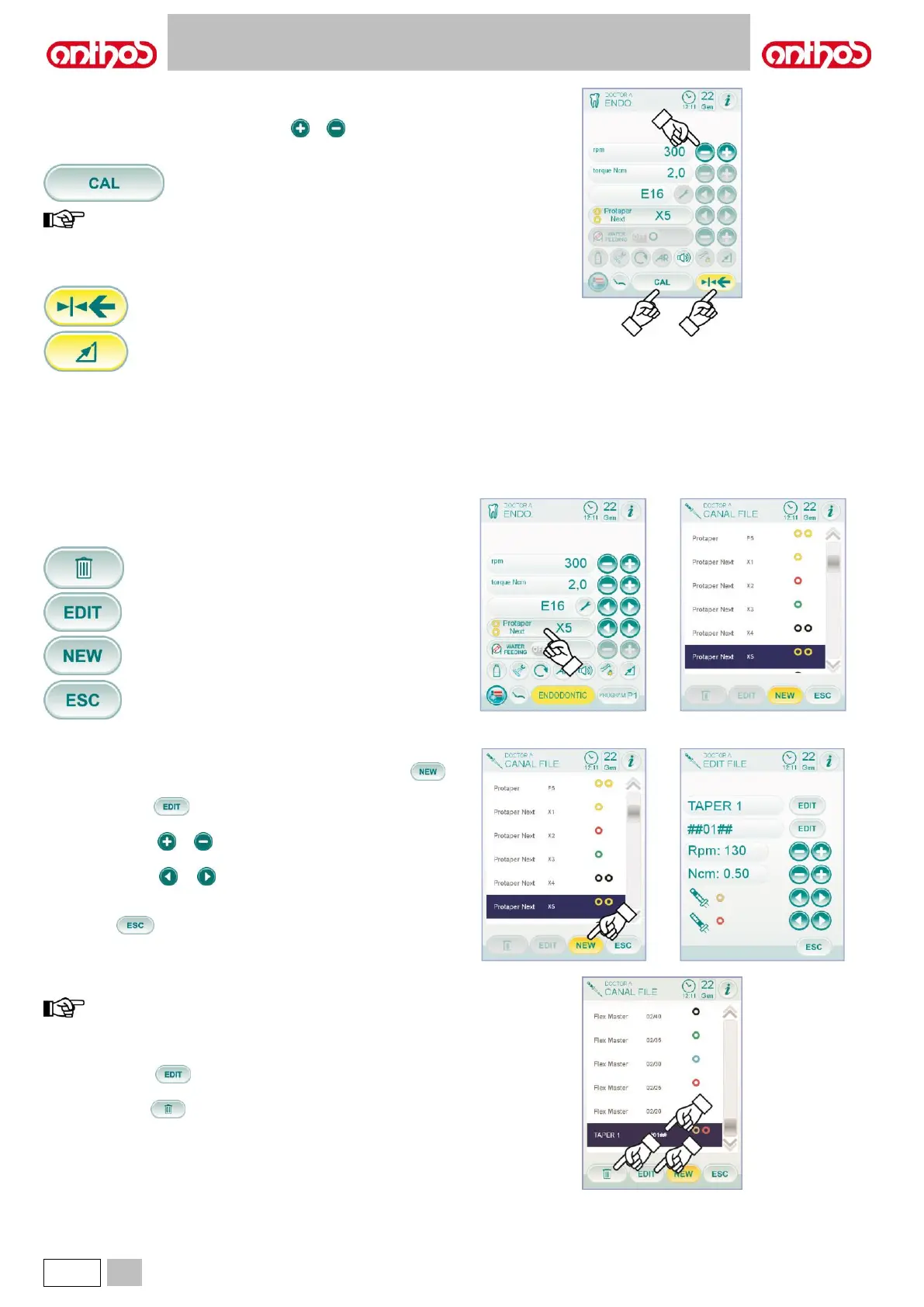
Menu with micromotor extracted and active.
The following functions can be changed:
• drill max. rotation speed using icon buttons or ,
• handpiece calibration using the following icon button:
It sets current set torque to 0.
we recommend carrying out this operation while the handpiece
is working at max. speed and with no load.
• foot control lever editing mode with the following icon buttons:
It sets current rotating speed as max. speed by
enabling, at the same time, an ON/OFF editing
mode of the foot control lever.
It brings foot control lever editing mode from
ON/OFF to linear.
5.5.2.1. ROOT CANAL DRILL CUSTOMIZATION MENU
From the extracted but not active micromotor menu, touch the box
relating to the set drill to access the page showing the list of all available
root canal drills and having the following icon buttons:
Quit the menu and save settings.
Customized drill creation.
To create one or more root canal drills, simply touch icon button
to access the EDITING screen:
• touch icon button to enter the name or code of the customized
drill,
• touch icon buttons or to increase or reduce the speed or torque
value you want to associate to the customized drill,
• touch icon buttons or to select the colours of the rings relating
to the customized drill,
• to confirm entered data, simply quit the EDITING screen by touching
icon button .
Editing and/or cancelling of customized drill.
only customized drills can be edited and/or
cancelled.
• select the customized drill you wish to edit or cancel,
• touch icon button to access the EDITING screen and edit drill
data,
• touch icon button to cancel the customized drill.



 To Next Page