A7 Plus – OPERATOR'S MANUAL
Scaler operating mode selection.
Scaler working programme selection.
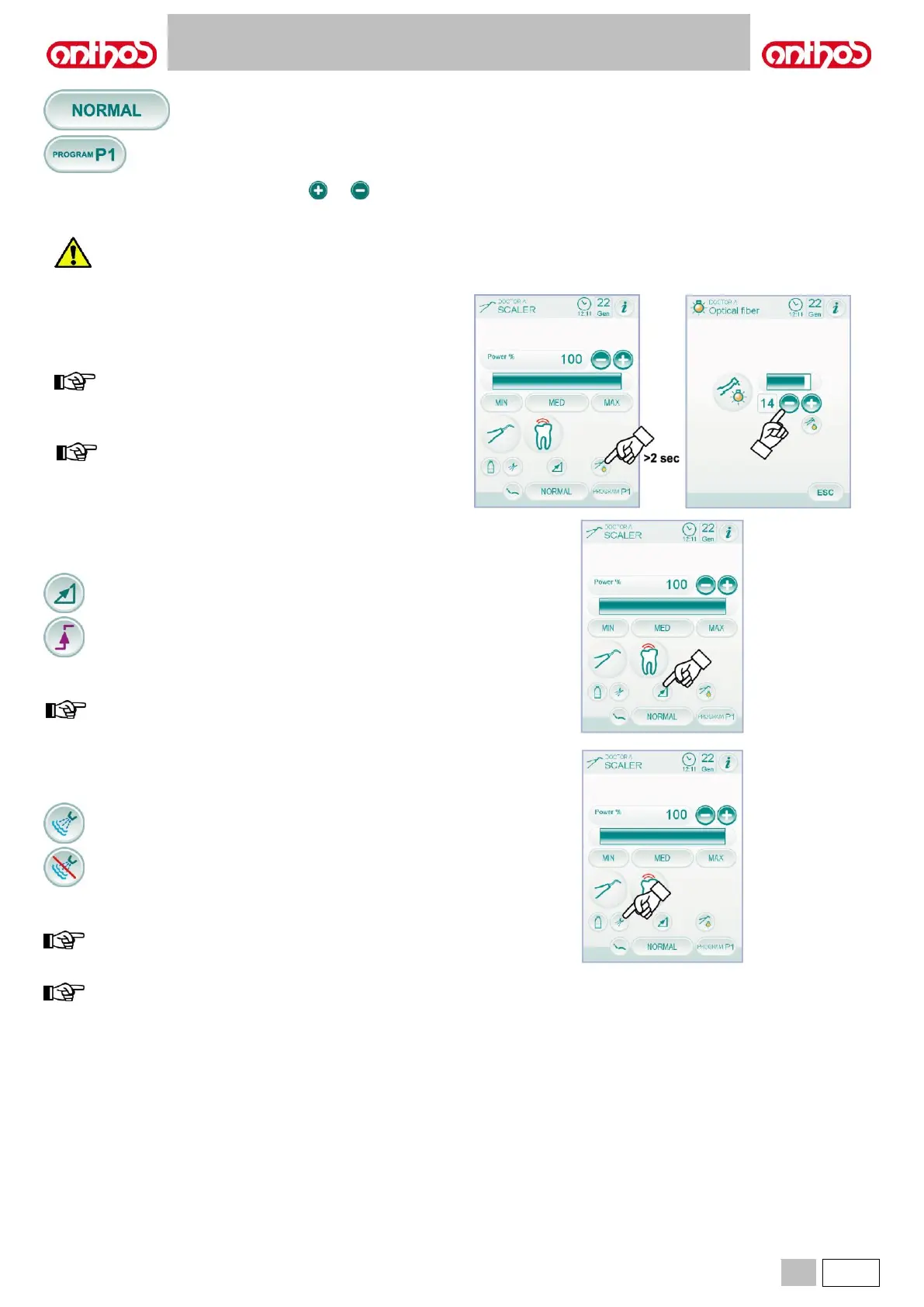
• To adjust scaler power, touch icon buttons or or scroll the
bargraph with your finger.
• Use the foot control lever to start the instrument (see paragraph 5.2.).
The instrument is supplied non-sterile.
Fiber optic brightness adjustment.
• To adjust fiber optic brightness, touch the icon button (for at least 2
seconds).
• Adjust brightness level by touching icon buttons or scrolling the
bargraph with your finger.
value setting range: 1 to 16.
• To confirm the selected brightness, simply quit this sub-menu by
touching icon button.
the fiber optic switch off when the instrument (foot control
lever off) is not used for 30 seconds.
Selection of scaler power variation mode.
With the instrument in working position, select the scaler power editing
mode by touching the following icon buttons:
Linear variation, proportional to foot control lever movement.
ON/OFF variation entailing the supply of the max. power set
upon foot control lever activation.
The icon corresponding to the active mode is shown on the TOUCH
DISPLAY.
the data set are automatically saved.
Enabling of cooling water.
With the instrument in working position, select whether to deliver water
or not to the instrument by touching the following icon buttons:
The variation is cyclical upon every touch and the icon corresponding to
the active mode is shown on the TOUCH DISPLAY.
during operation without water, the max. delivered power
corresponds to 50% of the max. settable power.
the data set are automatically saved.



 To Next Page