A7 Plus – OPERATOR'S MANUAL
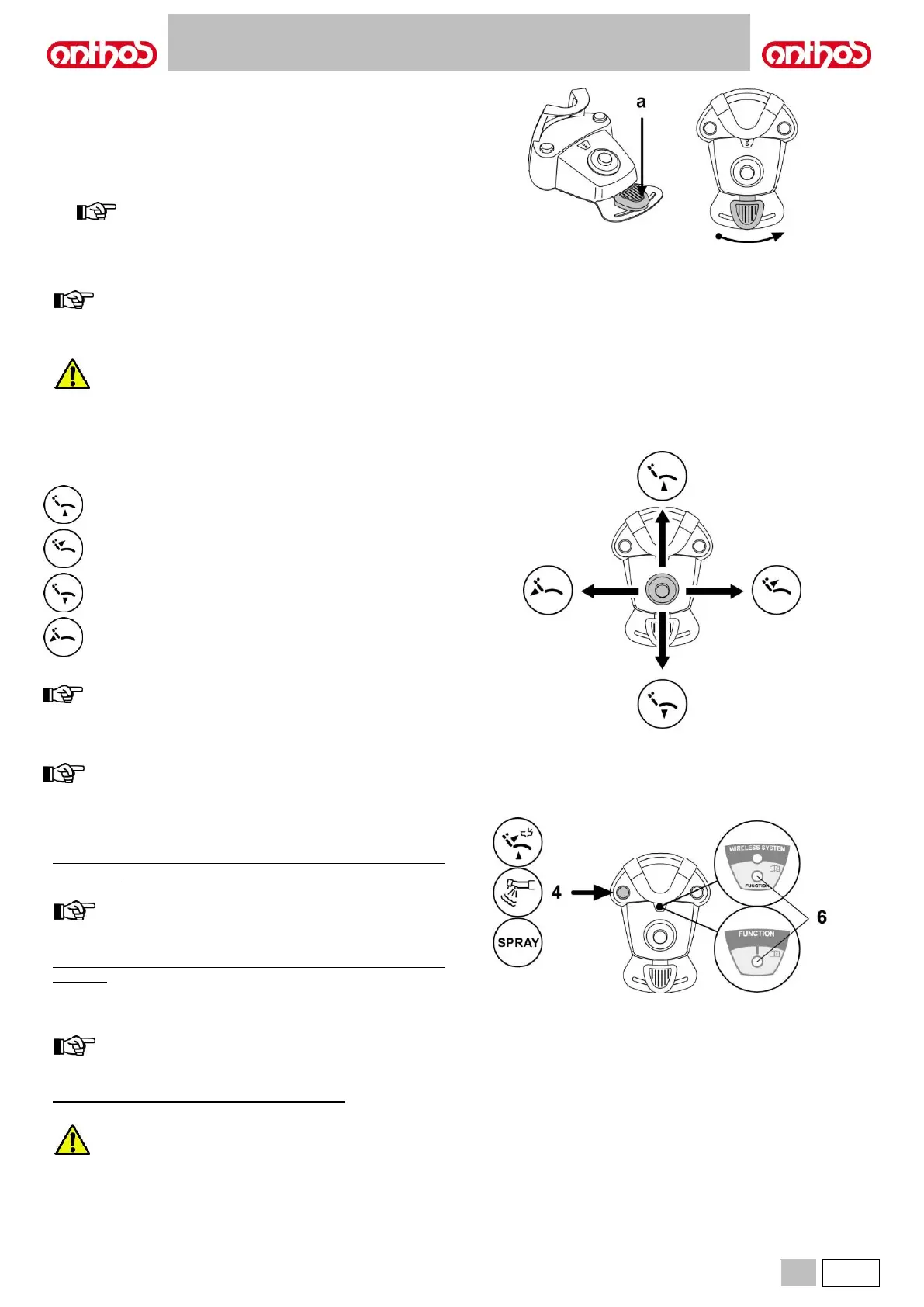
Control pedal ( 2 ).
Operation:
• Remove the instrument.
• Push the control pedal ( a ) to start the instrument.
• Adjust the rpm/power of the instrument with the control pedal:
- to the right: increase;
- to the left: decrease.
the control pedal adjusts the speed/power of the
instrument from the minimum to the maximum value set
from the dentist's board.
• To stop the instrument, simply release the control pedal ( a ).
with the spray active, at the end of the operation a blast of air
is automatically activated to remove any residual drops of
liquid in the spray ducts.
Instrument spray is activated and deactivated by pressing
the buttons ( 4 ) or ( 5 ).
A short acoustic signal warns of the switching.
When the LED ( 6 ) is on, it indicates operation with spray.
Dental chair movement Joystick operation ( 3 ).
It controls the following movements:
Dental chair backrest up.
Dental chair backrest down.
To stop movement, release the control.
all the buttons used to move the dental chair are inoperative
when an instrument is removed and the foot control pedal is
actuated.
it is possible to edit the joystick operation once the instrument is
extracted (see paragraph 5.1.1.2.7.).
Left-hand button operation ( 4 ).
Operation:
• Holding down the button for at least 2 seconds with the instruments in
rest position:
Activation of the “Patient rinsing position” program.
pressing the button a second time returns dental chair back
into working position.
”
• Holding down the button for at least 2 seconds with instrument
extracted:
Chip-air control: sends a jet of air to the Turbine or the Micromotor.
Air flow is activated by pressing the button; the jet of air is interrupted
as soon as button is released.
the control works only when the Turbine and Micromotor are
in working position.
• Press the button shortly with the instrument extracted:
Activation or deactivation of instrument spray.
A short acoustic signal warns of the switching.
When the LED ( 6 ) is on, it indicates operation with
spray.



 To Next Page