Patient monitor User’s manual
Chapter 21-5
In the menu which is under the parameter review window, select or
to shift the waveform left and right.
In the menu which is under the parameter review window, select or
21.4.2 Recording Parameter Alarm
Select【Record】in the above window, you can record the current selected
alarm event through the recorder.
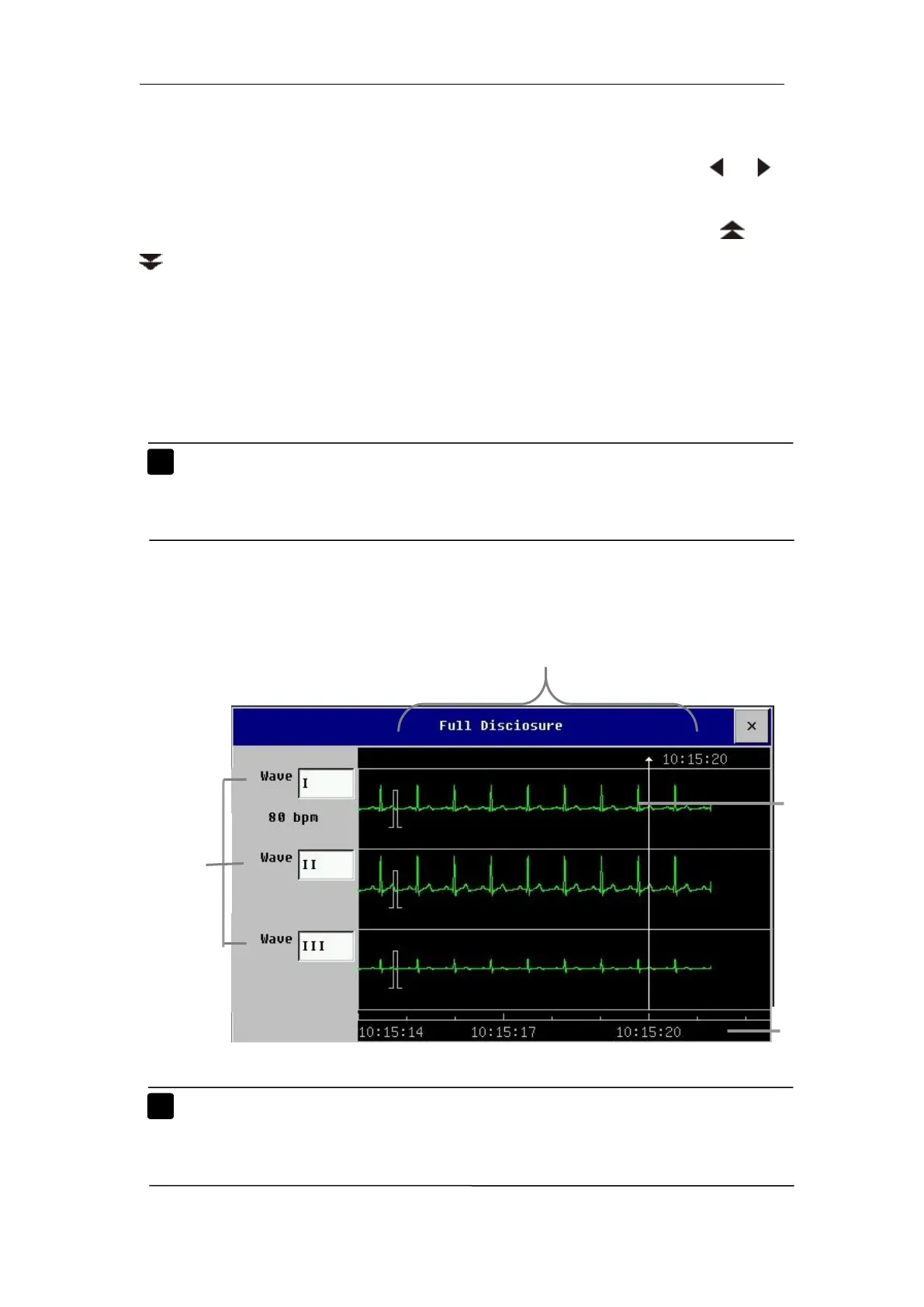
21.5 Reviewing Holographic Waveform
Note: Only when the monitor has been configured with SD memory
card, can the function of reviewing holographic waveform be
Select【Main Menu】smartkey→【Review】→【Full Disclosure】
to enter holographic waveform window shown as follows:
Note: If you want to review holographic waveform, please store the
waveform before review. You can select【Waveform Storage】
then select the parameter needing to store.



 To Next Page