Patient monitor User’s manual
Chapter 3-8
3.10 Setting Measurement Modules
3.10.1 Setting Measurement Modules
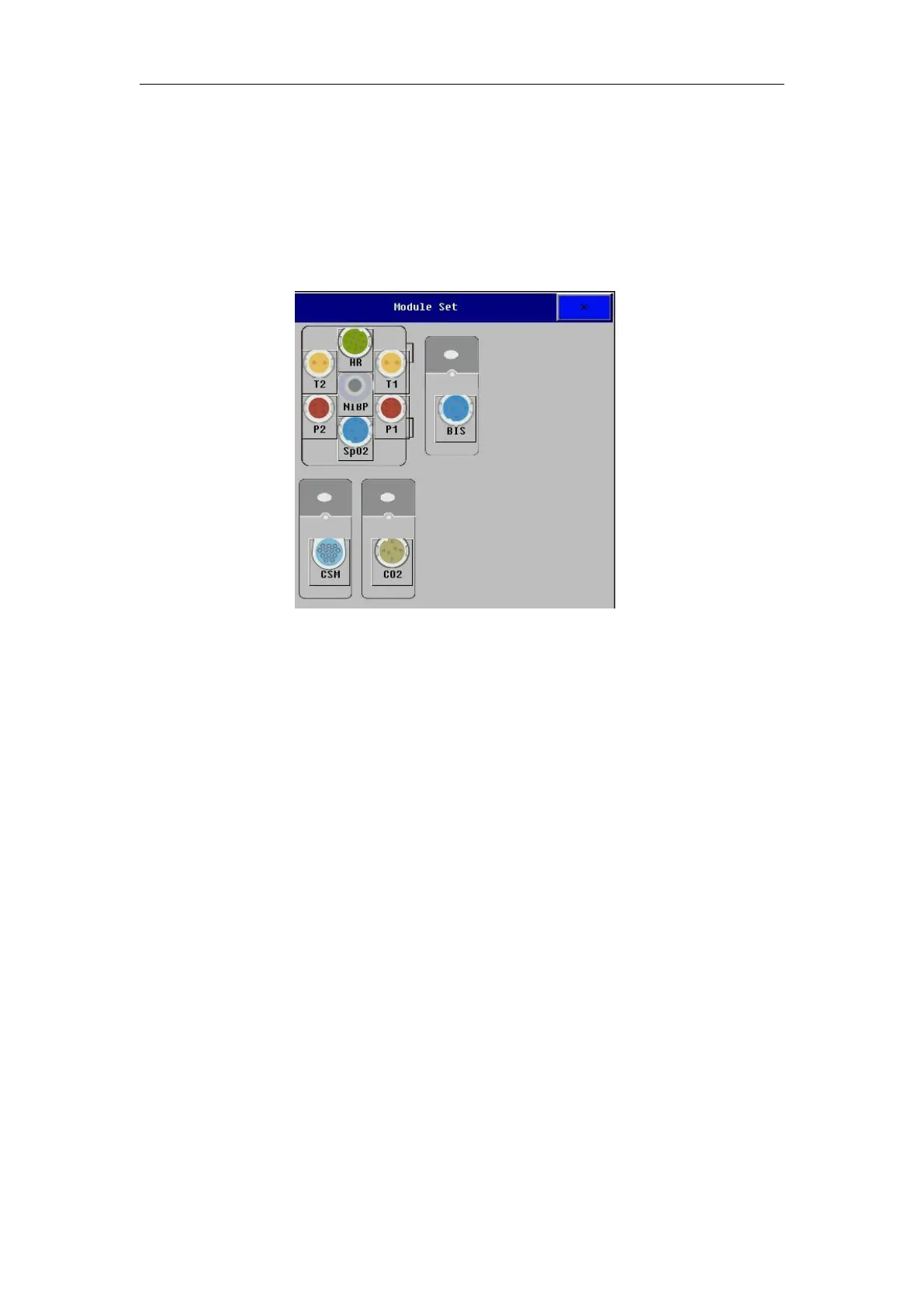
Select【Module Set】smartkey to enter the module config window, shown
as follows. Depending on different configuration, your monitor will display
EMS and other parameter measurement modules which are configured by
user are displayed in above window, and label displays near the corresponding
Open or close some parameter
To open or close some parameter, take T1 for example:
——To open T1 measurement: select T1 module in【Module Set】menu , from
the menu that appears, select
【
Activate
】
.
——To close T1 measurement: select T1 module in【Module Set】menu, from
the menu that appears, select【Deactivate】.
Depending on the configuration of your monitor, you can measure ECG,
Resp, SpO
2
, PR, NIBP, multiple Temp, multiple IBP, CO
2
, AG, ICG, C.O., CSM,
BIS simultaneously. The monitor uses labels to distinguish between them. All
setting contents related to the parameter (such as parameter color, waveform
color, wave scale and alarm setting) are stored in each label. You can alter the
label of IBP and Temp parameters. Detail operations are as follows:



 To Next Page