SW Version 2.04 30-January-2009 Page 60 of 128
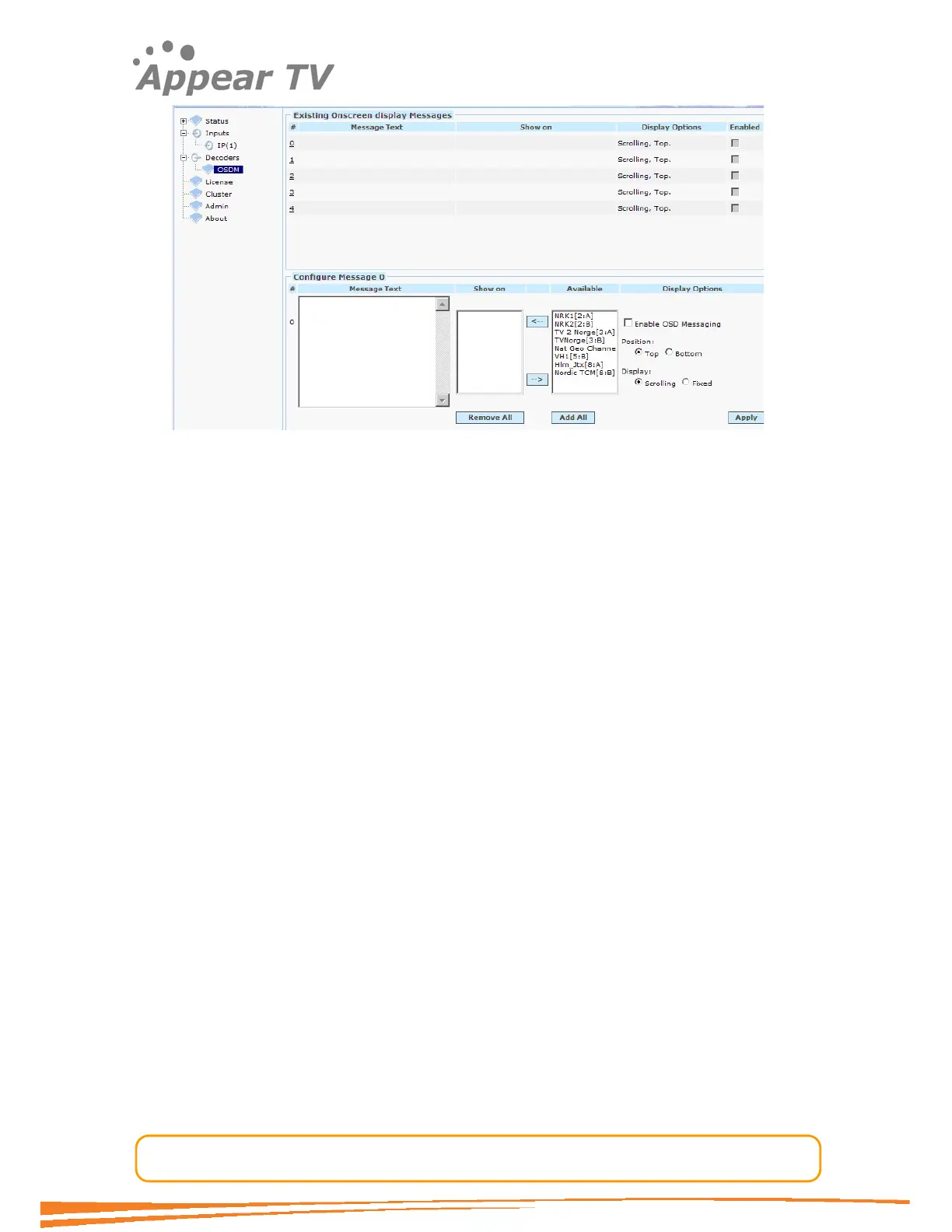
Figure 46 - On Screen Display (OSD) messaging.
Choose which message number to enable (#0-4) by clicking on the appropriate
message number. The message numbers are listed in red on the left side.
Add/Remove the channels you want the message to appear in by using the arrow
buttons between the Available and the Show on fields. The channels will then be
listed in the Show on textbox. Only one Message Text can be displayed at a given
channel at a given time and therefore all selected channels will be removed from the
Available textbox.
Write the message to be displayed in the Message Text box. The message can contain
up to 255 ASCII characters.
Select the vertical position by choosing Top or Bottom position.
Select the message appearance to be either Scrolling or Fixed.
Choose Enable OSD Messaging to activate the message. The message will
otherwise be disabled until you enable it.
Click the Submit button to register the message (see Figure 47 for an example
configuration)



 To Next Page