SW Version 2.04 30-January-2009 Page 85 of 128
The PSI Settings
The PSI tab allows the base values earlier defined to be overwritten for each specific
output stream. The list of the tables displays the currently selected mode. To change
uncheck the base value check box and change the new mode as desired. Note that if
this change is applicable to all outputs it is cleaner and easier to cheng it from the PSI
navigation tree where the base values are configured. A change in the base values will
automatically be updated to all the outputs using them.
In order to add services to the Multiplex just created, just drag and drop services from
the Input pane to the output pane.
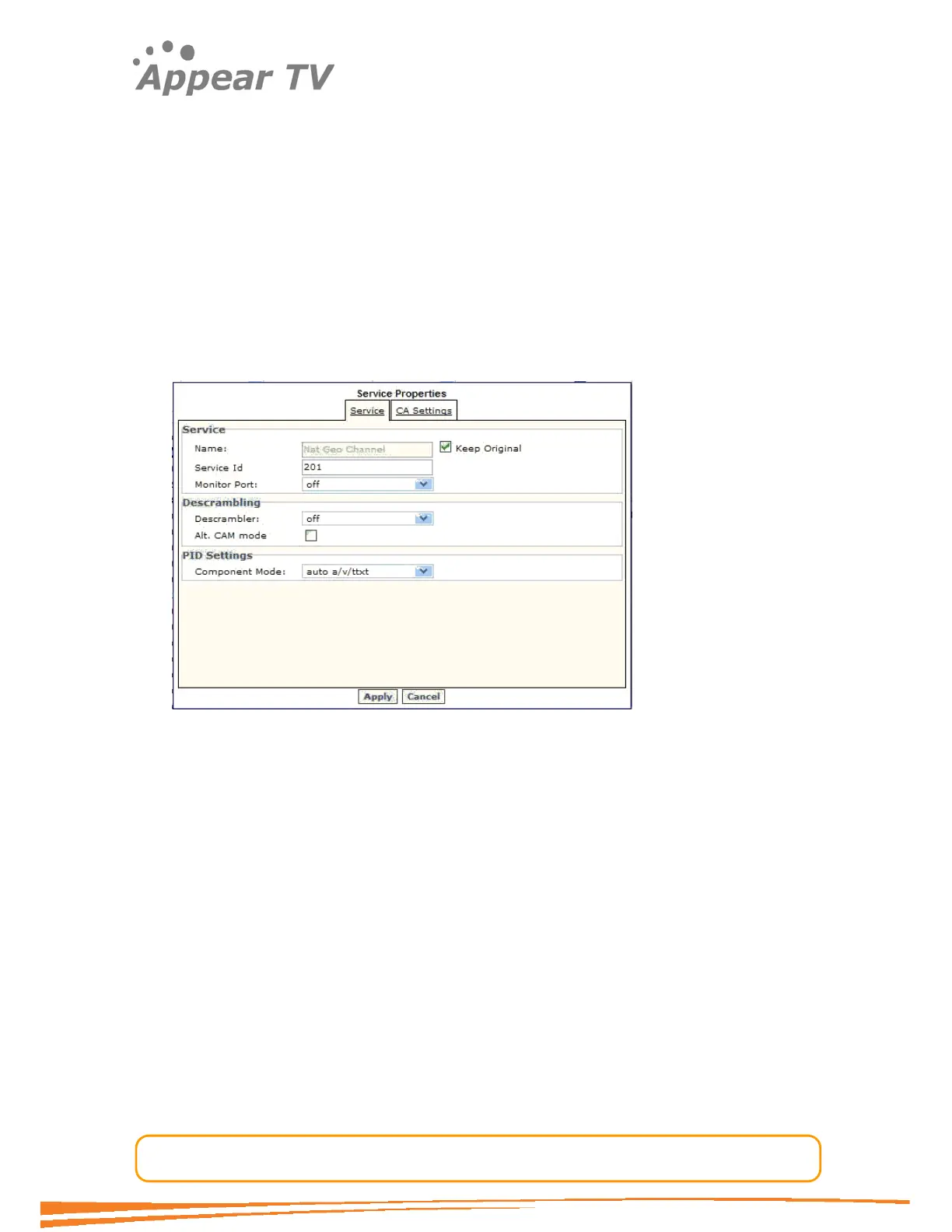
As for the IP SPTS mode it is possible to edit a service which has been added to an
MPTS. To edit expand the MPTS node on the right hand pane of the output window.
The following dialog will appear.
The service dialog allows for the change of both service name and service ID. These
changes will be reflected in the SDT and PMT respectively. For the other parameters
please refer to the IP SPTS configuration description.
The CA settings tab is similar to the one of the SPTS configuration. Note that the
EMM configuration is not available in this dialog as is the case for the SPTS setup. For
MPTS’s the EMM is entered on transport level.



 To Next Page