Automatic Divider-rounder model Syncro
15/79
Use and maintenance manual (translation of the original instructions) - MASA6_en_2 of 23/03/2021
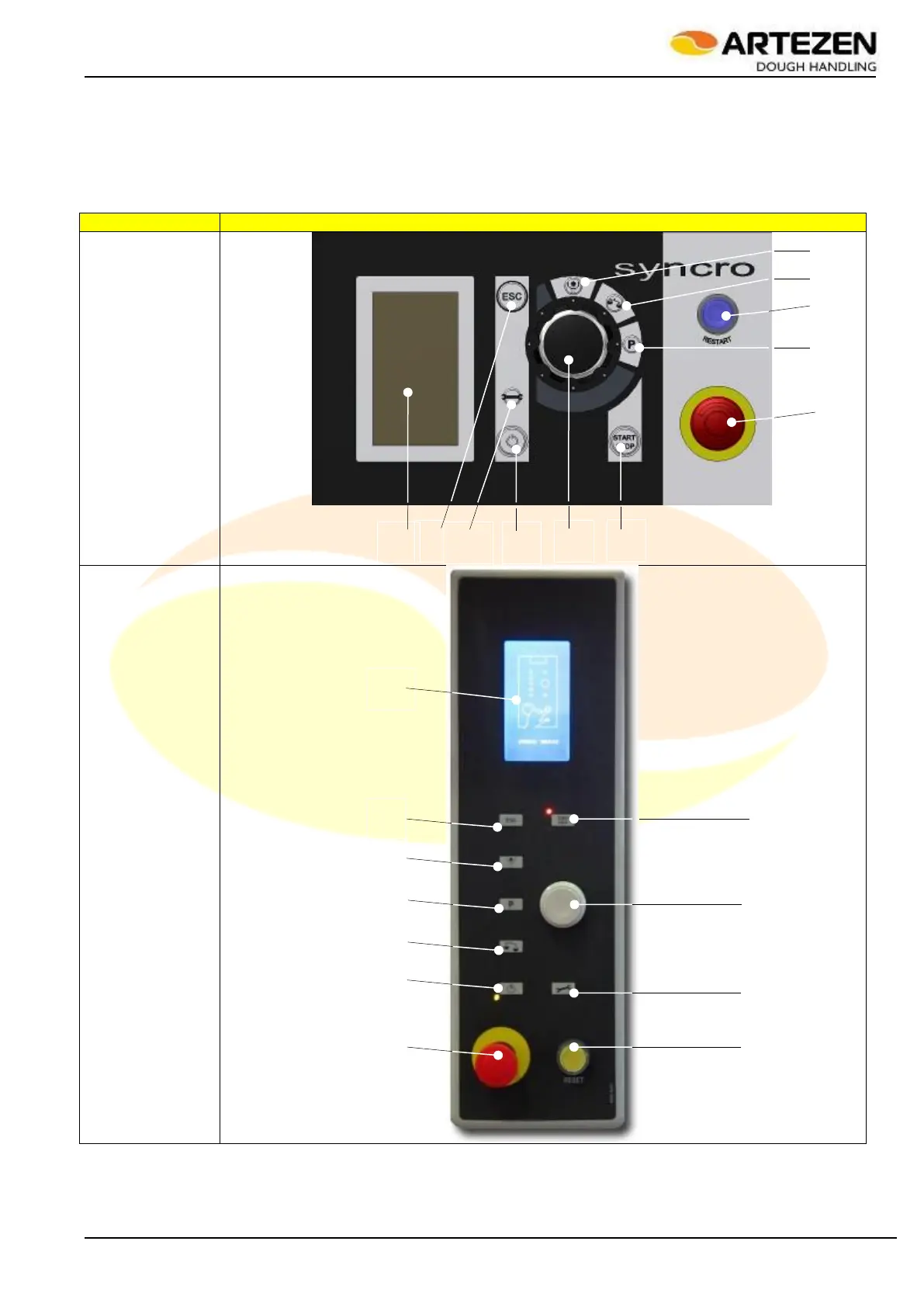
2.4 CONTROL PANEL
Both the “SYNCRO” and “SYNCRO E” are equipped with their own control panel; the push-buttons are arranged
differently, but the functions of each push-button are exactly the same. In addition to the push-button panel, the
control panel has a luminous display ref. 11 and a rotary control for selecting the options available on the “I-
DRIVE” screen ref. 9. Finally, only the versions equipped with loaf moulder are fitted with an additional control
panel Figure 5 that features only the STOP and EMERGENCY STOP controls and is located after the loaf
moulder.
Figure 4 - Control panel
1. The “RESET" push-button allows restoring the normal conditions of the machine and therefore
activating the START function, at the first start-up of the machine or after a normal emergency stop.
2. Red mushroom-head EMERGENCY STOP push-button: stops all machine functions immediately as



 To Next Page