Automatic Divider-rounder model Syncro
34/79
Use and maintenance manual (translation of the original instructions) - MASA6_en_2 of 23/03/2021
The first characteristic to check, and possibly adjust is the quantity of flour to be
added at each production cycle. Flour is important for the correct processing of the
dough: if it is insufficient compared to the consistency of the dough, the latter may
not be dropped off correctly onto the rounding system, as it will stick in areas
outside the normal flow of the work cycle. Conversely, if the flour is excessive, the
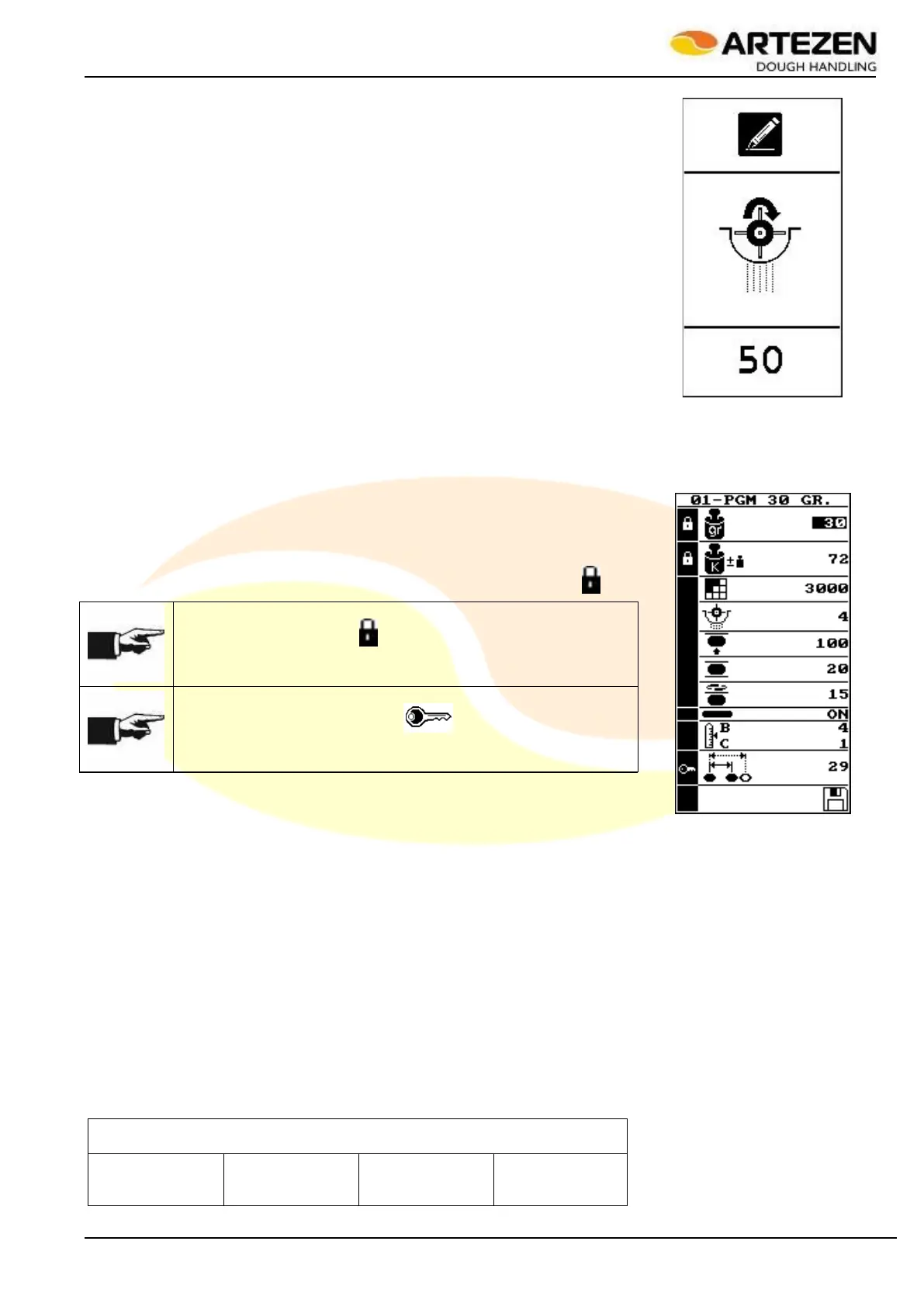
ball will not be completely closed during rounding. To correct the quantity of flour,
even during standard operation while the machine is producing, press the button
par. 2.4 ref. 6 e the display will show the image in Figure 25.
Rotate “I-DRIVE” par. 2.4ref. 9 clockwise to increase the quantity of flour, and
anticlockwise to decrease it: in the meantime, the display will show the quantity of
flour that will be dusted on the dough being processed on a scale ranging from 0 to
20.
Press “I-DRIVE” par. 2.4ref. 9) to confirm the correction and thus start the
adjustment.
Check the quality of the dough surface again after about 7 ÷ 8 work cycles (rows of
product) before performing a second adjustment, if needed.
Any other working parameter, instead, can be modified by accessing the recipe
data and pressing "P" = RECIPE PARAMETERS par. 2.4 ref. 5: the display will
show the image in Figure 26: the explanation of each function, represented by an
icon, can be found in Table 6.
The functions of the table, highlighted in grey, CANNOT be changed after loading
the recipe (or program) and the display identifies them with the symbol " ”, while
they can be modified in the
recipe creation mode as per
par. 3.8.5.
NOTE!
Parameters marked with " ” cannot be edited during the current
working section, but will be only after starting the emptying of the
machine as illustrated in par. 3.11.
NOTE!
The parameter marked with " ” can be modified after
having entered the USER FOR RECIPE MANAGEMENT
password indicated in par. 0.
3.8.3 RECIPE SAVING PASSWORD
The list of recipes (programs) stored in the machine are protected by a
password that is defined by parameter # 17 in
Table 12 , illustrated in par.4.10: in this way, it is possible to change the
password to protect its content.
RECIPE PASSWORD GENERATED BY THE MANUFACTURER WHEN
THE MACHINE IS SHIPPED
Figure 25 - Flour
quantity correction
Figure 26 - Recipe
parameters



 To Next Page